Kenshin Himura - Flux.1 dev
提示
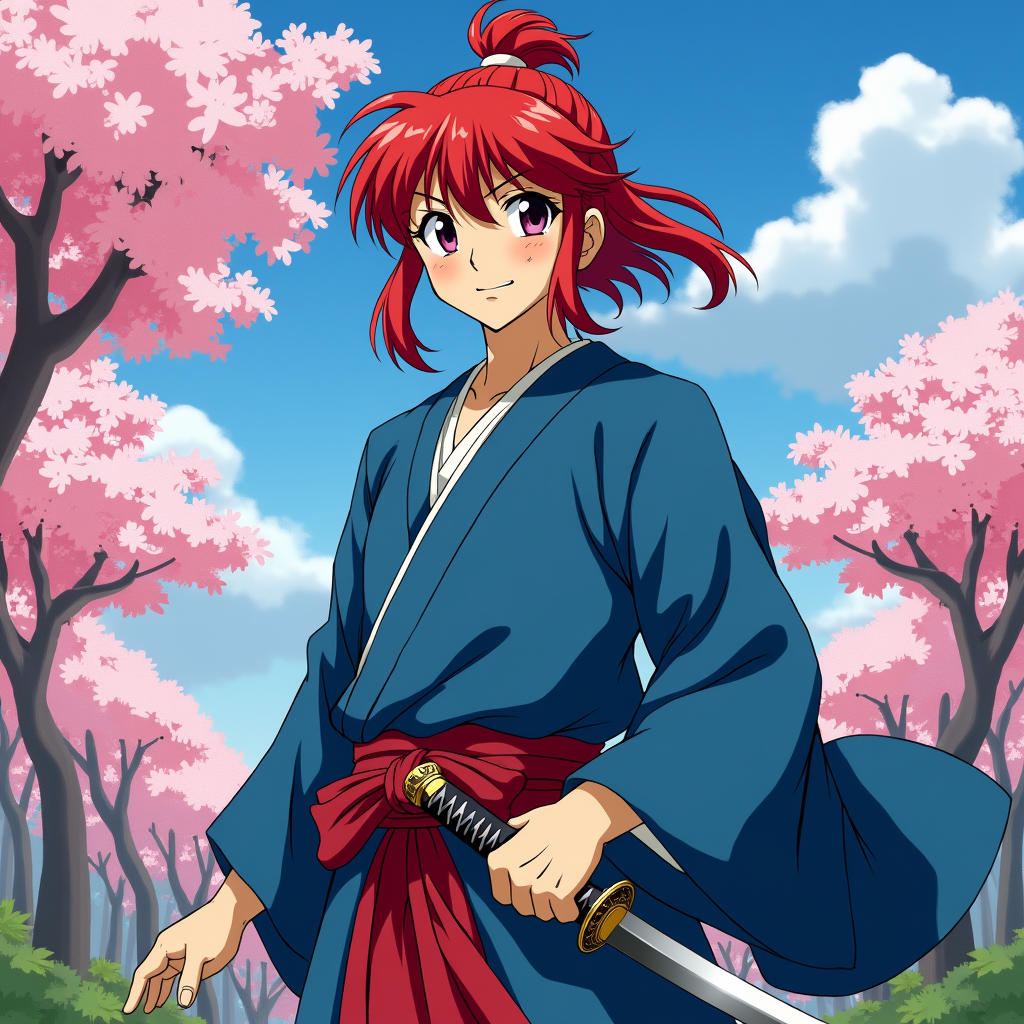
Create an image of Kenshin Himura in a vibrant anime style, showcasing his iconic red hair tied in a bun with loose strands framing his face. He wears a traditional, flowing blue kimono with a white undershirt, complemented by a crimson sash. His expression is a mix of determination and kindness, with a slight smile that hints at his gentle nature. Kenshin stands in a dynamic pose, one hand resting on the hilt of his sheathed reverse-blade sword, ready for action. The background features a serene rural landscape with cherry blossom trees in full bloom, symbolizing peace and renewal. The art style should be colorful and expressive, capturing the essence of classic anime with bold outlines and vibrant colors. Include signature elements like the scar on his cheek and the subtle glow of his sword, emphasizing his warrior spirit and dedication to protecting others.
Flyne AI 圖像提示的詳細分析
分析使用 Flyne AI Image Generator 生成圖像所用的詳細提示。
探索 Flux AI 圖像生成器的提示
如何使用 Flyne AI Image Generator 生成圖像 Flux.1 dev
遵循以下四個簡單步驟來創建您想要的圖片。
步驟 1:輸入您的文字 (可自由調整提示以獲得更好的結果)
步驟 2:選擇圖片的縱橫比
步驟 3:選擇您的圖像模型:
步驟 4:點擊生成按鈕並等待幾秒鐘獲取您的圖片
與圖像生成提示相關的 Flyne AI 工具 Flux.1 dev
發現來自 Flyne AI 的高級工具,提升您的創意工作流程。