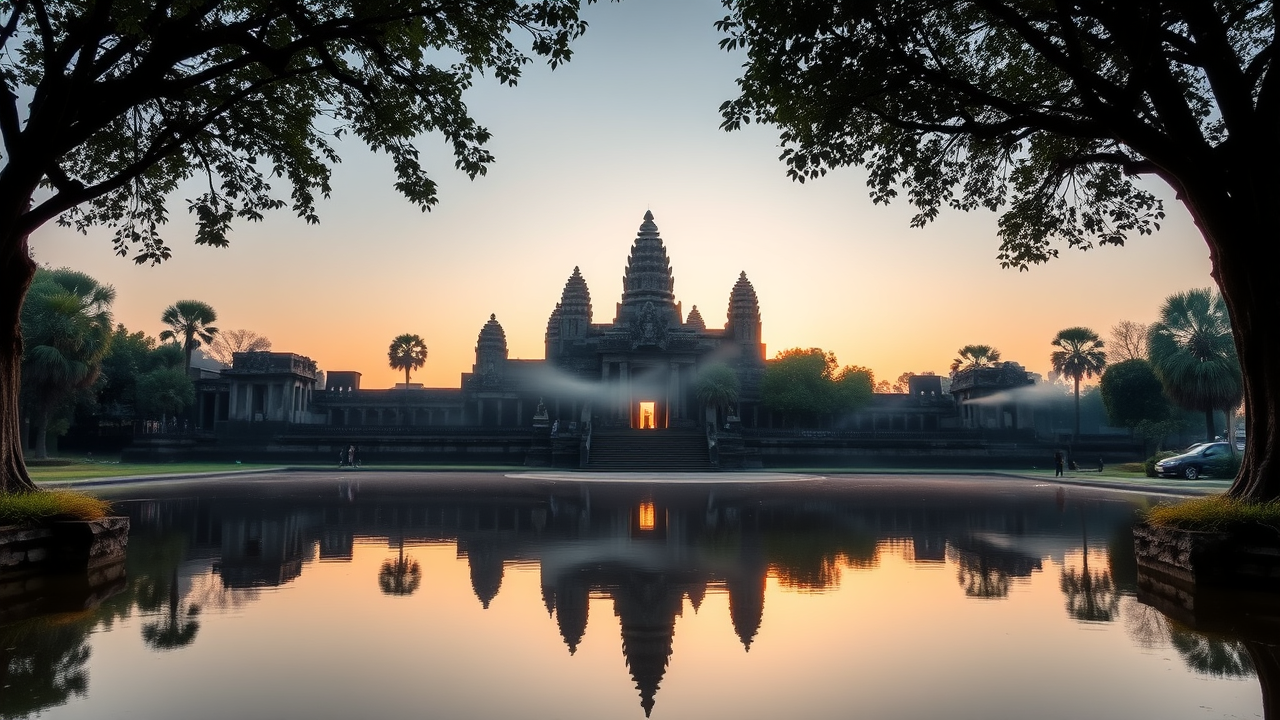
Angkor Wat - Flux.1 schnell
Eingabe
Create a breathtaking scene of Angkor Wat at dawn, with the first light illuminating its intricate sandstone carvings and towering spires. The temple's silhouette is reflected in the serene waters of the surrounding moat, creating a symmetrical composition. Capture the warm hues of the rising sun, casting golden tones on the temple's detailed bas-reliefs depicting Hindu mythology. Lush green trees and tropical foliage frame the scene, enhancing the sense of tranquility. The textured stone surfaces, weathered by time, contrast with the smooth water, while wisps of morning mist linger, adding a mystical quality. Emphasize the grandeur of the Khmer architectural style, with its lotus-bud towers and expansive galleries. Use a wide-angle lens to encompass both the temple and its natural surroundings, aiming for a soft focus that highlights the ethereal atmosphere, evoking the rich cultural heritage of this UNESCO World Heritage site.
Detaillierte Analyse des Flyne AI Bild-Prompts
Analysiere den detaillierten Prompt, der zur Erstellung des Bildes mit dem Flyne AI Image Generator verwendet wurde.
Flux-Prompts für den KI-Bildgenerator erkunden
So erzeugst du Bilder mit dem Flyne AI Image Generator Flux.1 schnell
Folge diesen vier einfachen Schritten, um das gewünschte Bild zu erstellen.
Schritt 1: Gib deinen Text ein (Fühle dich frei, deinen Prompt für bessere Ergebnisse zu verfeinern)
Schritt 2: Wähle das Bildseitenverhältnis
Schritt 3: Wähle dein Bildmodell:
Schritt 4: Klicke auf die Generieren-Schaltfläche und warte ein paar Sekunden auf dein Bild
Verwandte Flyne AI Tools für Prompts zur Bilderzeugung Flux.1 schnell
Entdecke fortschrittliche Tools von Flyne AI, um deinen kreativen Workflow zu verbessern.