Neon Dreams: Cybernetic Odyssey - Flux.1 dev
Eingabe
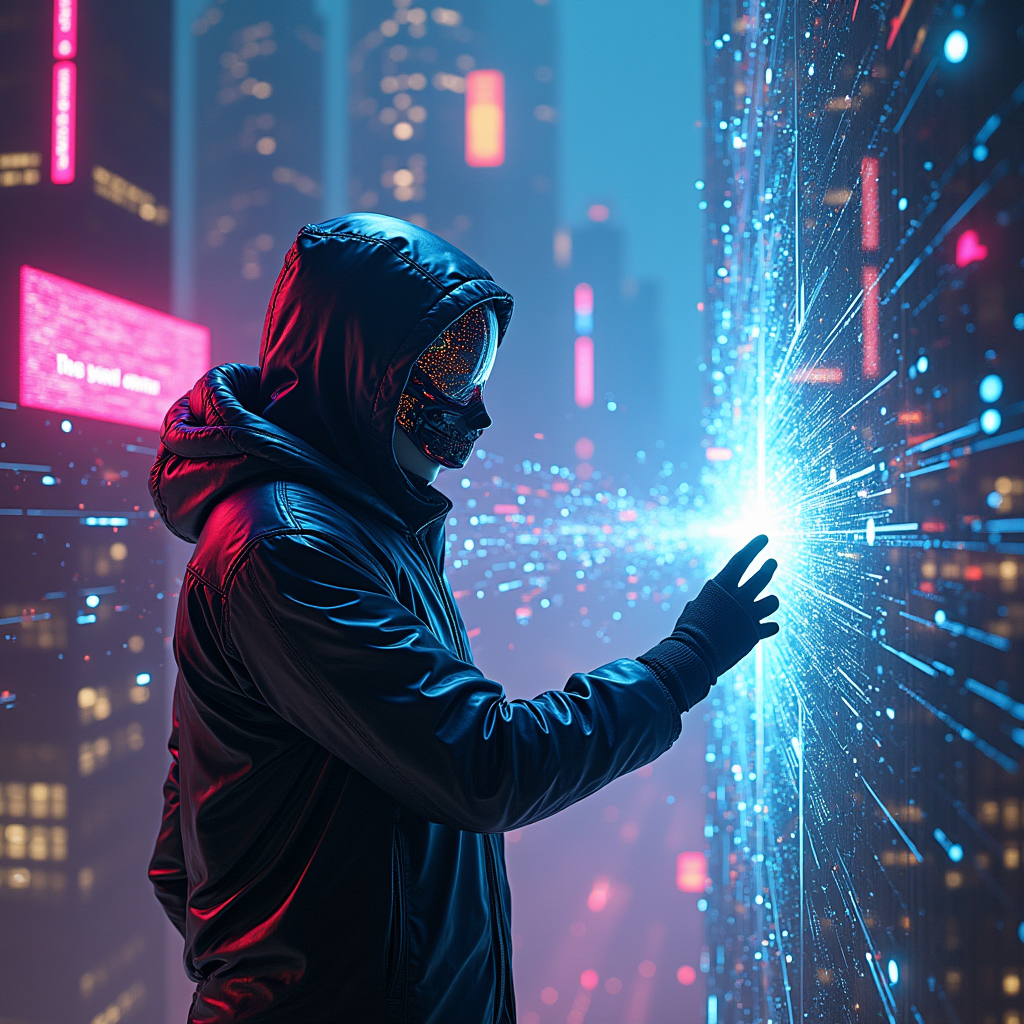
In a sprawling digital metropolis, neon-clad hackers with iridescent visors and holographic interfaces weave through a labyrinth of glowing data streams, their silhouettes illuminated by vibrant hues of electric blue, fuchsia, and acid green. The atmosphere pulsates with a synthetic hum as towering skyscrapers, adorned with pulsating LED screens, reflect the chaotic beauty of the virtual realm. Wisps of digital code swirl like smoke, creating a surreal backdrop where reality blurs into a kaleidoscope of pixelated dreams. A central figure, cloaked in a sleek, reflective jacket, extends a gloved hand towards a shimmering portal, their face obscured by a mask that flickers with dynamic patterns. Around them, fragmented images of cybernetic creatures and glitching landscapes collide, embodying the collision of dreams and reality in a dazzling display of light and color, inviting viewers into an electrifying journey through the heart of the cybernetic underworld.
Detaillierte Analyse des Flyne AI Bild-Prompts
Analysiere den detaillierten Prompt, der zur Erstellung des Bildes mit dem Flyne AI Image Generator verwendet wurde.
Flux-Prompts für den KI-Bildgenerator erkunden
So erzeugst du Bilder mit dem Flyne AI Image Generator Flux.1 dev
Folge diesen vier einfachen Schritten, um das gewünschte Bild zu erstellen.
Schritt 1: Gib deinen Text ein (Fühle dich frei, deinen Prompt für bessere Ergebnisse zu verfeinern)
Schritt 2: Wähle das Bildseitenverhältnis
Schritt 3: Wähle dein Bildmodell:
Schritt 4: Klicke auf die Generieren-Schaltfläche und warte ein paar Sekunden auf dein Bild
Verwandte Flyne AI Tools für Prompts zur Bilderzeugung Flux.1 dev
Entdecke fortschrittliche Tools von Flyne AI, um deinen kreativen Workflow zu verbessern.