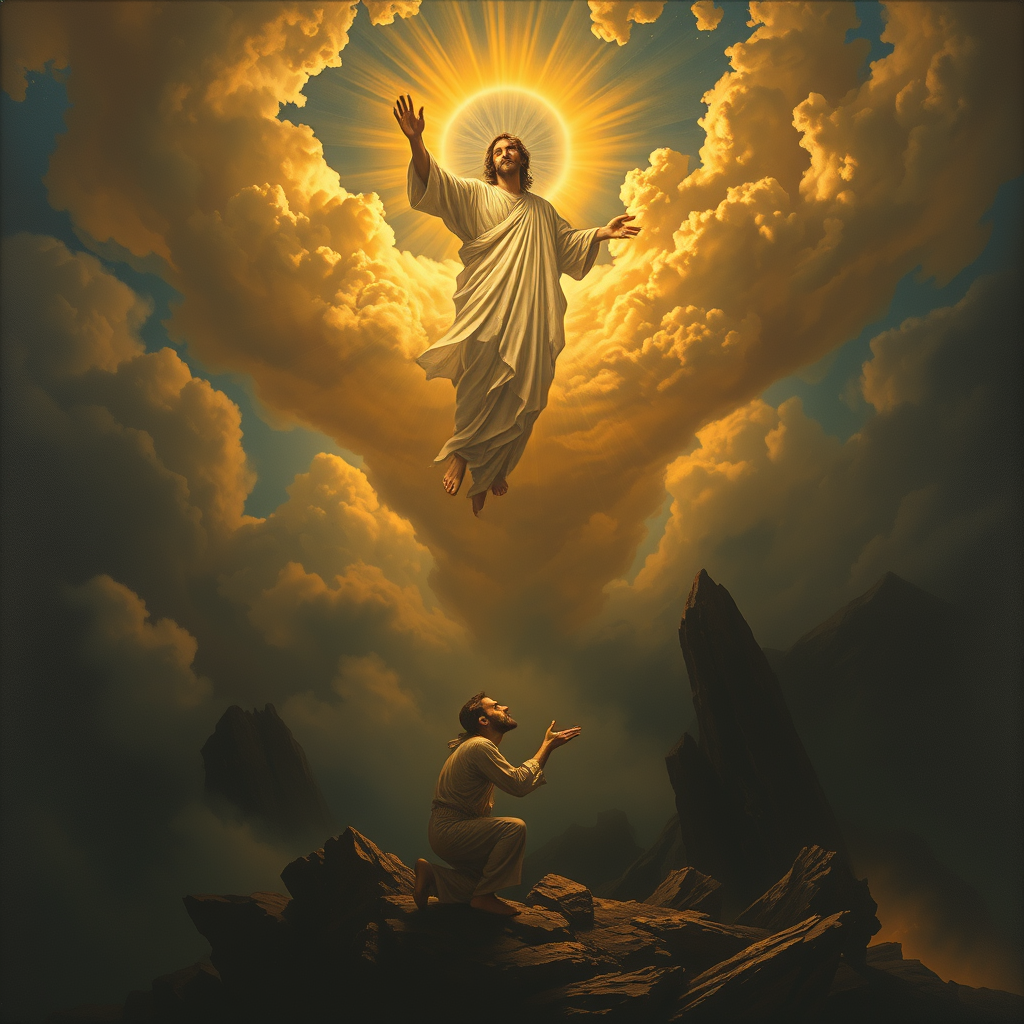
The Lord saves the righteous. - Flux.1 schnell
Eingabe
**Prompt:** "A dramatic, celestial scene where a radiant, divine figure (The Lord) descends from golden clouds, bathed in ethereal light, extending a hand to lift a humble, weary traveler (the righteous) from a shadowy valley below. The traveler kneels in prayer, their face illuminated with hope, while dark, chaotic forces—twisting shadows and jagged rocks—recede in the background. Style: Baroque-inspired with rich contrasts, dynamic composition, and intricate details reminiscent of Caravaggio’s chiaroscuro. Mood: triumphant yet serene, with a heavenly glow casting warm highlights against a stormy, muted landscape. Colors: deep blues, luminous golds, and soft whites, evoking divine intervention and salvation.
Detaillierte Analyse des Flyne AI Bild-Prompts
Analysiere den detaillierten Prompt, der zur Erstellung des Bildes mit dem Flyne AI Image Generator verwendet wurde.
Flux-Prompts für den KI-Bildgenerator erkunden
So erzeugst du Bilder mit dem Flyne AI Image Generator
Folge diesen vier einfachen Schritten, um das gewünschte Bild zu erstellen.
Schritt 1: Gib deinen Text ein (Fühle dich frei, deinen Prompt für bessere Ergebnisse zu verfeinern)
Schritt 2: Wähle das Bildseitenverhältnis
Schritt 3: Wähle dein Bildmodell:
Schritt 4: Klicke auf die Generieren-Schaltfläche und warte ein paar Sekunden auf dein Bild
Verwandte Flyne AI Tools für Prompts zur Bilderzeugung
Entdecke fortschrittliche Tools von Flyne AI, um deinen kreativen Workflow zu verbessern.