Kenshin Himura - Flux.1.1 pro
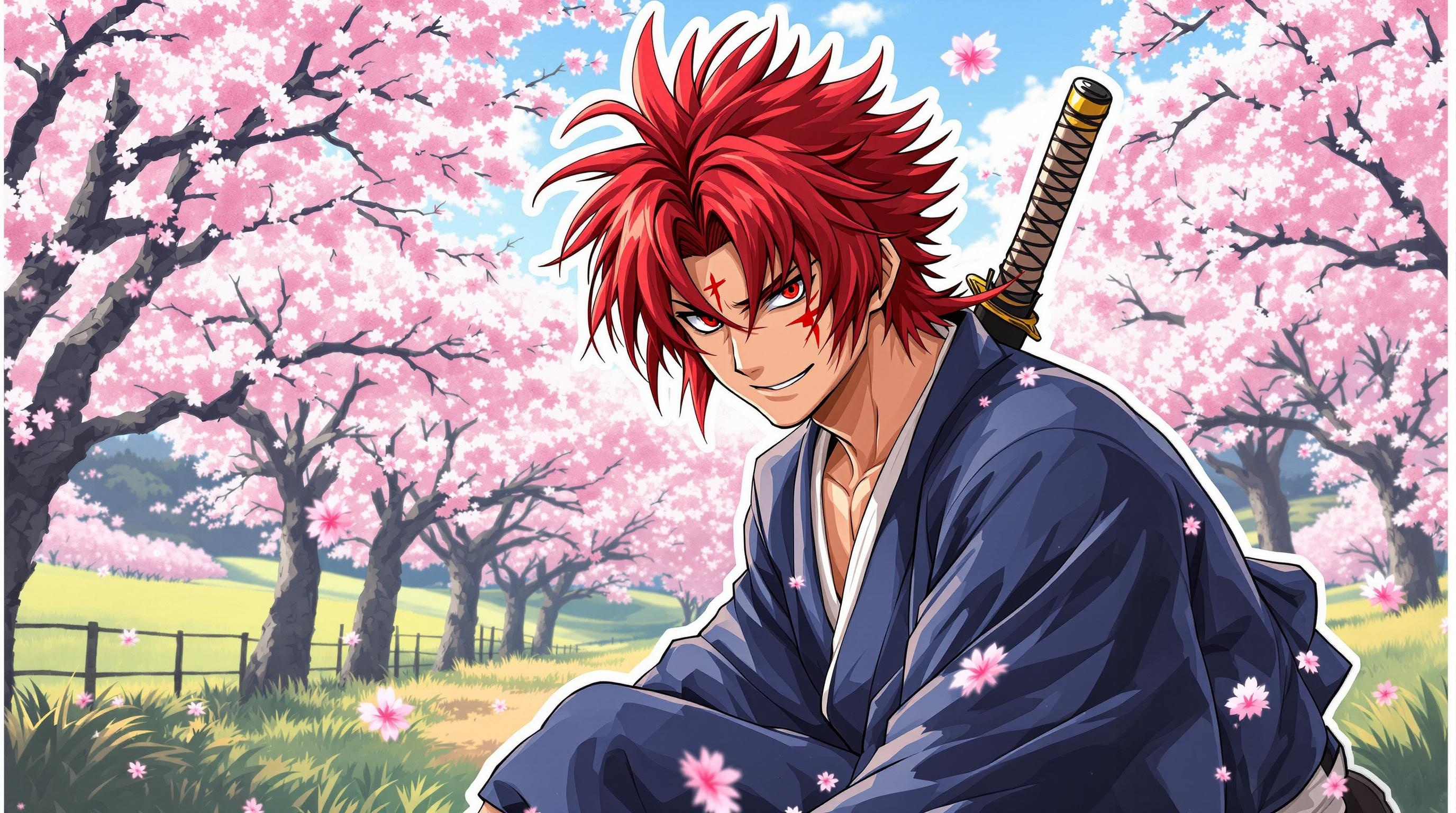
프롬프트
Create an image of Kenshin Himura in a vibrant anime sticker style. Capture his signature red hair, styled in a spiky yet flowing manner, and his distinctive cross-shaped scar on the left cheek. He wears a traditional dark blue kimono with a white hakama, cinched at the waist with a simple rope belt. Add his iconic sakabatō (reverse-blade sword) slung across his back, slightly visible. Kenshin's expression should be a mix of determination and kindness, with a subtle smile that reflects his introspective nature. Position him in a dynamic pose, slightly crouched as if ready to spring into action. The background features a serene rural landscape with cherry blossom trees in full bloom, adding a touch of tranquility. Use bold, vibrant colors typical of anime sticker art, with clean lines and a slight glossy finish, emphasizing the character's essence and the beauty of his surroundings. Include a few floating cherry blossoms around him to enhance the atmosphere.
Flyne AI 이미지 프롬프트 상세 분석
Flyne AI Image Generator로 이미지를 생성하는 데 사용된 상세 프롬프트를 분석합니다.
Flux AI 이미지 생성기 프롬프트 탐색
Flyne AI Image Generator로 이미지를 생성하는 방법
원하는 이미지를 만들기 위해 다음 네 가지 간단한 단계를 따르세요.
단계 1: 텍스트 입력 (더 나은 결과를 위해 프롬프트를 자유롭게 수정하세요)
단계 2: 이미지 종횡비 선택
단계 3: 이미지 모델 선택:
단계 4: 생성 버튼을 클릭하고 몇 초간 기다려 이미지를 받으세요
이미지 생성 프롬프트와 관련된 Flyne AI 도구
Flyne AI의 고급 도구를 살펴보고 창의적인 작업 흐름을 향상시키세요.