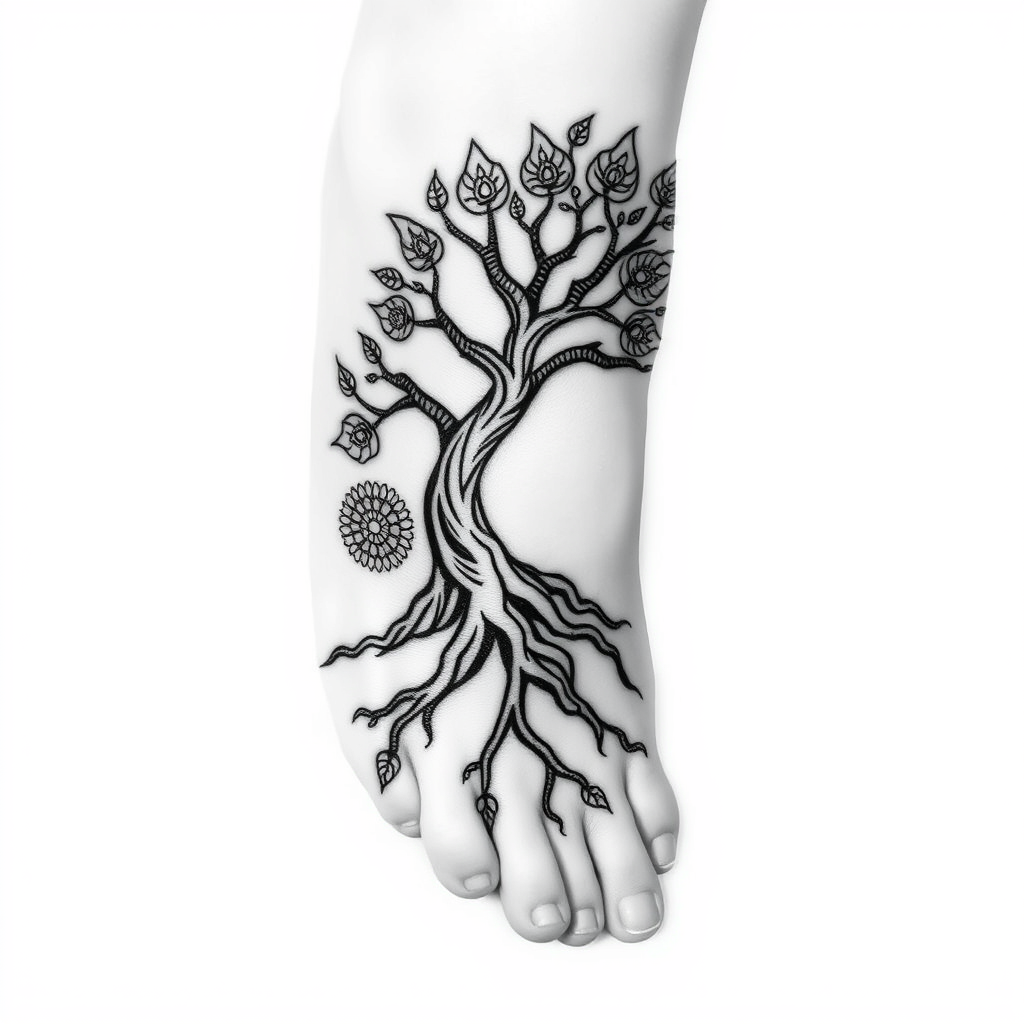
Rooted in Life: A Foot Tattoo - Flux.1 schnell
프롬프트
Create a tattoo design for the side of the foot featuring a stylized tree of life. The tree should have intricate roots that weave around the ankle, symbolizing grounding and stability, while its branches reach elegantly towards the toes, evoking growth and potential. The artistic style should blend traditional and minimalist elements, with clean lines and organic forms. The size should be medium, allowing enough space for detail but not overwhelming the foot. Opt for a black and white palette, emphasizing shading to create depth and texture in the bark and leaves. Intricate patterns resembling mandalas can adorn the leaves, adding richness. The overall mood should be serene and harmonious, reflecting themes of connection to nature and a journey through life, reminiscent of Celtic or indigenous symbolism.
Flyne AI 이미지 프롬프트 상세 분석
Flyne AI Image Generator로 이미지를 생성하는 데 사용된 상세 프롬프트를 분석합니다.
Flux AI 이미지 생성기 프롬프트 탐색
Flyne AI Image Generator로 이미지를 생성하는 방법
원하는 이미지를 만들기 위해 다음 네 가지 간단한 단계를 따르세요.
단계 1: 텍스트 입력 (더 나은 결과를 위해 프롬프트를 자유롭게 수정하세요)
단계 2: 이미지 종횡비 선택
단계 3: 이미지 모델 선택:
단계 4: 생성 버튼을 클릭하고 몇 초간 기다려 이미지를 받으세요
이미지 생성 프롬프트와 관련된 Flyne AI 도구
Flyne AI의 고급 도구를 살펴보고 창의적인 작업 흐름을 향상시키세요.