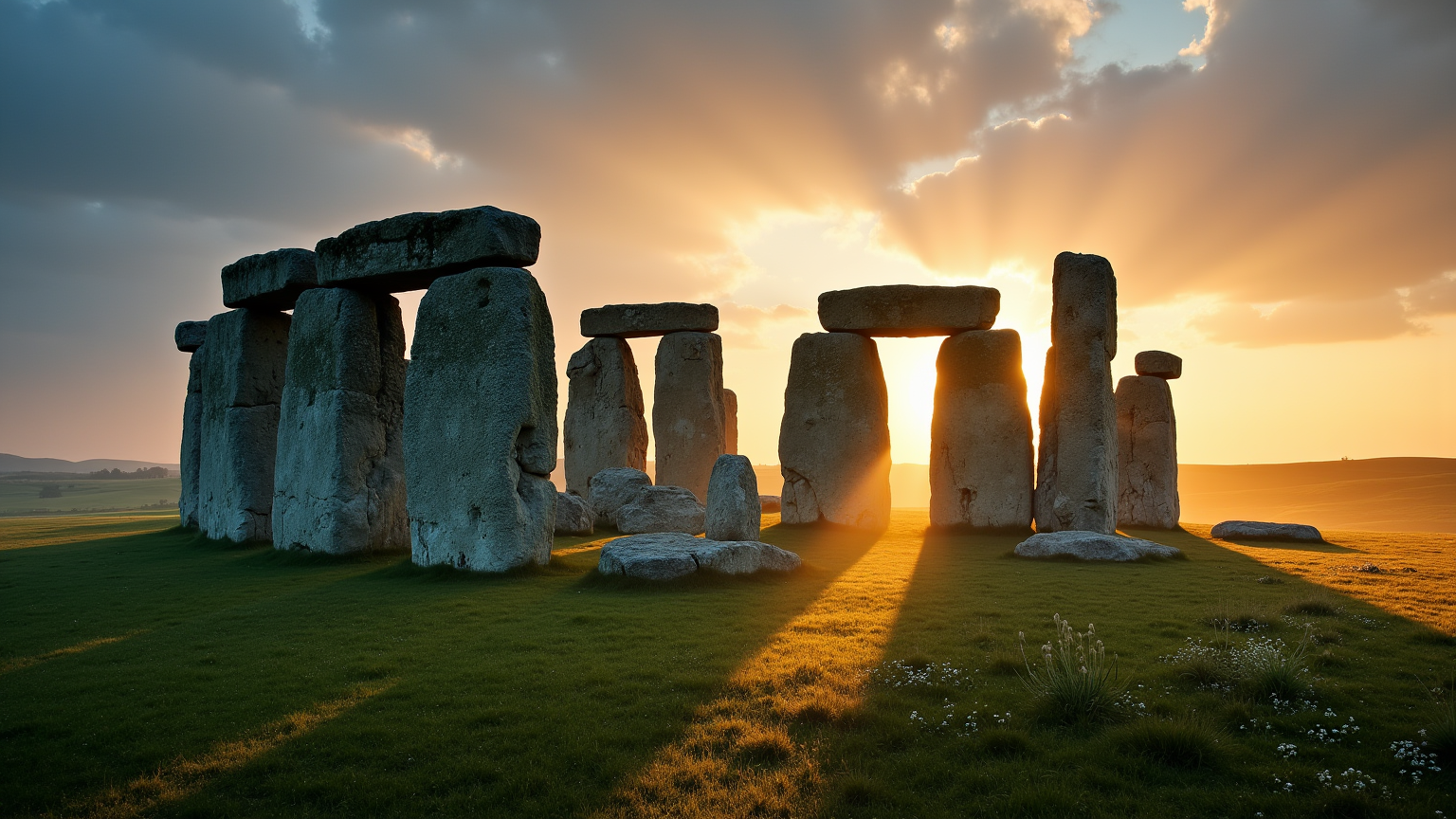
Stonehenge - Flux.1 dev
Eingabe
Create an image of Stonehenge at dawn, bathed in soft golden light that casts long shadows across the ancient stones. The scene captures the iconic megaliths, with their rugged, weathered surfaces displaying hues of gray and brown, contrasting against the lush green grass of the surrounding landscape. Wisps of morning mist curl around the stones, adding an ethereal quality to the atmosphere. The sky transitions from deep indigo to warm oranges and pinks, enhancing the mystical aura of this prehistoric site. In the background, gentle hills roll towards the horizon, dotted with wildflowers, embodying the serene beauty of the English countryside. Emphasize a wide-angle perspective to encompass both the grandeur of the stone circle and its tranquil environment, evoking a sense of timelessness and connection to ancient rituals. Use a soft-focus lens effect to create a dreamy, atmospheric quality, reminiscent of classic landscape photography.
Detaillierte Analyse des Flyne AI Bild-Prompts
Analysiere den detaillierten Prompt, der zur Erstellung des Bildes mit dem Flyne AI Image Generator verwendet wurde.
Flux-Prompts für den KI-Bildgenerator erkunden
So erzeugst du Bilder mit dem Flyne AI Image Generator
Folge diesen vier einfachen Schritten, um das gewünschte Bild zu erstellen.
Schritt 1: Gib deinen Text ein (Fühle dich frei, deinen Prompt für bessere Ergebnisse zu verfeinern)
Schritt 2: Wähle das Bildseitenverhältnis
Schritt 3: Wähle dein Bildmodell:
Schritt 4: Klicke auf die Generieren-Schaltfläche und warte ein paar Sekunden auf dein Bild
Verwandte Flyne AI Tools für Prompts zur Bilderzeugung
Entdecke fortschrittliche Tools von Flyne AI, um deinen kreativen Workflow zu verbessern.