Neon Shadows of Rebellion - Flux.1 dev
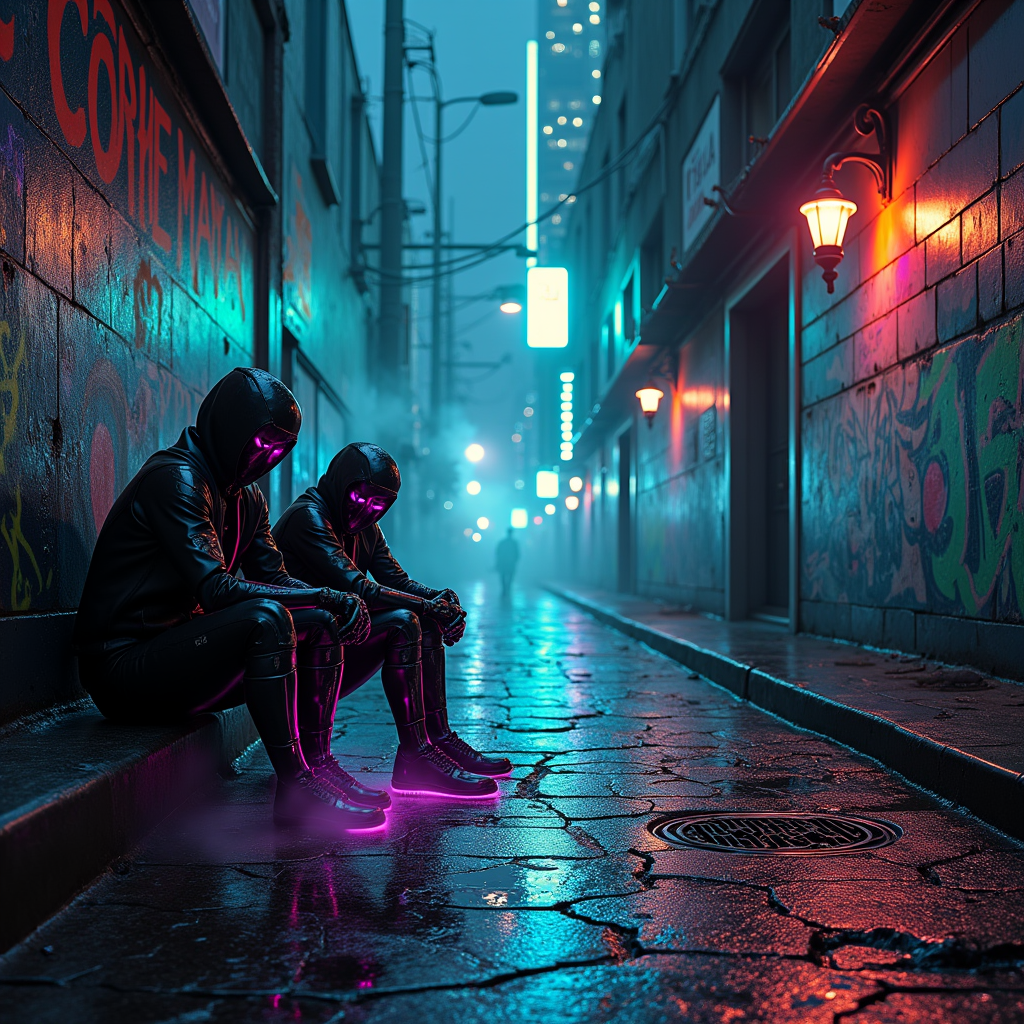
Prompt
In a dimly lit urban alley, cracked pavement glistens with rain, revealing vibrant neon veins pulsating beneath the surface, glowing in electric blues and vivid pinks. Towering skyscrapers loom overhead, their glass facades reflecting a chaotic tapestry of holographic advertisements and flickering lights. Shadows dance as cyborg figures, adorned with chrome plating and iridescent tattoos, huddle in cloaked clusters, their eyes shimmering like distant stars, whispering secrets of rebellion. Wisps of steam rise from manhole covers, swirling around their feet, while a distant siren wails, echoing through the damp air. The atmosphere is thick with tension, illuminated by the pulsating glow of graffiti that tells stories of resistance, each stroke a vibrant splash of neon green and fiery orange against the darkened concrete. A lone flickering streetlamp casts an eerie glow, highlighting the intricate circuitry woven into the cyborgs' skin, as they plot their next move in this gritty, dystopian world.
Análise detalhada do prompt de imagem Flyne AI
Analise o prompt detalhado usado para gerar a imagem com o Flyne AI Image Generator.
Explore Prompts Flux para o Gerador de Imagens
Como gerar imagens com o Flyne AI Image Generator Flux.1 dev
Siga estes quatro passos simples para criar a imagem desejada.
Passo 1: Insira seu texto (Sinta-se à vontade para refinar seu prompt para melhores resultados)
Passo 2: Escolha a proporção da imagem
Passo 3: Selecione seu modelo de imagem:
Passo 4: Clique no botão Gerar e aguarde alguns segundos para sua imagem
Ferramentas Flyne AI relacionadas a prompts de geração de imagens Flux.1 dev
Descubra ferramentas avançadas da Flyne AI para melhorar seu fluxo de trabalho criativo.