Neon Dreams in a Dystopian Alley - Flux.1 dev
Prompt
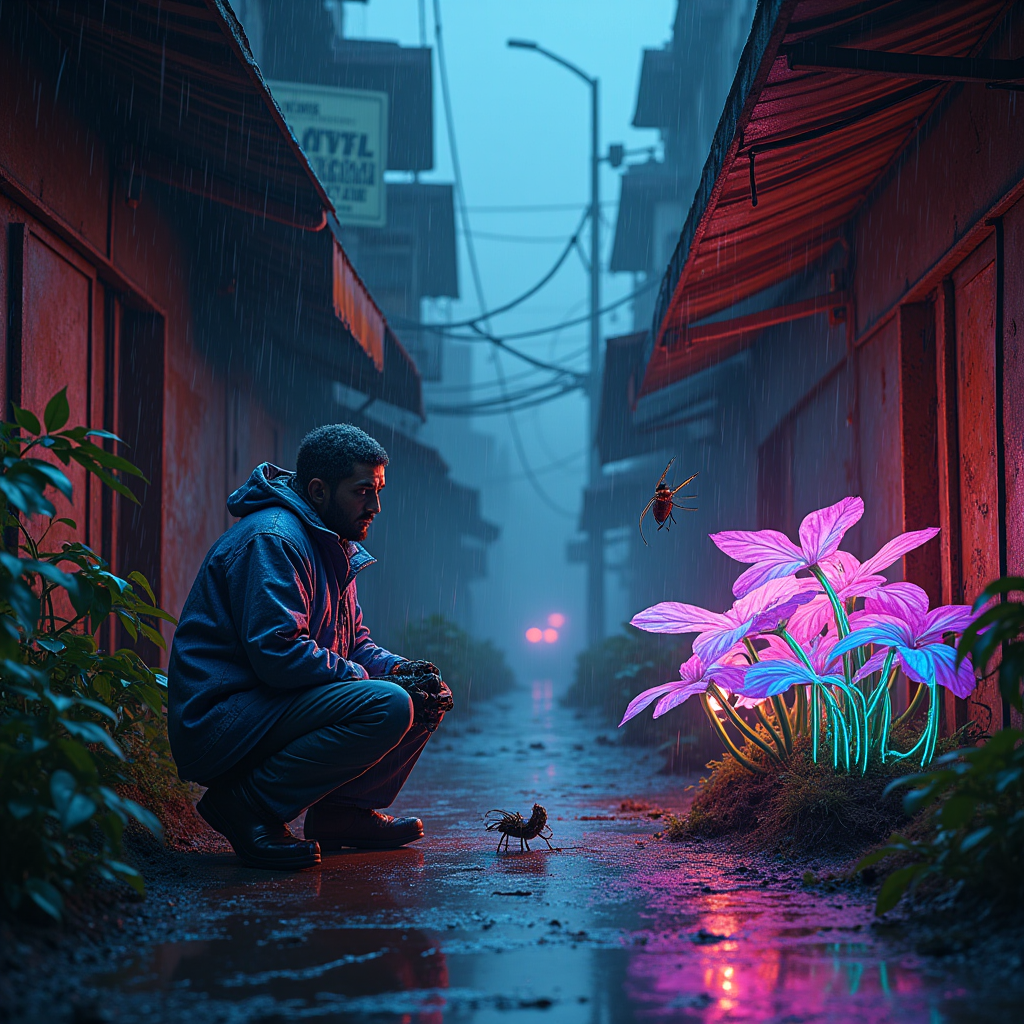
In a dimly lit, rain-soaked alley, neon droplets cascade from rusted metal awnings, casting a kaleidoscope of colors onto the cracked pavement below. A rogue botanist, clad in a tattered, holographic lab coat, crouches beside a cluster of bioluminescent, cybernetic plants, their iridescent leaves pulsating in shades of electric blue and vibrant magenta. The shattered sky above is a chaotic tapestry of dark clouds and flickering neon advertisements, creating an otherworldly glow that bathes the scene in an eerie ambiance. Glowing circuitry veins intertwine with the roots of the flora, illuminating the ground with a soft, pulsating light. The air is thick with humidity and the scent of damp earth, while the distant hum of neon city life creates a haunting backdrop. A mechanical insect buzzes nearby, drawn to the bioluminescence, completing this surreal tableau of nature and technology intertwined in a dystopian dreamscape.
Análise detalhada do prompt de imagem Flyne AI
Analise o prompt detalhado usado para gerar a imagem com o Flyne AI Image Generator.
Explore Prompts Flux para o Gerador de Imagens
Como gerar imagens com o Flyne AI Image Generator
Siga estes quatro passos simples para criar a imagem desejada.
Passo 1: Insira seu texto (Sinta-se à vontade para refinar seu prompt para melhores resultados)
Passo 2: Escolha a proporção da imagem
Passo 3: Selecione seu modelo de imagem:
Passo 4: Clique no botão Gerar e aguarde alguns segundos para sua imagem
Ferramentas Flyne AI relacionadas a prompts de geração de imagens
Descubra ferramentas avançadas da Flyne AI para melhorar seu fluxo de trabalho criativo.