Vengeance in Neon Shadows - Flux.1.1 pro
Eingabe
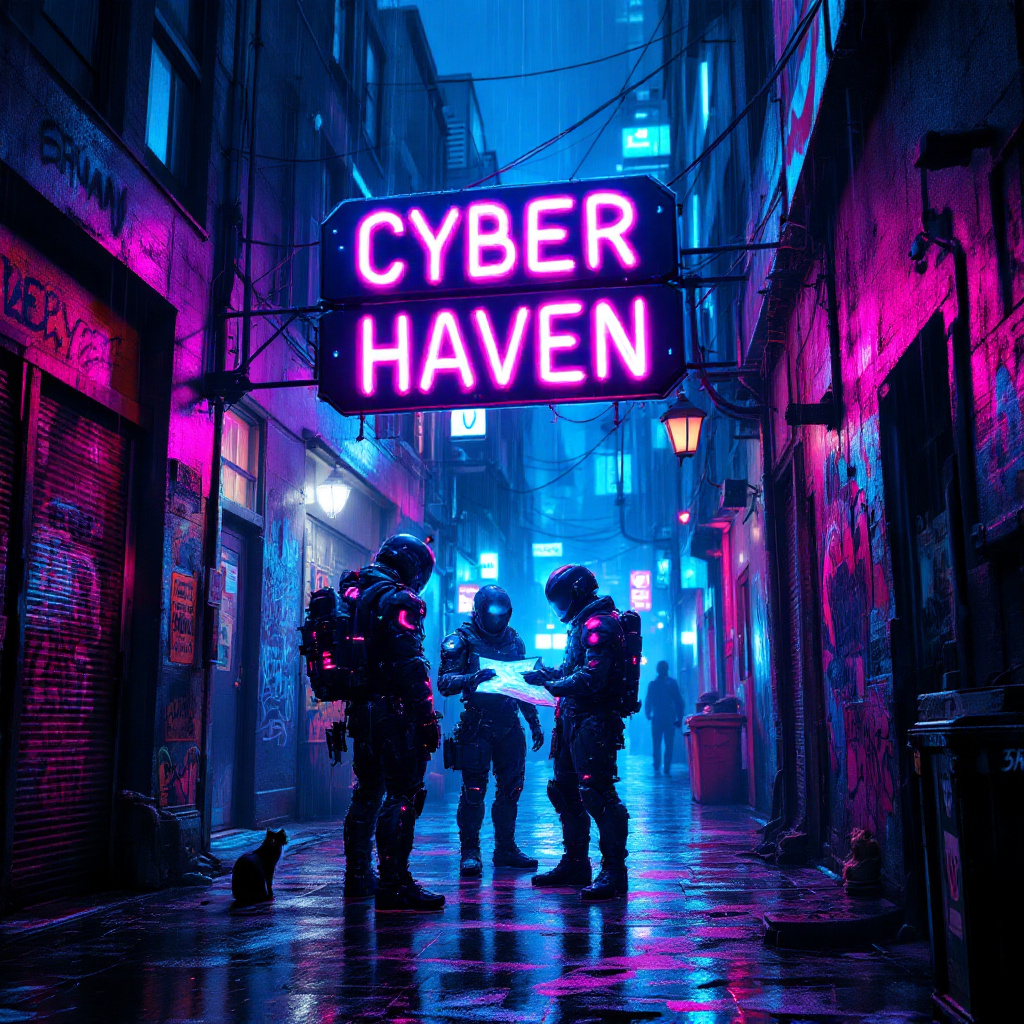
In a dimly lit, rain-soaked alleyway, neon lights flicker and glow in vibrant hues of electric blue, hot pink, and acid green, casting a surreal glow on the slick pavement. Shadows dance as augmented mercenaries, clad in high-tech armor adorned with glowing circuitry, huddle beneath a flickering neon sign that reads "Cyber Haven." Their cybernetic enhancements glint under the rain, while one figures pulls a holographic map from their forearm, illuminating their determined faces with a ghostly light. The air is thick with the scent of rain and ozone, punctuated by distant sirens and the hum of drones overhead. Graffiti-covered walls loom around them, depicting rebellious art and warnings about the corporate overlords. A stray cat, its eyes glowing like tiny headlights, watches from a nearby dumpster, adding an eerie sense of life to the otherwise tense atmosphere. The scene captures the essence of a gritty, futuristic world where vengeance brews in the shadows.
Detaillierte Analyse des Flyne AI Bild-Prompts
Analysiere den detaillierten Prompt, der zur Erstellung des Bildes mit dem Flyne AI Image Generator verwendet wurde.
Flux-Prompts für den KI-Bildgenerator erkunden
So erzeugst du Bilder mit dem Flyne AI Image Generator
Folge diesen vier einfachen Schritten, um das gewünschte Bild zu erstellen.
Schritt 1: Gib deinen Text ein (Fühle dich frei, deinen Prompt für bessere Ergebnisse zu verfeinern)
Schritt 2: Wähle das Bildseitenverhältnis
Schritt 3: Wähle dein Bildmodell:
Schritt 4: Klicke auf die Generieren-Schaltfläche und warte ein paar Sekunden auf dein Bild
Verwandte Flyne AI Tools für Prompts zur Bilderzeugung
Entdecke fortschrittliche Tools von Flyne AI, um deinen kreativen Workflow zu verbessern.