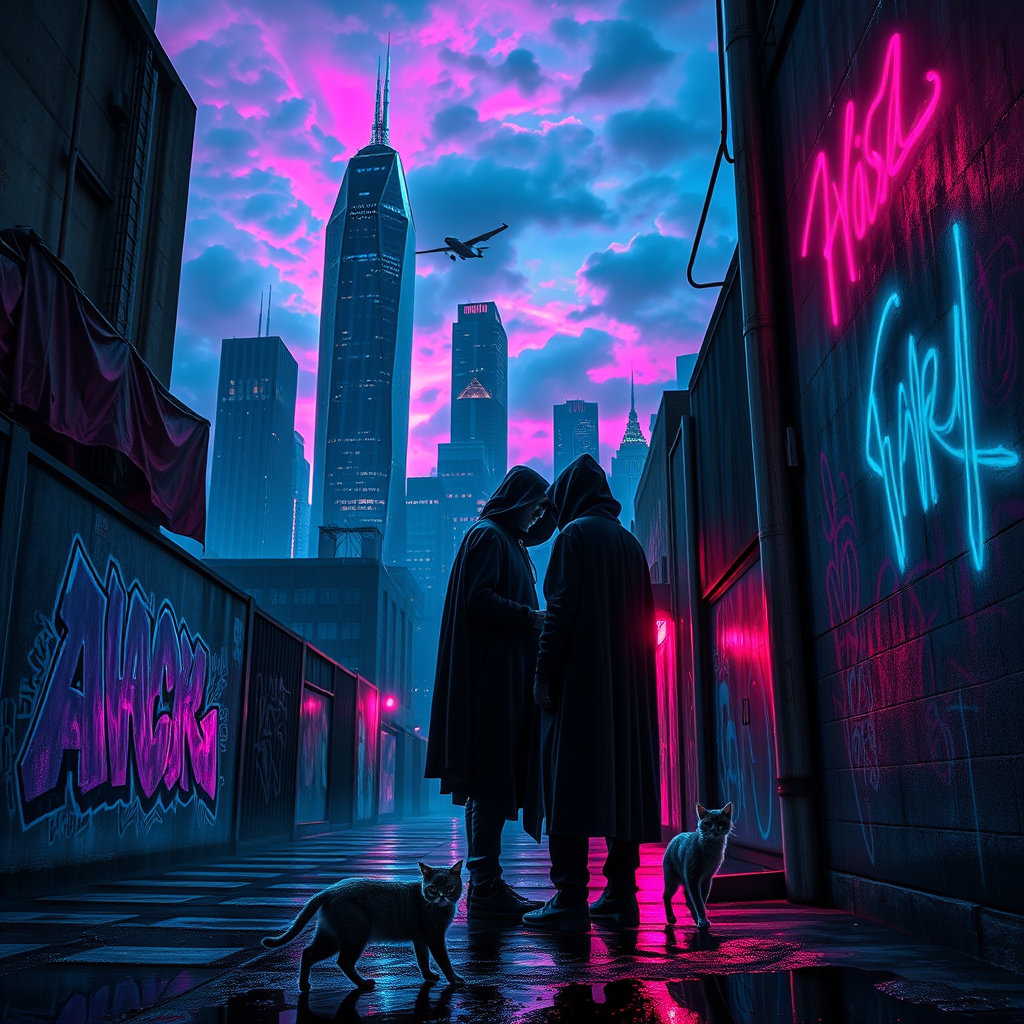
Neon Secrets in Shadowed Alley - Flux.1 schnell
Indicador
A fractured skyline loomed against a backdrop of swirling neon clouds, jagged skyscrapers piercing the twilight with their chrome and glass facades reflecting hues of electric blue and deep magenta. Below, in the shadowy alcoves of a rain-soaked alley, two cloaked figures huddled close, their faces obscured by the glow of flickering holographic screens, exchanging secrets in hushed tones. The air was thick with the scent of damp concrete and the distant hum of hovercrafts slicing through the mist. Neon graffiti illuminated the walls, vibrant splashes of color contrasting with the oppressive darkness, while puddles mirrored the chaotic light above. A stray cat, its fur glistening like liquid silver, slinked past, adding a touch of life to the otherwise tense atmosphere. The scene pulsated with an electric energy, a clandestine world thriving beneath the fractured beauty of a dystopian metropolis.
Análisis detallado del prompt de imagen de Flyne AI
Analiza el prompt detallado utilizado para generar la imagen con Flyne AI Image Generator.
Explorar Mensajes para Flux IA
Cómo generar imágenes con Flyne AI Image Generator
Sigue estos cuatro sencillos pasos para crear la imagen que deseas.
Paso 1: Ingresa tu texto (No dudes en refinar tu prompt para mejores resultados)
Paso 2: Elige la relación de aspecto de la imagen
Paso 3: Selecciona tu modelo de imagen:
Paso 4: Haz clic en el botón Generar y espera unos segundos para tu imagen
Herramientas Flyne AI relacionadas con prompts de generación de imágenes
Descubre herramientas avanzadas de Flyne AI para potenciar tu flujo de trabajo creativo.