Geometric Harmony: Leg Tattoo Design - Flux.1 dev
Prompt
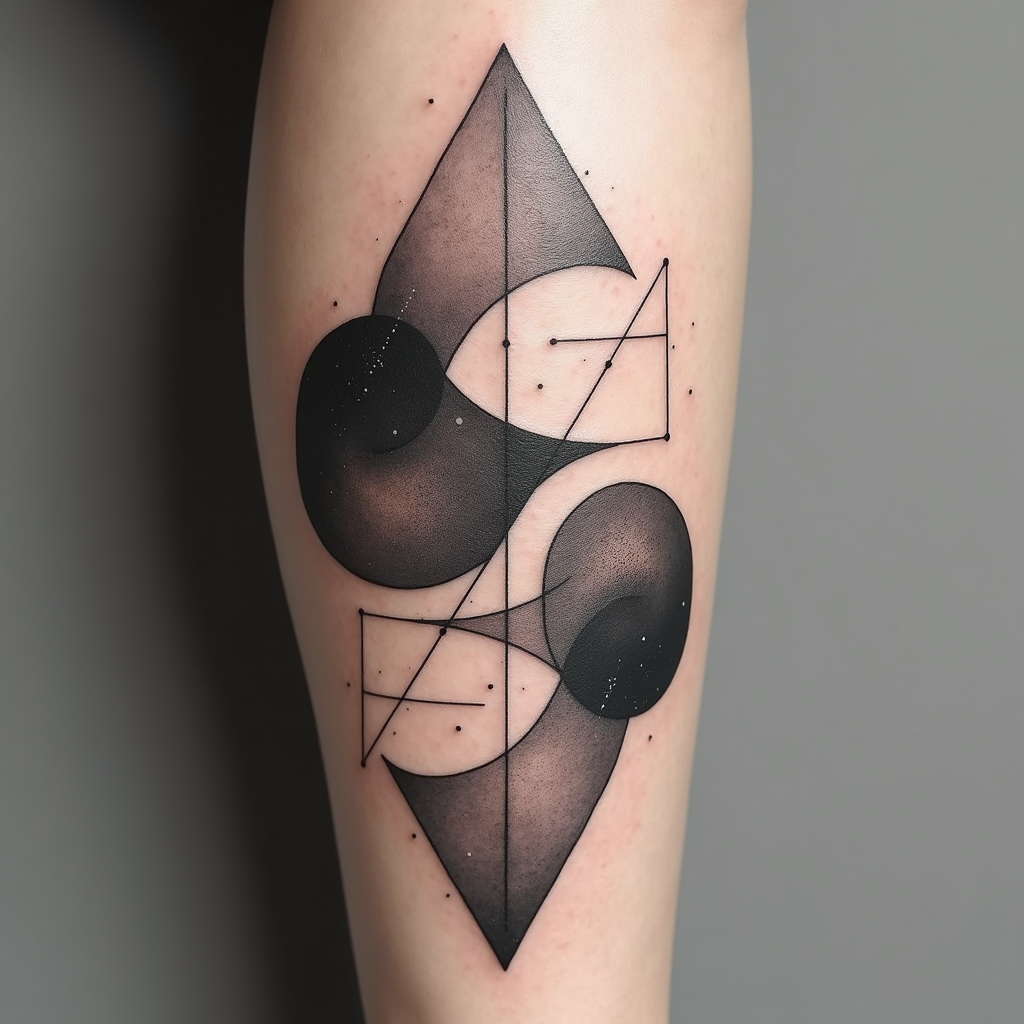
Create a tattoo design for the leg, featuring an abstract geometric shapes pattern that intertwines sharp angles and smooth curves. Incorporate elements like triangles, circles, and hexagons, layered to create depth and movement. The artistic style should be minimalist with clean lines, emphasizing negative space for a modern feel. The tattoo will wrap around the calf, starting just below the knee and extending down to the ankle, with a size that covers about 60% of the leg's circumference. Use a monochromatic color palette, primarily in deep blacks with subtle gray gradients to enhance texture. Include intricate dot work and fine line details within the shapes to add complexity. The design should evoke a sense of balance and harmony, drawing inspiration from sacred geometry, symbolizing unity and interconnectedness. Overall, aim for a contemporary aesthetic that feels both dynamic and serene, inviting the viewer to explore its details.
Análise detalhada do prompt de imagem Flyne AI
Analise o prompt detalhado usado para gerar a imagem com o Flyne AI Image Generator.
Explore Prompts Flux para o Gerador de Imagens
Como gerar imagens com o Flyne AI Image Generator
Siga estes quatro passos simples para criar a imagem desejada.
Passo 1: Insira seu texto (Sinta-se à vontade para refinar seu prompt para melhores resultados)
Passo 2: Escolha a proporção da imagem
Passo 3: Selecione seu modelo de imagem:
Passo 4: Clique no botão Gerar e aguarde alguns segundos para sua imagem
Ferramentas Flyne AI relacionadas a prompts de geração de imagens
Descubra ferramentas avançadas da Flyne AI para melhorar seu fluxo de trabalho criativo.