Geometric Harmony: Leg Tattoo Design - Flux.1 dev
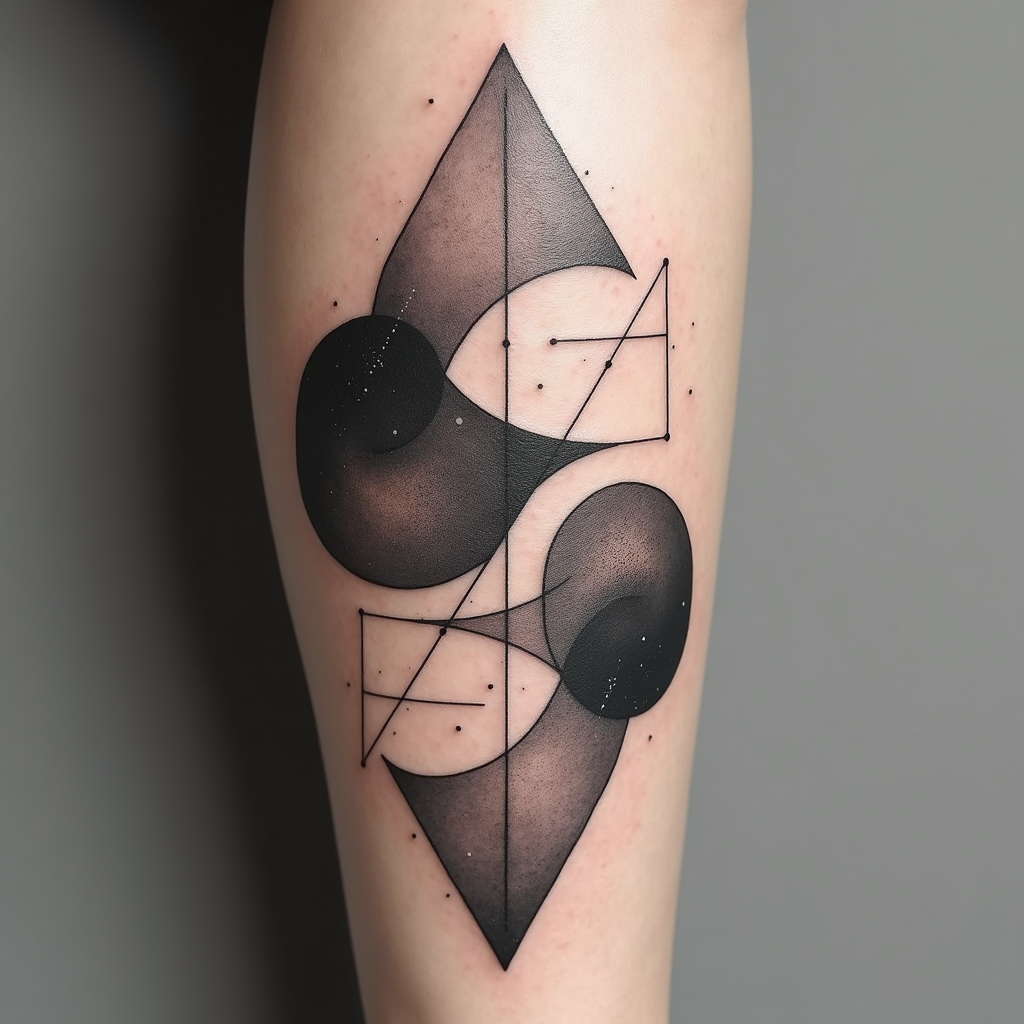
prompt
Create a tattoo design for the leg, featuring an abstract geometric shapes pattern that intertwines sharp angles and smooth curves. Incorporate elements like triangles, circles, and hexagons, layered to create depth and movement. The artistic style should be minimalist with clean lines, emphasizing negative space for a modern feel. The tattoo will wrap around the calf, starting just below the knee and extending down to the ankle, with a size that covers about 60% of the leg's circumference. Use a monochromatic color palette, primarily in deep blacks with subtle gray gradients to enhance texture. Include intricate dot work and fine line details within the shapes to add complexity. The design should evoke a sense of balance and harmony, drawing inspiration from sacred geometry, symbolizing unity and interconnectedness. Overall, aim for a contemporary aesthetic that feels both dynamic and serene, inviting the viewer to explore its details.
Detailed Analysis of the Flyne AI Image Prompt
Analyze the detailed prompt used to generate the image with Flyne AI Image Generator.
Explore AI Image Prompts with Flyne AI Image Generator
How to generate image by Flyne AI Image Generator
Follow these four simple steps to create your desired image.
Step 1: Enter Your Text (Feel free to refine your prompt for better results)
Step 2: Choose Image Aspect Ratio
Step 3: Select Your Image Model:
Step 4: Click the Generate Button and Wait a Few Seconds for Your Image
Related Flyne AI tools for prompts about image generation
Discover advanced tools from Flyne AI to boost your creative workflow.