Neon Alchemy: Shadows of Chaos - Flux.1 dev
Prompt
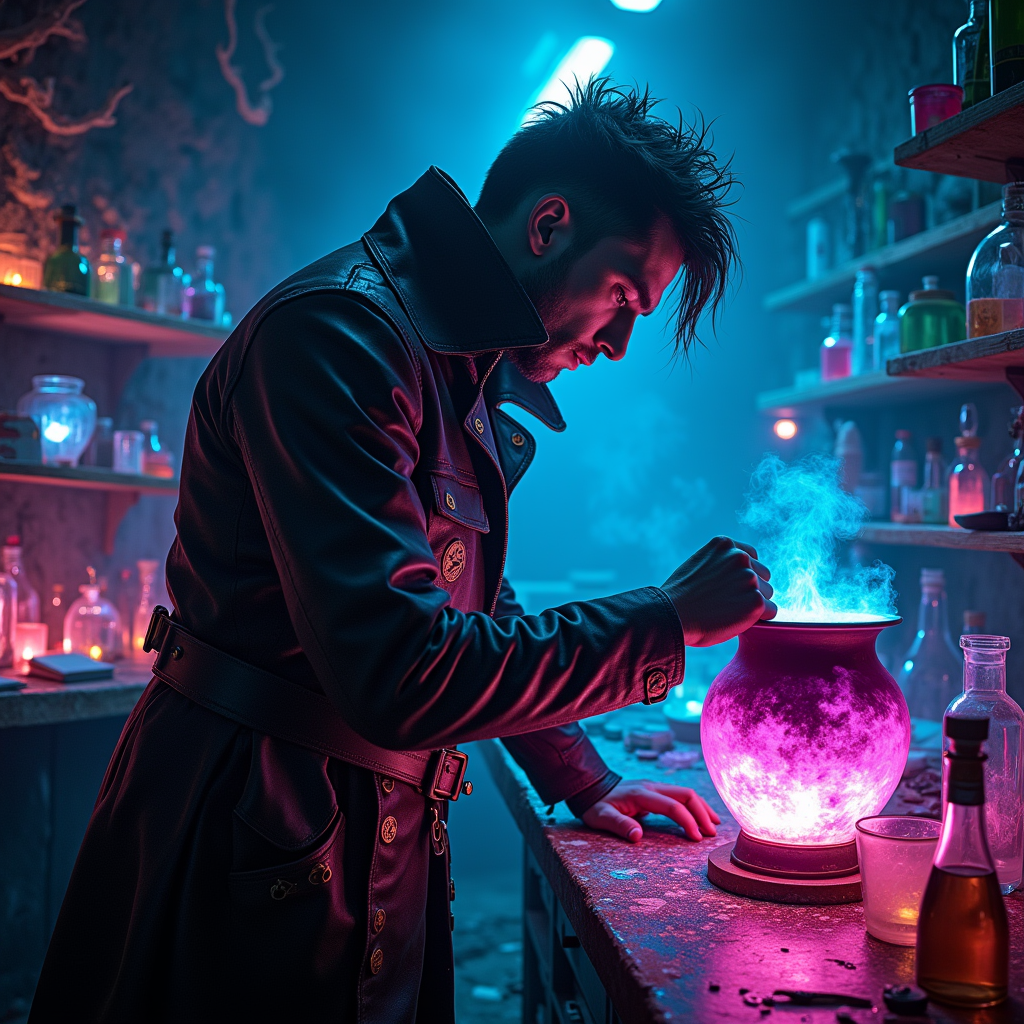
In a dimly lit underground laboratory, shadows dance against the walls, illuminated by the flickering glow of neon lights in hues of electric blue and vibrant magenta. A rogue alchemist, clad in a tattered leather coat adorned with glowing glyphs, stands over a bubbling cauldron, the surface shimmering with iridescent colors that shift and swirl like liquid rainbows. The air is thick with the scent of exotic herbs and the crackle of energy, as luminescent potions bubble and pulse in glass vials scattered across a cluttered workbench. Holographic screens flicker with arcane symbols, casting an otherworldly glow on the alchemist's focused face, revealing sharp features and wild, unkempt hair. In the background, shelves lined with mysterious ingredients and ancient tomes create a sense of chaotic magic, while the distant hum of the city above adds an eerie ambiance, blending the essence of cyberpunk with the mystique of alchemical experimentation.
Análise detalhada do prompt de imagem Flyne AI
Analise o prompt detalhado usado para gerar a imagem com o Flyne AI Image Generator.
Explore Prompts Flux para o Gerador de Imagens
Como gerar imagens com o Flyne AI Image Generator Flux.1 dev
Siga estes quatro passos simples para criar a imagem desejada.
Passo 1: Insira seu texto (Sinta-se à vontade para refinar seu prompt para melhores resultados)
Passo 2: Escolha a proporção da imagem
Passo 3: Selecione seu modelo de imagem:
Passo 4: Clique no botão Gerar e aguarde alguns segundos para sua imagem
Ferramentas Flyne AI relacionadas a prompts de geração de imagens Flux.1 dev
Descubra ferramentas avançadas da Flyne AI para melhorar seu fluxo de trabalho criativo.