Neon Alchemy: Shadows of Chaos - Flux.1 dev
prompt
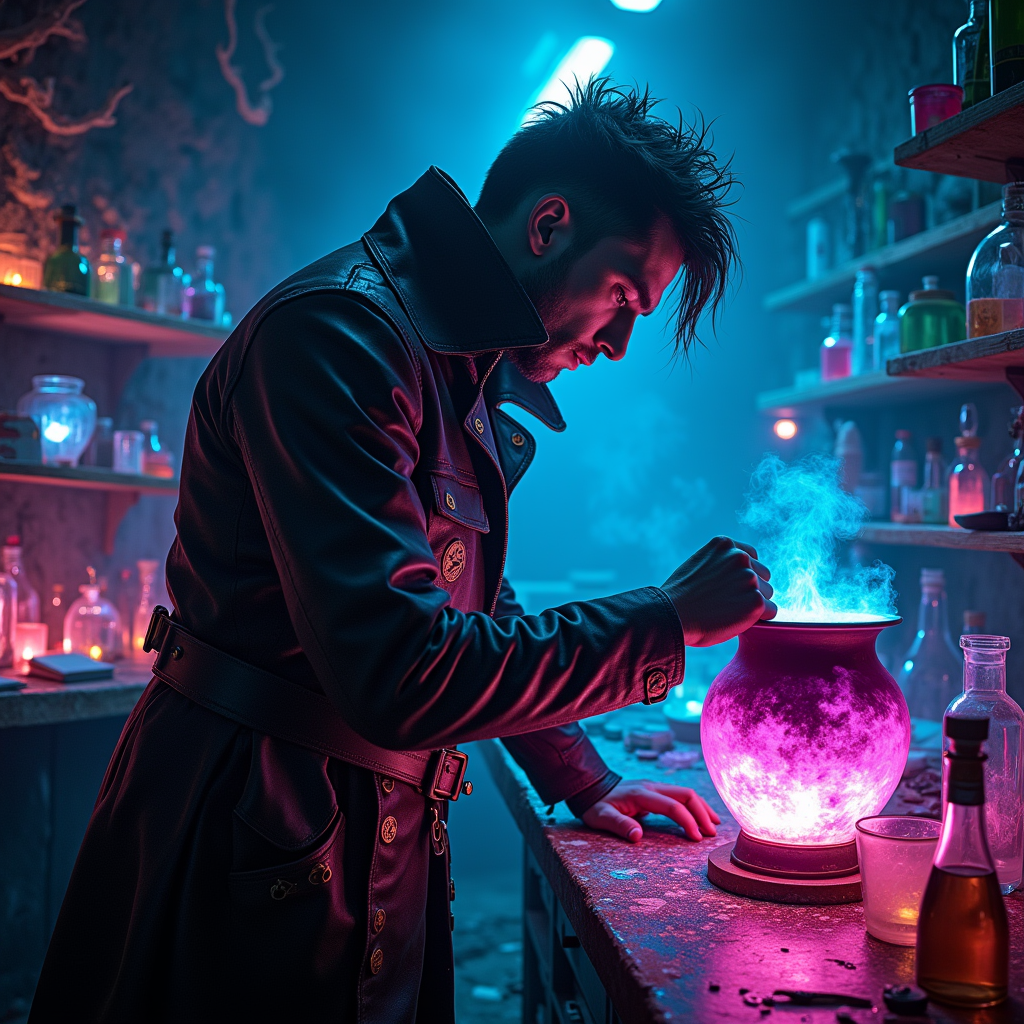
In a dimly lit underground laboratory, shadows dance against the walls, illuminated by the flickering glow of neon lights in hues of electric blue and vibrant magenta. A rogue alchemist, clad in a tattered leather coat adorned with glowing glyphs, stands over a bubbling cauldron, the surface shimmering with iridescent colors that shift and swirl like liquid rainbows. The air is thick with the scent of exotic herbs and the crackle of energy, as luminescent potions bubble and pulse in glass vials scattered across a cluttered workbench. Holographic screens flicker with arcane symbols, casting an otherworldly glow on the alchemist's focused face, revealing sharp features and wild, unkempt hair. In the background, shelves lined with mysterious ingredients and ancient tomes create a sense of chaotic magic, while the distant hum of the city above adds an eerie ambiance, blending the essence of cyberpunk with the mystique of alchemical experimentation.
Analisis Terperinci Prompt Gambar Flyne AI
Analisis prompt terperinci yang digunakan untuk menghasilkan gambar dengan Flyne AI Image Generator.
Jelajahi Prompt Flux untuk Generator Gambar AI Flux
Cara menghasilkan gambar dengan Flyne AI Image Generator Flux.1 dev
Ikuti empat langkah sederhana ini untuk membuat gambar yang Anda inginkan.
Langkah 1: Masukkan Teks Anda (Silakan sempurnakan prompt untuk hasil yang lebih baik)
Langkah 2: Pilih Rasio Aspek Gambar
Langkah 3: Pilih Model Gambar Anda:
Langkah 4: Klik Tombol Buat dan Tunggu Beberapa Detik untuk Gambar Anda
Alat Flyne AI terkait untuk prompt pembuatan gambar Flux.1 dev
Temukan alat-alat canggih dari Flyne AI untuk meningkatkan alur kerja kreatif Anda.