Winston Churchill - Flux.1 pro
Prompt
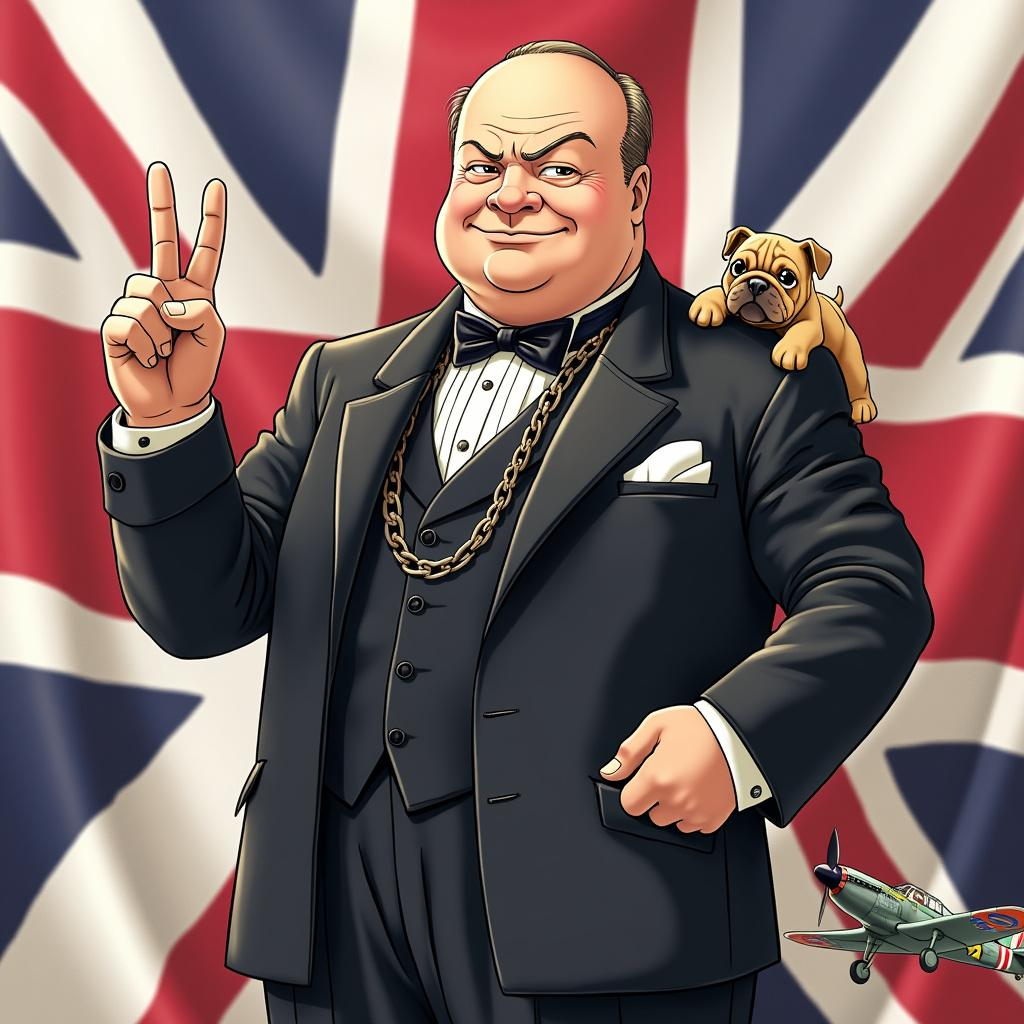
Style: Vibrant anime art, slightly stylized Character: Winston Churchill with determined eyes and a confident smile Outfit: Classic dark suit with a bow tie, complete with a pocket watch chain Pose: Standing tall with a V for Victory sign in his right hand, exuding strength and resilience Background: Subtle Union Jack flag elements Symbols: Include a small bulldog and a British WWII fighter plane Colors: Use British national colors (red, white, blue) Atmosphere: Convey determination and steadfast leadership Ensure the image is visually appealing and captures Churchill's essence in a fun, anime-inspired style.
Análise detalhada do prompt de imagem Flyne AI
Analise o prompt detalhado usado para gerar a imagem com o Flyne AI Image Generator.
Explore Prompts Flux para o Gerador de Imagens
Como gerar imagens com o Flyne AI Image Generator
Siga estes quatro passos simples para criar a imagem desejada.
Passo 1: Insira seu texto (Sinta-se à vontade para refinar seu prompt para melhores resultados)
Passo 2: Escolha a proporção da imagem
Passo 3: Selecione seu modelo de imagem:
Passo 4: Clique no botão Gerar e aguarde alguns segundos para sua imagem
Ferramentas Flyne AI relacionadas a prompts de geração de imagens
Descubra ferramentas avançadas da Flyne AI para melhorar seu fluxo de trabalho criativo.