Winston Churchill - Flux.1 pro
Invite
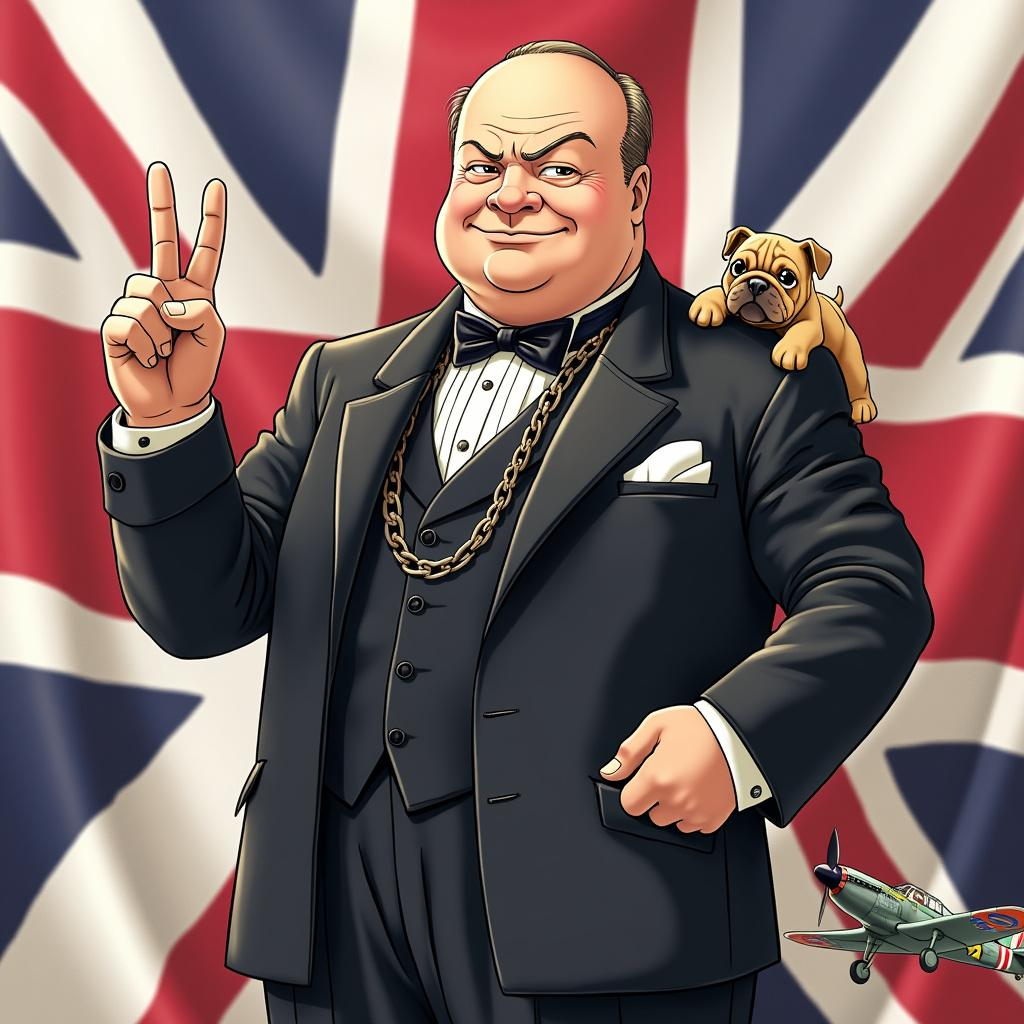
Style: Vibrant anime art, slightly stylized Character: Winston Churchill with determined eyes and a confident smile Outfit: Classic dark suit with a bow tie, complete with a pocket watch chain Pose: Standing tall with a V for Victory sign in his right hand, exuding strength and resilience Background: Subtle Union Jack flag elements Symbols: Include a small bulldog and a British WWII fighter plane Colors: Use British national colors (red, white, blue) Atmosphere: Convey determination and steadfast leadership Ensure the image is visually appealing and captures Churchill's essence in a fun, anime-inspired style.
Analyse détaillée du prompt d'image Flyne AI
Analysez le prompt détaillé utilisé pour générer l'image avec Flyne AI Image Generator.
Explorez les invites Flux IA
Comment générer des images avec Flyne AI Image Generator
Suivez ces quatre étapes simples pour créer l'image désirée.
Étape 1 : Entrez votre texte (N'hésitez pas à affiner votre prompt pour de meilleurs résultats)
Étape 2 : Choisissez le ratio d'aspect de l'image
Étape 3 : Sélectionnez votre modèle d'image :
Étape 4 : Cliquez sur le bouton Générer et attendez quelques secondes pour votre image
Outils Flyne AI liés aux prompts de génération d'images
Découvrez des outils avancés de Flyne AI pour booster votre flux de travail créatif.