Winston Churchill - Flux.1 pro
Indicador
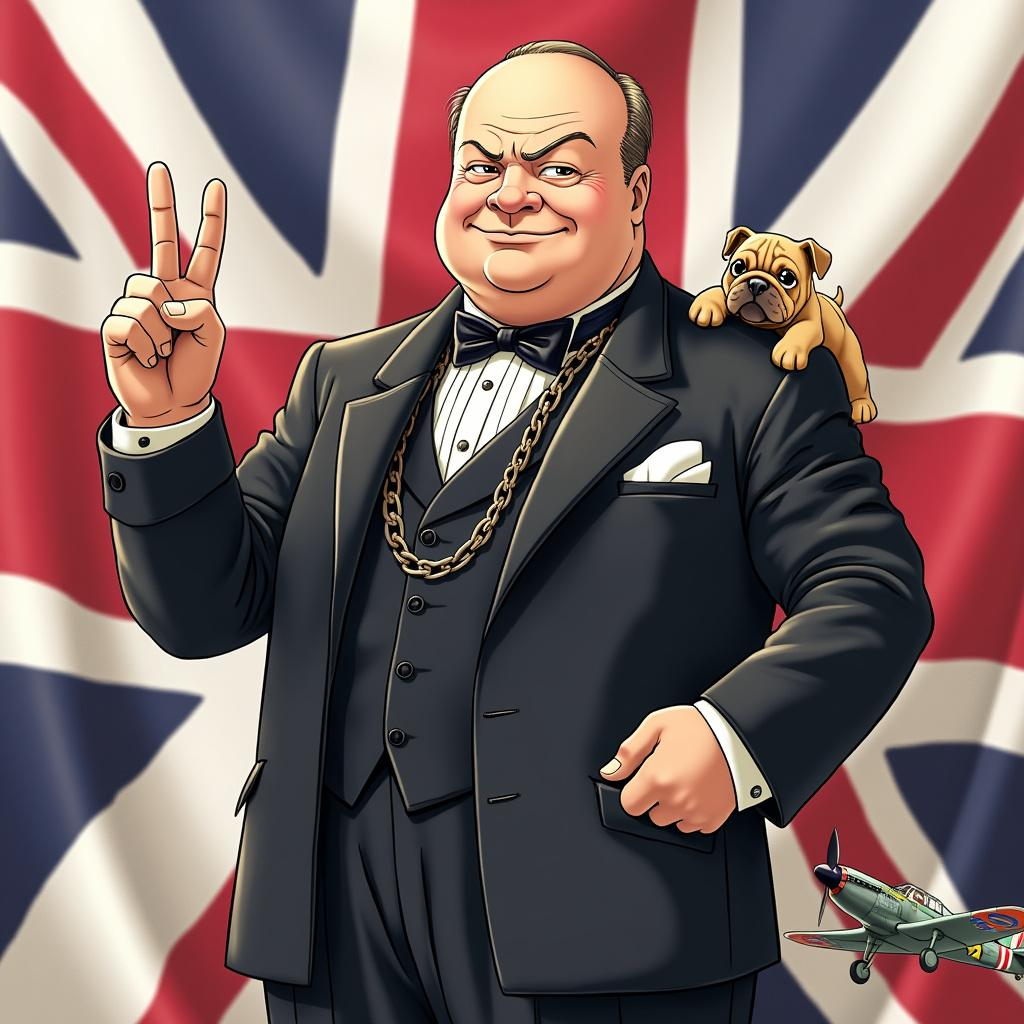
Style: Vibrant anime art, slightly stylized Character: Winston Churchill with determined eyes and a confident smile Outfit: Classic dark suit with a bow tie, complete with a pocket watch chain Pose: Standing tall with a V for Victory sign in his right hand, exuding strength and resilience Background: Subtle Union Jack flag elements Symbols: Include a small bulldog and a British WWII fighter plane Colors: Use British national colors (red, white, blue) Atmosphere: Convey determination and steadfast leadership Ensure the image is visually appealing and captures Churchill's essence in a fun, anime-inspired style.
Análisis detallado del prompt de imagen de Flyne AI
Analiza el prompt detallado utilizado para generar la imagen con Flyne AI Image Generator.
Explorar Mensajes para Flux IA
Cómo generar imágenes con Flyne AI Image Generator
Sigue estos cuatro sencillos pasos para crear la imagen que deseas.
Paso 1: Ingresa tu texto (No dudes en refinar tu prompt para mejores resultados)
Paso 2: Elige la relación de aspecto de la imagen
Paso 3: Selecciona tu modelo de imagen:
Paso 4: Haz clic en el botón Generar y espera unos segundos para tu imagen
Herramientas Flyne AI relacionadas con prompts de generación de imágenes
Descubre herramientas avanzadas de Flyne AI para potenciar tu flujo de trabajo creativo.