Artistry in Shadows: A Portrait - Flux.1 schnell
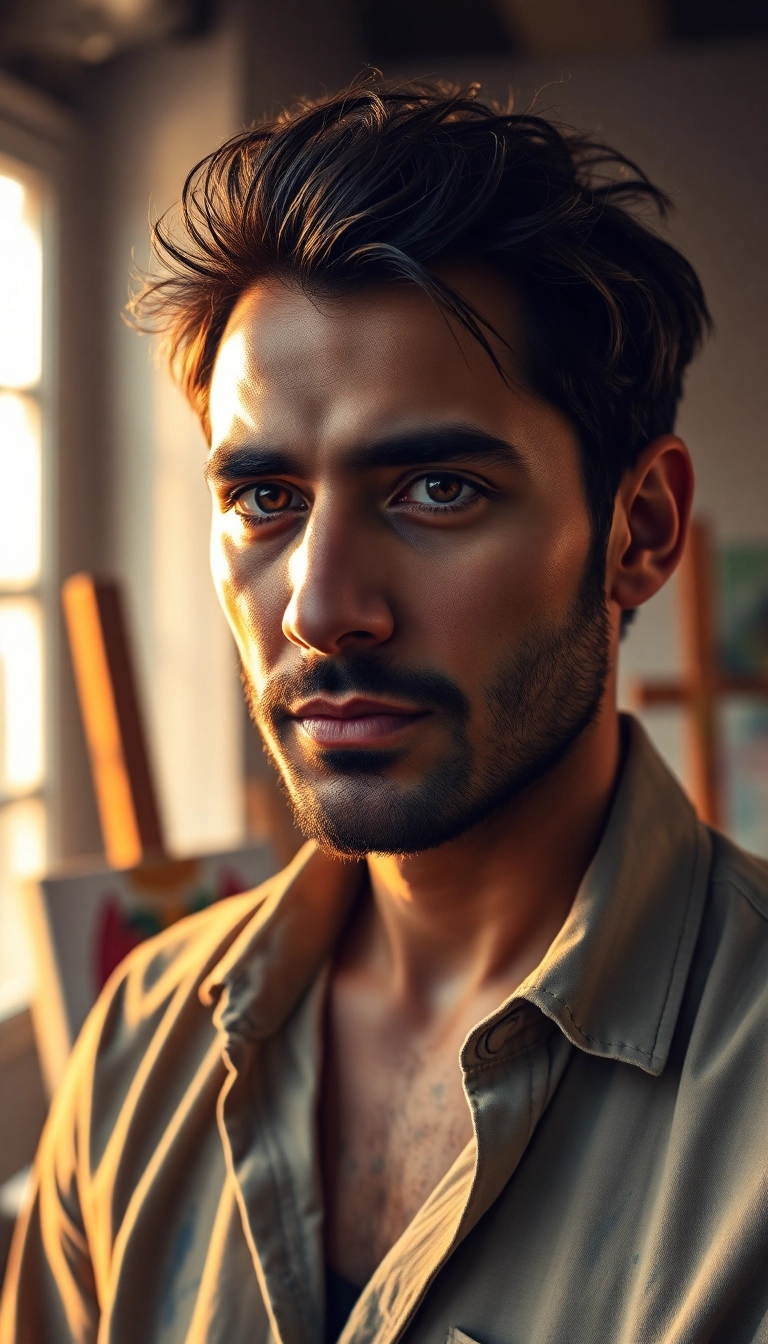
prompt
Portrait of a Middle Eastern male artist, mid-30s, with olive skin and expressive dark eyes. Strong, defined features: prominent nose, full lips, and thick, arched eyebrows. Short, neatly trimmed beard. Tousled, wavy black hair with a few streaks of gray. Intense, contemplative expression, gazing slightly off-camera. Wearing a paint-splattered linen shirt, open at the collar. Golden afternoon light streaming through a large studio window, casting warm shadows across his face. Background hints at an artist's workspace: easels, canvases, and colorful paint splatters. Composition: close-up, rule of thirds, shallow depth of field. Shot with a full-frame DSLR, 85mm lens at f/2.8. Cinematic color grading with rich, warm tones. Style reminiscent of Rembrandt's self-portraits, with dramatic chiaroscuro lighting. Photorealistic rendering with subtle brushstroke texture overlay.
Detailed Analysis of the Flyne AI Image Prompt
Analyze the detailed prompt used to generate the image with Flyne AI Image Generator.
Explore AI Image Prompts with Flyne AI Image Generator
How to generate image by Flyne AI Image Generator Flux.1 schnell
Follow these four simple steps to create your desired image.
Step 1: Enter Your Text (Feel free to refine your prompt for better results)
Step 2: Choose Image Aspect Ratio
Step 3: Select Your Image Model:
Step 4: Click the Generate Button and Wait a Few Seconds for Your Image
Related Flyne AI tools for prompts about image generation Flux.1 schnell
Discover advanced tools from Flyne AI to boost your creative workflow.