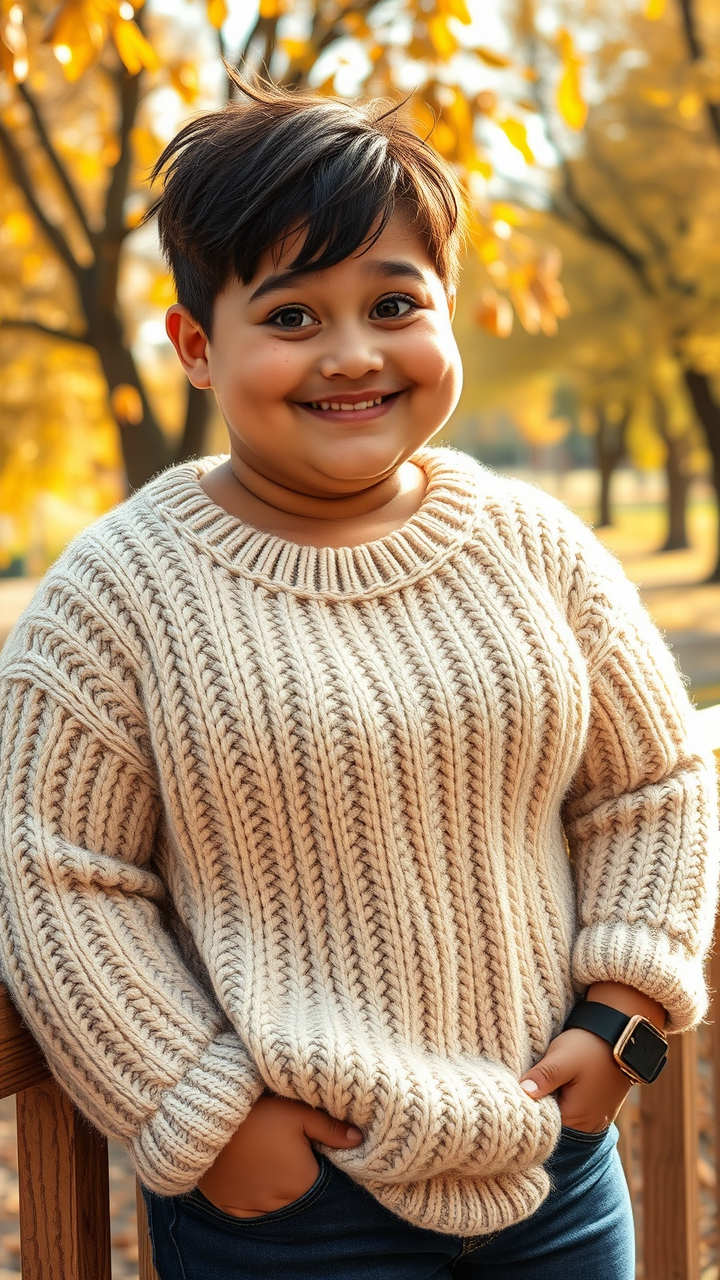
Autumn Embrace: Cozy Contentment - Flux.1 schnell
prompt
A stocky individual with a round face and soft features, sporting a warm smile. They have short, tousled dark brown hair, with a few strands playfully falling over their forehead. Their skin is a light olive tone, complemented by a dusting of freckles across their cheeks. The person wears a cozy, oversized cream-colored knitted sweater with a chunky texture, the sleeves slightly rolled up to reveal a watch on their wrist. They have a relaxed posture, leaning slightly against a wooden railing, one hand casually resting in their pocket. Their expression radiates warmth and contentment, with bright, sparkling hazel eyes. The background features a sunlit autumn park, with golden leaves gently falling around them, enhancing the cozy, inviting atmosphere.
Detailed Analysis of the Flyne AI Image Prompt
Analyze the detailed prompt used to generate the image with Flyne AI Image Generator.
Explore AI Image Prompts with Flyne AI Image Generator
How to generate image by Flyne AI Image Generator
Follow these four simple steps to create your desired image.
Step 1: Enter Your Text (Feel free to refine your prompt for better results)
Step 2: Choose Image Aspect Ratio
Step 3: Select Your Image Model:
Step 4: Click the Generate Button and Wait a Few Seconds for Your Image
Related Flyne AI tools for prompts about image generation
Discover advanced tools from Flyne AI to boost your creative workflow.