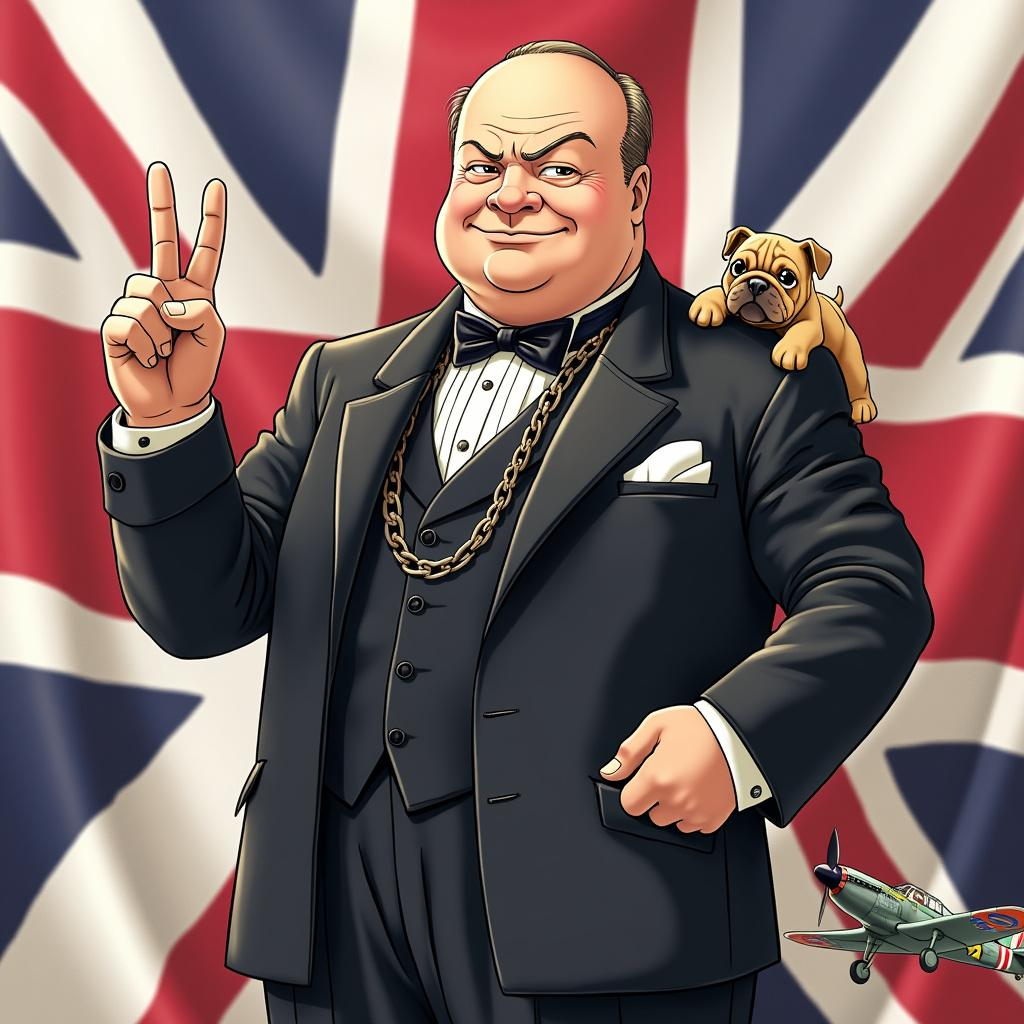
Winston Churchill - Flux.1 pro
prompt
Style: Vibrant anime art, slightly stylized Character: Winston Churchill with determined eyes and a confident smile Outfit: Classic dark suit with a bow tie, complete with a pocket watch chain Pose: Standing tall with a V for Victory sign in his right hand, exuding strength and resilience Background: Subtle Union Jack flag elements Symbols: Include a small bulldog and a British WWII fighter plane Colors: Use British national colors (red, white, blue) Atmosphere: Convey determination and steadfast leadership Ensure the image is visually appealing and captures Churchill's essence in a fun, anime-inspired style.
Analisis Terperinci Prompt Gambar Flyne AI
Analisis prompt terperinci yang digunakan untuk menghasilkan gambar dengan Flyne AI Image Generator.
Jelajahi Prompt Flux untuk Generator Gambar AI Flux
Cara menghasilkan gambar dengan Flyne AI Image Generator Flux.1 pro
Ikuti empat langkah sederhana ini untuk membuat gambar yang Anda inginkan.
Langkah 1: Masukkan Teks Anda (Silakan sempurnakan prompt untuk hasil yang lebih baik)
Langkah 2: Pilih Rasio Aspek Gambar
Langkah 3: Pilih Model Gambar Anda:
Langkah 4: Klik Tombol Buat dan Tunggu Beberapa Detik untuk Gambar Anda
Alat Flyne AI terkait untuk prompt pembuatan gambar Flux.1 pro
Temukan alat-alat canggih dari Flyne AI untuk meningkatkan alur kerja kreatif Anda.