Winston Churchill - Flux.1 pro
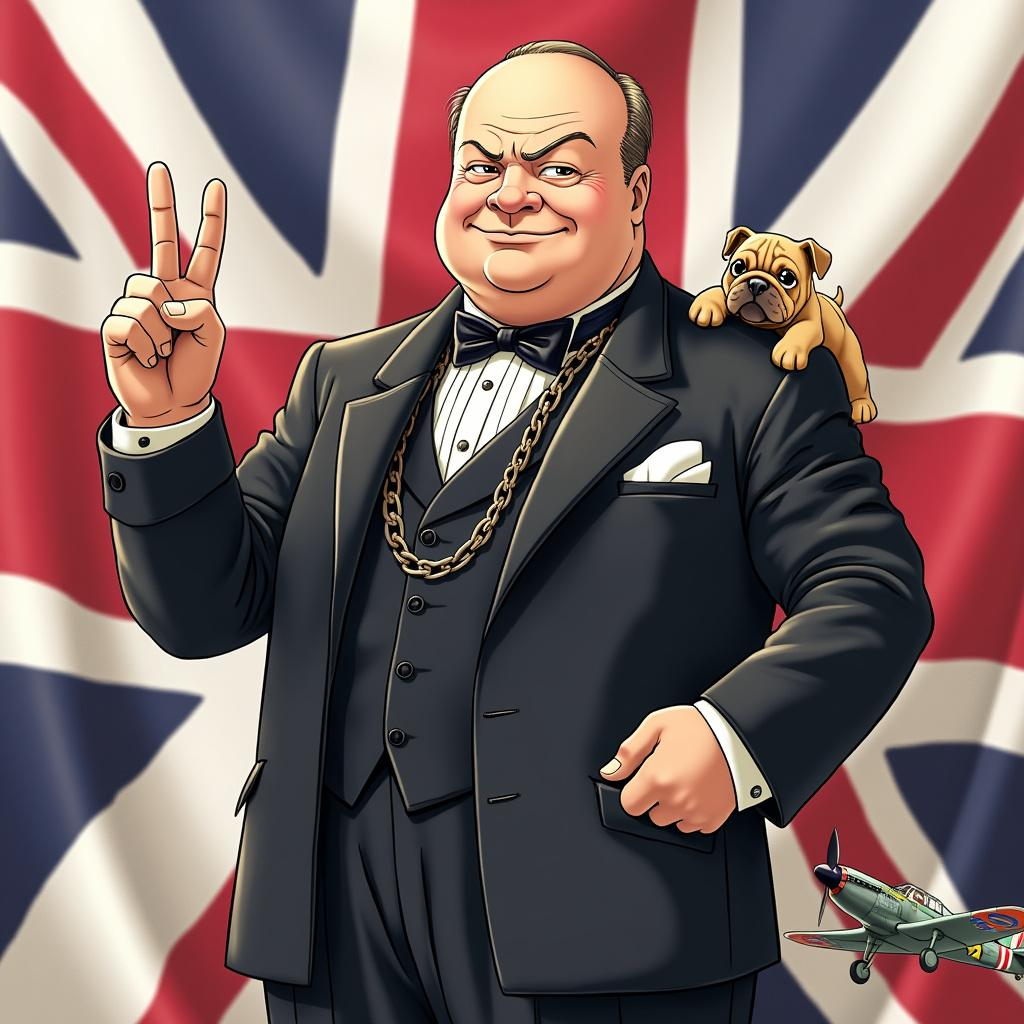
prompt
Style: Vibrant anime art, slightly stylized Character: Winston Churchill with determined eyes and a confident smile Outfit: Classic dark suit with a bow tie, complete with a pocket watch chain Pose: Standing tall with a V for Victory sign in his right hand, exuding strength and resilience Background: Subtle Union Jack flag elements Symbols: Include a small bulldog and a British WWII fighter plane Colors: Use British national colors (red, white, blue) Atmosphere: Convey determination and steadfast leadership Ensure the image is visually appealing and captures Churchill's essence in a fun, anime-inspired style.
Detailed Analysis of the Flyne AI Image Prompt
Analyze the detailed prompt used to generate the image with Flyne AI Image Generator.
Explore AI Image Prompts with Flyne AI Image Generator
How to generate image by Flyne AI Image Generator Flux.1 pro
Follow these four simple steps to create your desired image.
Step 1: Enter Your Text (Feel free to refine your prompt for better results)
Step 2: Choose Image Aspect Ratio
Step 3: Select Your Image Model:
Step 4: Click the Generate Button and Wait a Few Seconds for Your Image
Related Flyne AI tools for prompts about image generation Flux.1 pro
Discover advanced tools from Flyne AI to boost your creative workflow.