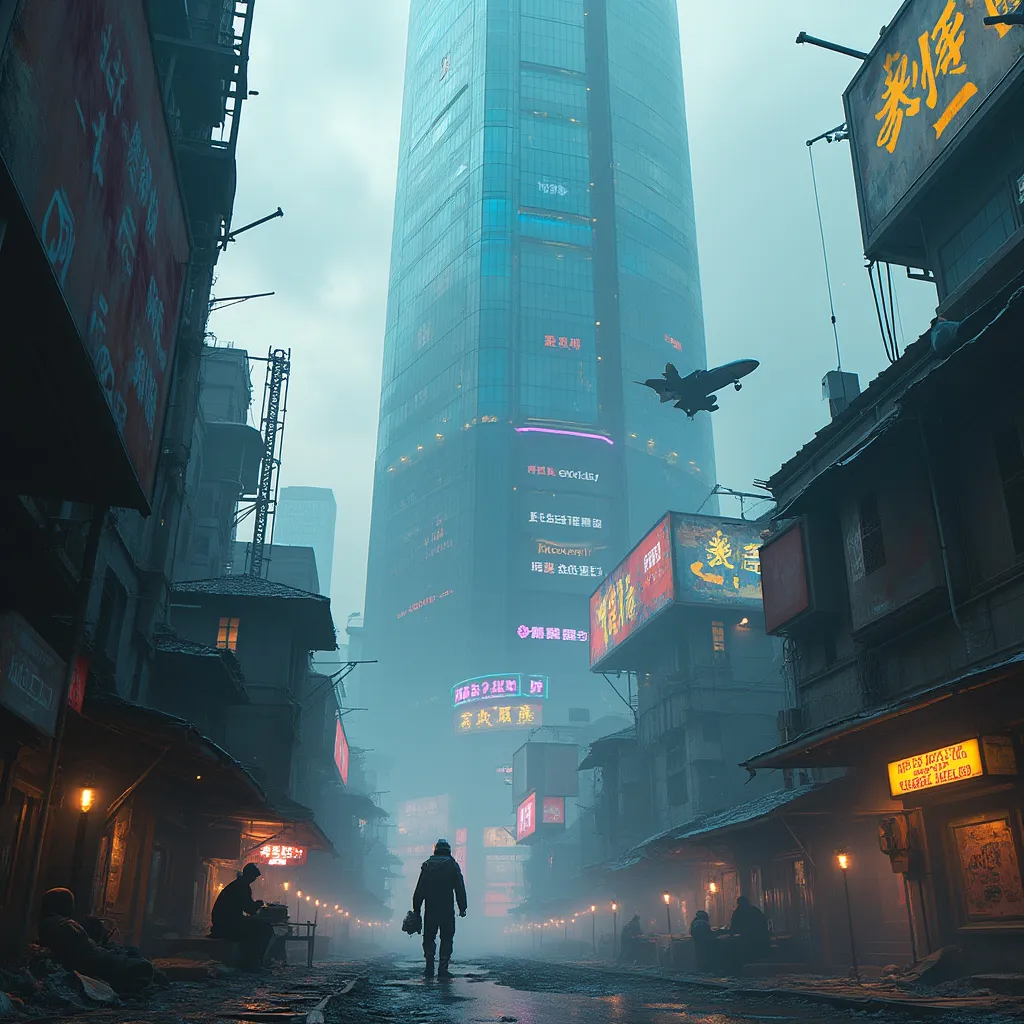
Neon Shadows: Rogue Code Rising - Flux.1 pro
prompt
A colossal corporate monolith pierces neon-streaked smog, its mirrored surface reflecting a chaotic sprawl of dilapidated hovels suspended by crackling electromagnetic fields. Holographic billboards flicker erratically, casting an eerie glow on rain-slicked alleys below. Rogue technomancers, faces obscured by augmented-reality visors, huddle around makeshift terminals in shadowy corners. Their fingers dance across glowing keypads, weaving intricate code that ripples through the city's neural network. Sparks fly from exposed circuitry as they siphon power from the megacorp's grid. In the distance, a swarm of surveillance drones buzz ominously, searching for dissidents. Threadbare clothes and cybernetic implants blend seamlessly on the bodies of off-grid denizens, their silhouettes backlit by the pulsing azure heartbeat of illicit power conduits. A stolen corporate shuttle streaks across the polluted sky, leaving a trail of iridescent exhaust as it ferries black-market tech between the floating favelas.
Detailed Analysis of the Flyne AI Image Prompt
Analyze the detailed prompt used to generate the image with Flyne AI Image Generator.
Explore AI Image Prompts with Flyne AI Image Generator
How to generate image by Flyne AI Image Generator
Follow these four simple steps to create your desired image.
Step 1: Enter Your Text (Feel free to refine your prompt for better results)
Step 2: Choose Image Aspect Ratio
Step 3: Select Your Image Model:
Step 4: Click the Generate Button and Wait a Few Seconds for Your Image
Related Flyne AI tools for prompts about image generation
Discover advanced tools from Flyne AI to boost your creative workflow.