Neon Shadows: Hunt in the Haze -
Invite
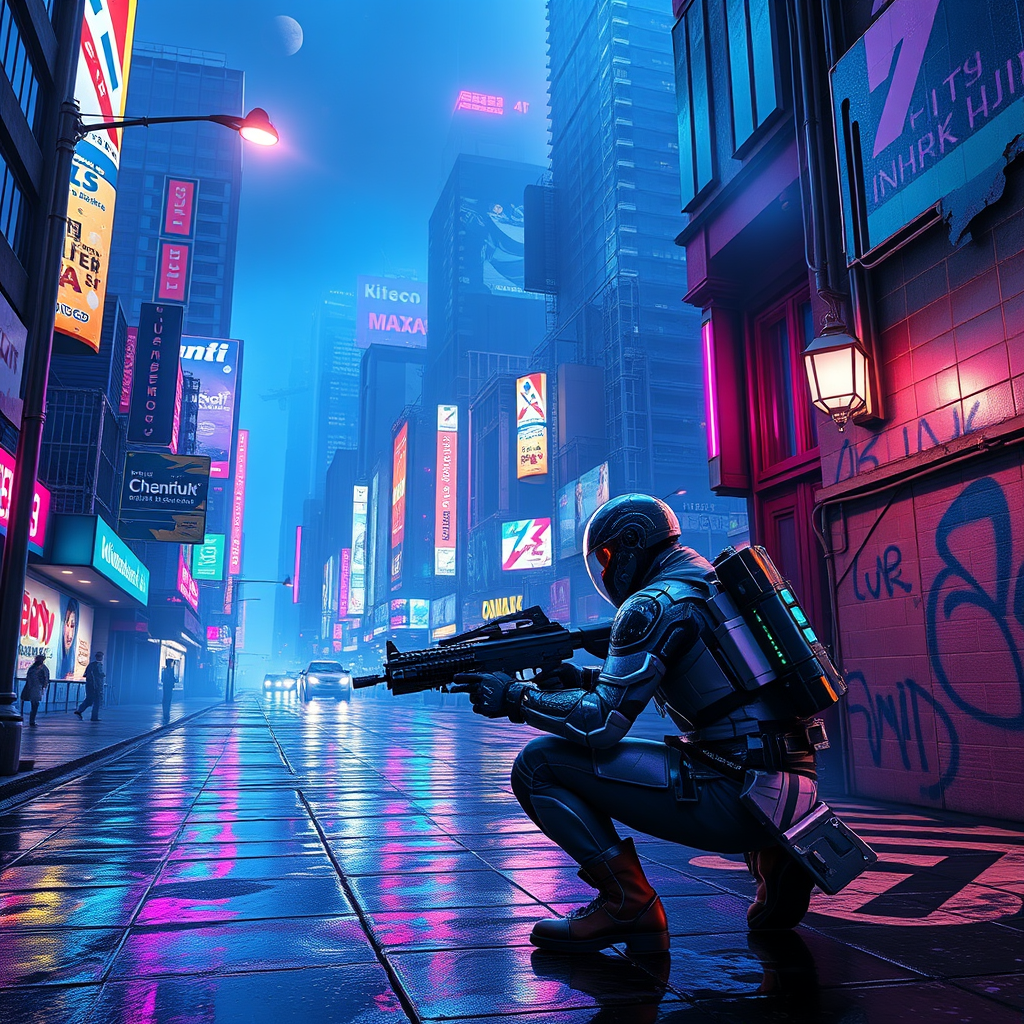
In a sprawling cyberpunk metropolis, neon-lit streets pulse with vibrant hues of electric blue and hot pink, reflecting off rain-slicked pavement as a light drizzle falls. Towering skyscrapers adorned with holographic advertisements loom overhead, their flickering lights casting an otherworldly glow. Augmented bounty hunters, clad in sleek, armored exosuits shimmering with iridescent circuitry, navigate the chaotic urban landscape, their visors scanning for elusive data phantoms—ethereal wisps of digital information that dart through the air like fireflies. The atmosphere is thick with a haze of smoke and the distant hum of hovercraft, while graffiti art, glowing in phosphorescent greens, adorns crumbling walls. A flickering streetlamp illuminates a dark alley where shadows dance, hinting at hidden dangers. In the foreground, a hunter crouches, poised and alert, with a futuristic weapon in hand, eyes glinting with determination as they prepare to capture their elusive target amidst the vibrant chaos.
Analyse détaillée du prompt d'image Flyne AI
Analysez le prompt détaillé utilisé pour générer l'image avec Flyne AI Image Generator.
Explorez les invites Flux IA
Comment générer des images avec Flyne AI Image Generator undefined
Suivez ces quatre étapes simples pour créer l'image désirée.
Étape 1 : Entrez votre texte (N'hésitez pas à affiner votre prompt pour de meilleurs résultats)
Étape 2 : Choisissez le ratio d'aspect de l'image
Étape 3 : Sélectionnez votre modèle d'image :
Étape 4 : Cliquez sur le bouton Générer et attendez quelques secondes pour votre image
Outils Flyne AI liés aux prompts de génération d'images
Découvrez des outils avancés de Flyne AI pour booster votre flux de travail créatif.