Baklava - Flux.1 dev
พรอมต์
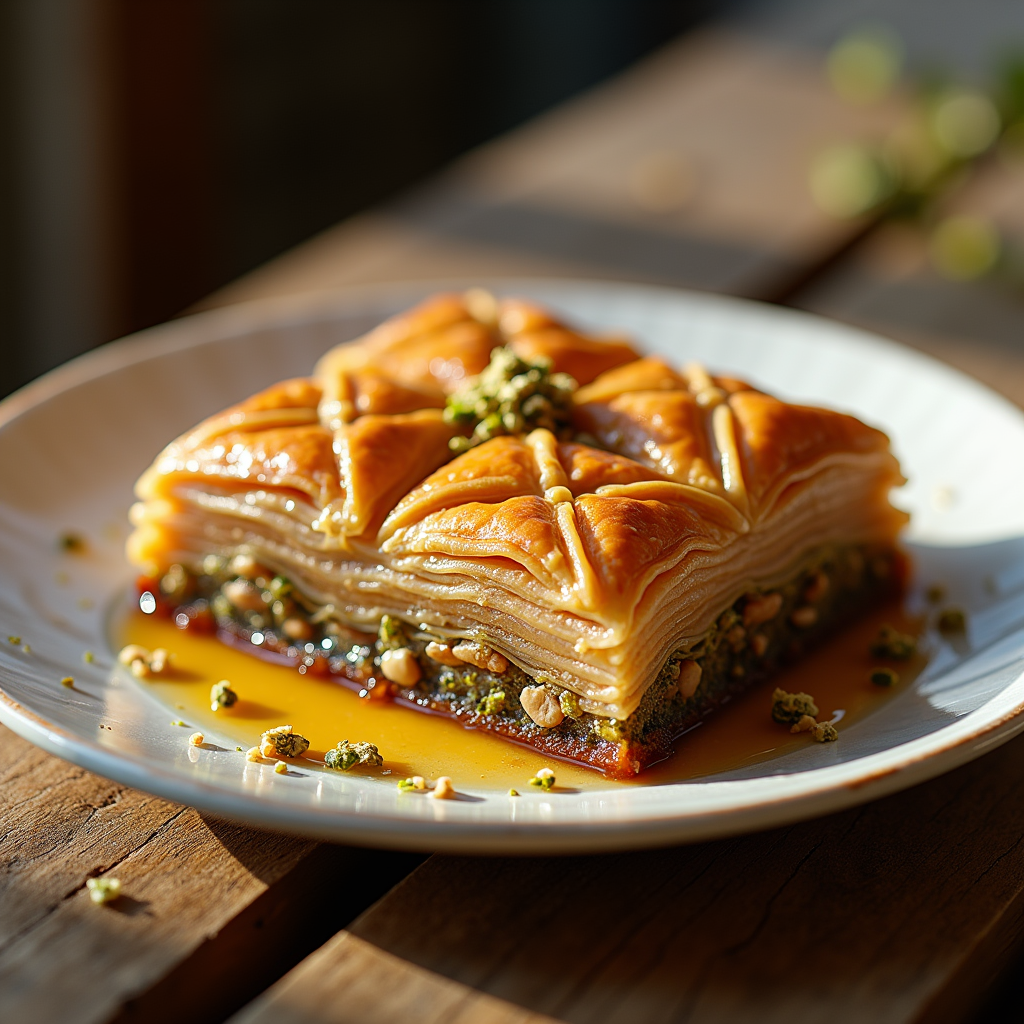
Capture a close-up macro photograph of a golden-brown baklava, its layers of flaky phyllo pastry glistening with a honey syrup that reflects warm amber hues. The intricate, diamond-shaped cuts reveal the rich, nutty filling of finely chopped walnuts and pistachios, speckled with hints of green and brown. Set against a rustic wooden table, the baklava is artfully arranged on a delicate white porcelain plate, garnished with a sprinkle of crushed pistachios and a drizzle of honey cascading down the sides. Soft, warm, natural light filters through a nearby window, casting gentle shadows that enhance the textures of the pastry. The scene evokes a sense of warmth and comfort, inviting the viewer to imagine the sweet, nutty aroma wafting through the air, mingling with the soft crunch of the first bite.
การวิเคราะห์รายละเอียดของ Prompt ภาพ Flyne AI
วิเคราะห์ Prompt รายละเอียดที่ใช้ในการสร้างภาพด้วย Flyne AI Image Generator.
สำรวจคำแนะนำ Flux สำหรับตัวสร้างภาพ AI
วิธีสร้างภาพด้วย Flyne AI Image Generator Flux.1 dev
ติดตามขั้นตอนง่าย ๆ สี่ขั้นตอนเพื่อสร้างภาพที่คุณต้องการ.
ขั้นตอนที่ 1: ป้อนข้อความของคุณ (สามารถปรับแต่ง Prompt ของคุณเพื่อผลลัพธ์ที่ดียิ่งขึ้น)
ขั้นตอนที่ 2: เลือกอัตราส่วนภาพ
ขั้นตอนที่ 3: เลือกโมเดลภาพของคุณ:
ขั้นตอนที่ 4: คลิกปุ่มสร้างและรอสักครู่เพื่อรับภาพของคุณ
เครื่องมือ Flyne AI ที่เกี่ยวข้องกับ Prompt สำหรับการสร้างภาพ Flux.1 dev
ค้นพบเครื่องมือขั้นสูงจาก Flyne AI เพื่อเพิ่มประสิทธิภาพการทำงานสร้างสรรค์ของคุณ.