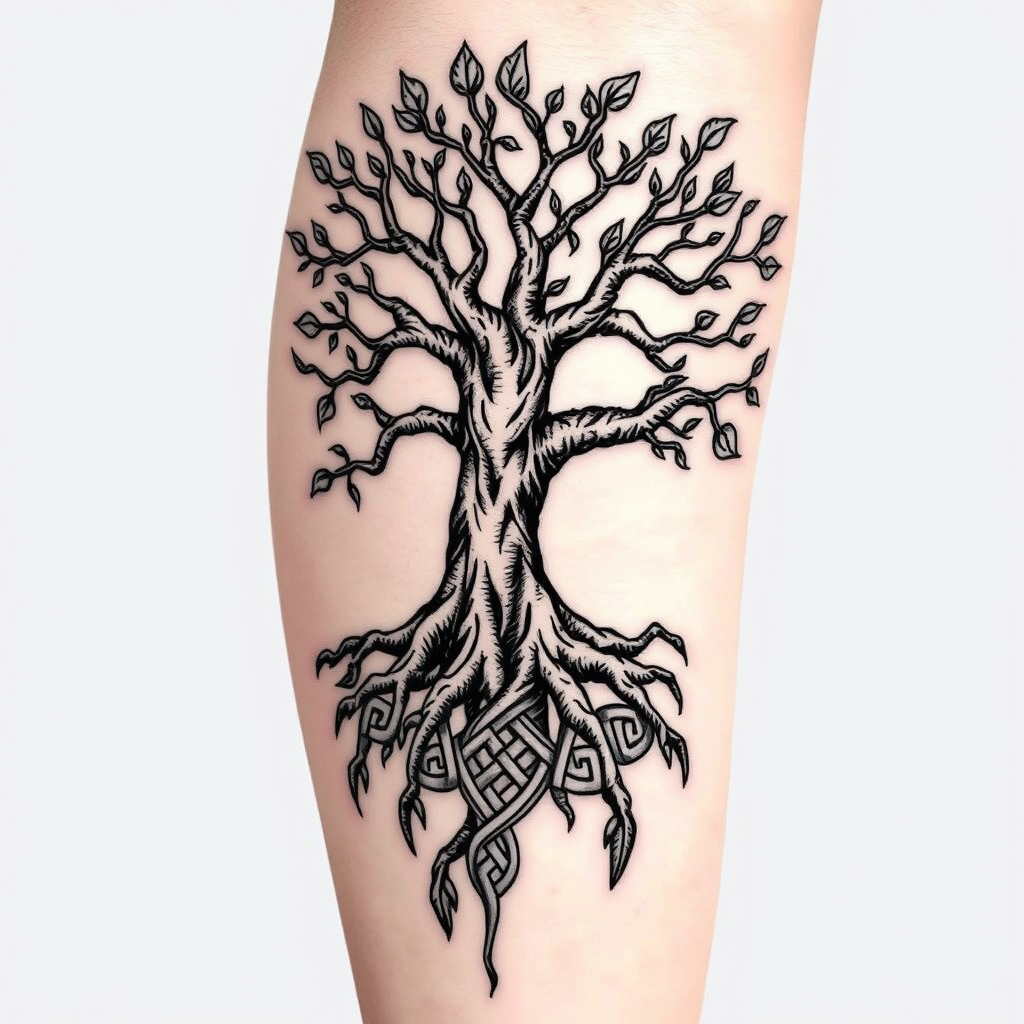
Interwoven Life: A Celtic Tree Tattoo - Flux.1 schnell
พรอมต์
Create a tattoo design for the side of the upper leg featuring a stylized tree of life. The tree should have intricate roots that intertwine and branch out, symbolizing growth and connection. Use a blend of realistic and traditional artistic styles, emphasizing detailed textures in the bark and leaves. The tattoo should be medium to large in size, allowing for a striking visual impact. Opt for a black and white color palette to enhance the intricate patterns, with shading to add depth. Incorporate subtle Celtic knot motifs within the roots to reflect cultural significance. The overall mood should evoke a sense of harmony and balance, celebrating nature's beauty and the interconnectedness of life.
การวิเคราะห์รายละเอียดของ Prompt ภาพ Flyne AI
วิเคราะห์ Prompt รายละเอียดที่ใช้ในการสร้างภาพด้วย Flyne AI Image Generator.
สำรวจคำแนะนำ Flux สำหรับตัวสร้างภาพ AI
วิธีสร้างภาพด้วย Flyne AI Image Generator
ติดตามขั้นตอนง่าย ๆ สี่ขั้นตอนเพื่อสร้างภาพที่คุณต้องการ.
ขั้นตอนที่ 1: ป้อนข้อความของคุณ (สามารถปรับแต่ง Prompt ของคุณเพื่อผลลัพธ์ที่ดียิ่งขึ้น)
ขั้นตอนที่ 2: เลือกอัตราส่วนภาพ
ขั้นตอนที่ 3: เลือกโมเดลภาพของคุณ:
ขั้นตอนที่ 4: คลิกปุ่มสร้างและรอสักครู่เพื่อรับภาพของคุณ
เครื่องมือ Flyne AI ที่เกี่ยวข้องกับ Prompt สำหรับการสร้างภาพ
ค้นพบเครื่องมือขั้นสูงจาก Flyne AI เพื่อเพิ่มประสิทธิภาพการทำงานสร้างสรรค์ของคุณ.