Panic in the Snackless Kitchen - Flux.1 dev
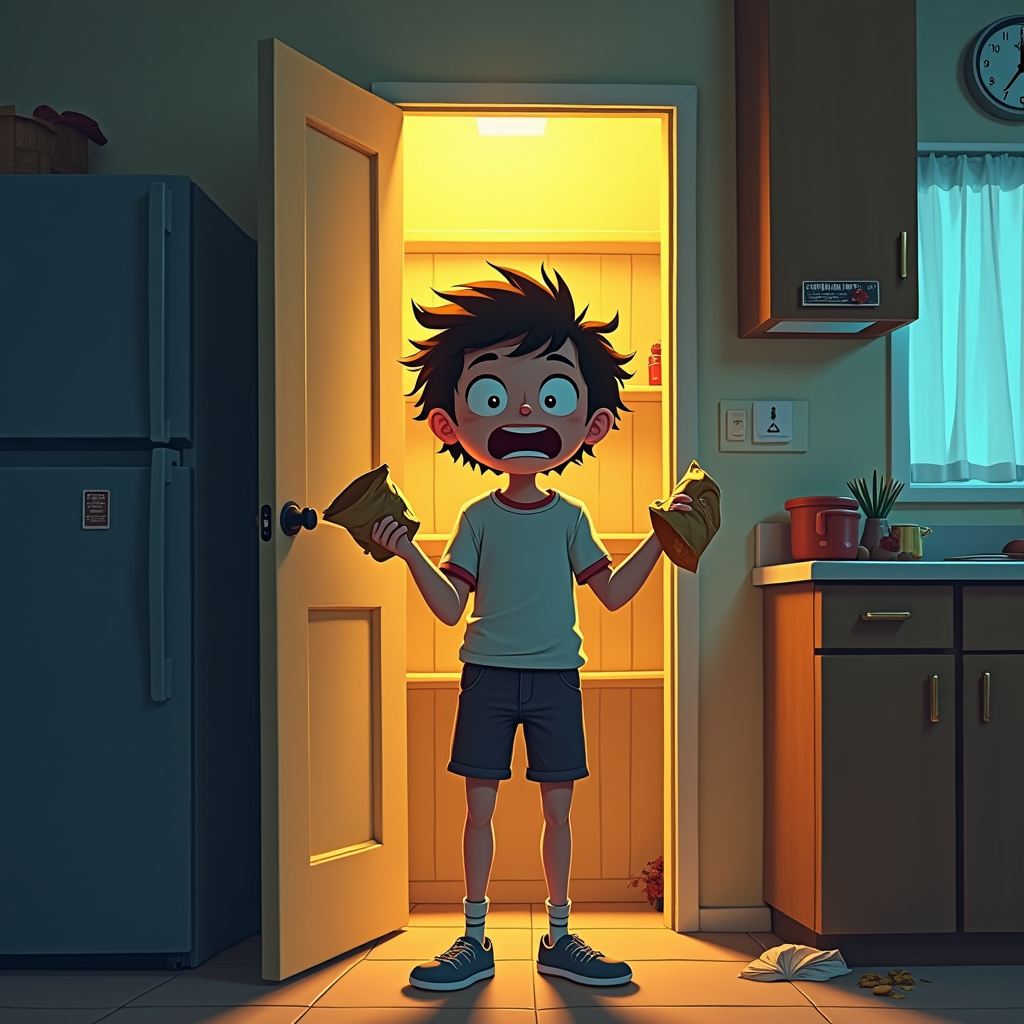
プロンプト
Create an image depicting a dimly lit kitchen with an open pantry door revealing empty shelves, emphasizing the sense of panic. A young adult stands in the foreground, wide-eyed and mouth agape, holding a crumpled snack bag, their hair disheveled. The kitchen is cluttered, with crumbs scattered on the countertop and a clock showing late evening hours. Use a warm color palette dominated by yellows and browns, contrasting with the cool blue of the evening light filtering through a window. The atmosphere should feel chaotic yet humorous, capturing the urgency of snacklessness. Incorporate exaggerated facial expressions and slightly cartoonish proportions for a comedic effect. Consider a digital painting style with soft brush strokes to enhance the emotional depth, while maintaining a playful tone.
Flyne AI画像プロンプトの詳細分析
Flyne AI Image Generatorで画像生成に使用された詳細なプロンプトを分析します。
Flux AI画像生成のプロンプトを探索
Flyne AI Image Generatorで画像を生成する方法 Flux.1 dev
以下の4つの簡単なステップに従って、希望する画像を作成してください。
ステップ 1: テキストを入力 (より良い結果のためにプロンプトを調整してください)
ステップ 2: 画像のアスペクト比を選択
ステップ 3: 画像モデルを選択:
ステップ 4: 生成ボタンをクリックして数秒待ち、画像を取得
画像生成プロンプトに関連するFlyne AIツール Flux.1 dev
Flyne AIの高度なツールを見つけて、クリエイティブなワークフローを強化しましょう。