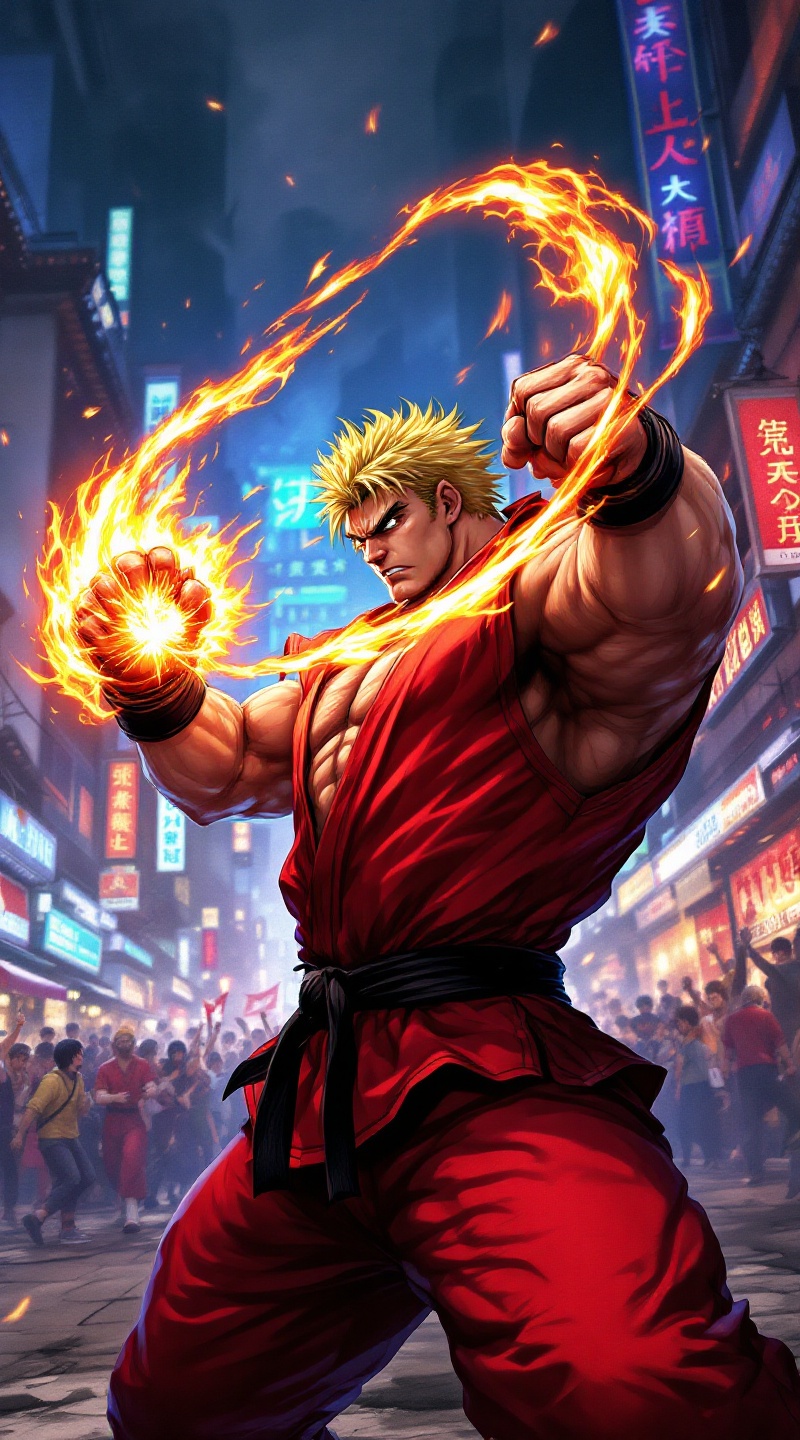
Fury in the Neon Streets - Flux.1.1 pro
プロンプト
**Prompt:** Create a dynamic and vibrant scene inspired by the fighting game genre, specifically "Street Fighter II." Focus on Ken Masters, a muscular fighter with spiky blonde hair, wearing a red gi and black belt, showcasing his fierce determination. Capture his signature Shoryuken pose, with flames swirling around his fist, symbolizing his fiery spirit. The background should feature an iconic urban setting, like a bustling street in Japan, adorned with neon lights and traditional architecture. Include elements like a cheering crowd and banners fluttering in the wind to enhance the atmosphere. The overall mood should be intense and electrifying, reflecting the adrenaline of a high-stakes battle, with a color palette rich in reds, blues, and yellows to evoke energy and excitement.
Flyne AI画像プロンプトの詳細分析
Flyne AI Image Generatorで画像生成に使用された詳細なプロンプトを分析します。
Flux AI画像生成のプロンプトを探索
Flyne AI Image Generatorで画像を生成する方法
以下の4つの簡単なステップに従って、希望する画像を作成してください。
ステップ 1: テキストを入力 (より良い結果のためにプロンプトを調整してください)
ステップ 2: 画像のアスペクト比を選択
ステップ 3: 画像モデルを選択:
ステップ 4: 生成ボタンをクリックして数秒待ち、画像を取得
画像生成プロンプトに関連するFlyne AIツール
Flyne AIの高度なツールを見つけて、クリエイティブなワークフローを強化しましょう。