Seedream 5.5 AI Image Generator: Creative Image Maker
Turn prompts and reference images into creative images with Seedream 5.5 AI Image Generator. Create images for marketing, design, and personal projects.
Image Examples of Seedream 5.5
Explore multi-step photo editing, transparent PNG compositing, and text-rich poster generation.
Edit a Product Photo Step by Step
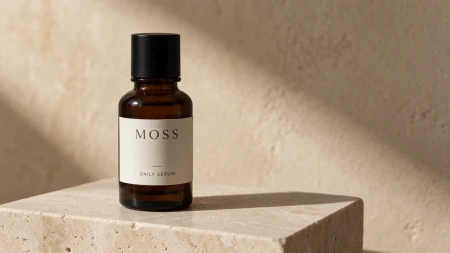
Original
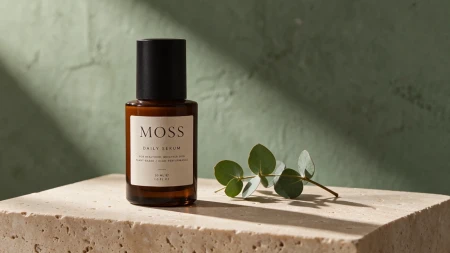
Edit 1 · Background & styling
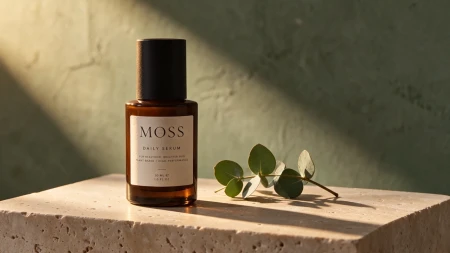
Edit 2 · Warm lighting
Turn a Transparent PNG Into an Earring
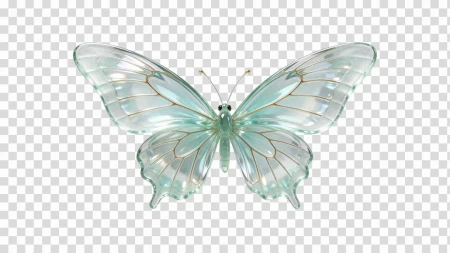
Transparent butterfly PNG
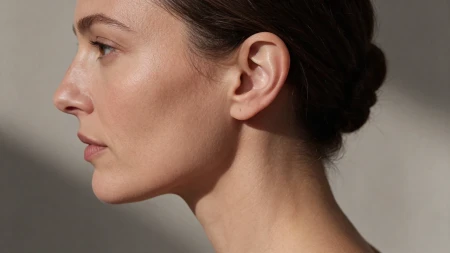
Ear close-up
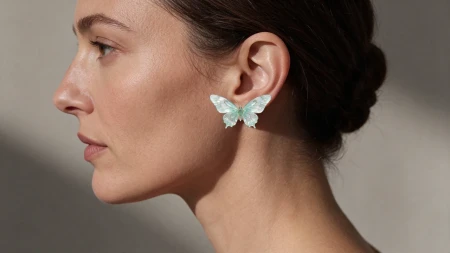
Butterfly earring composite
Design Posters From Headlines to Fine Print
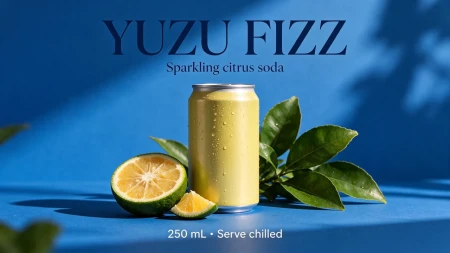
Yuzu Fizz · Product ad
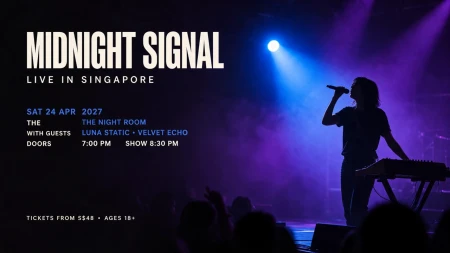
Midnight Signal · Concert poster
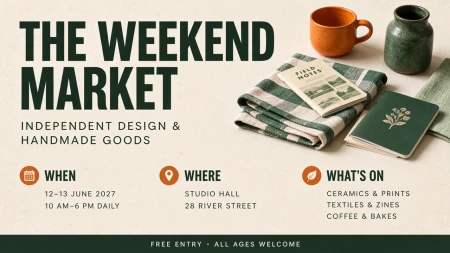
Design market poster
Shape Image Drafts from Prompts and References with Seedream 5.5
Generate and edit images directly with Seedream 5.5. Start from text or combine your instructions with reference images.
Begin with a Written Scene
Describe the subject, setting, colors, and artistic style to start an image from text. Give the composition a focal point and a clear purpose.
Work from Reference Images
Add up to ten reference images and describe what to change or retain, from a subject's appearance to the composition and background.
Choose Your Composition
Choose 1K, 1.5K, or 2K output and one of nine aspect ratios to suit a square, portrait, or landscape layout.
Refine Images with Targeted Edits
Use a generated image as your next reference and describe the specific change. Include instructions for the details you want to keep.
Create and Refine Your Visual Ideas with Seedream 5.5
Keep your subject and purpose clear as you explore different visual treatments.
Find a Look before Committing
Compare photographic and illustrated directions for the same concept before building the rest of your creative work around it.
Bring Your Own Starting Point
Use a reference you already have instead of describing every visual detail from scratch. Specify which details should remain recognizable.
Plan for the Final Placement
Think about where the image will appear and leave room for your own headline, caption, or surrounding page layout.
Keep Useful Prompt Notes
Save useful prompts and reuse a result as a reference to explore another version with Seedream 5.5.
Prepare Social Artwork and Story Concepts with Seedream 5.5
Build a visual starting point for a personal project or your next published post.
Editorial Portrait Concepts
Explore wardrobe, environment, and lighting ideas for a portrait brief. Check facial details before choosing a result.
Illustrated Story Worlds
Describe a character and the world around them to develop a mood image for a story, game concept, or personal illustration.
Social Post Artwork
Create an image concept with a strong subject and space for a caption. Adapt the framing to the channel you plan to use.
Creative Mood Boards
Try alternate palettes and visual styles to communicate an idea to collaborators before moving into detailed production.
How to Create with Seedream 5.5 on Flyne AI
This page uses Seedream 5.5 for text-to-image and reference-image editing. Add up to ten references and choose your output settings.
Describe your image and add a reference if you want to guide the composition
Select Seedream 5.5, then choose an aspect ratio and 1K, 1.5K, or 2K resolution
Generate a draft, inspect the details, and refine your prompt for another version