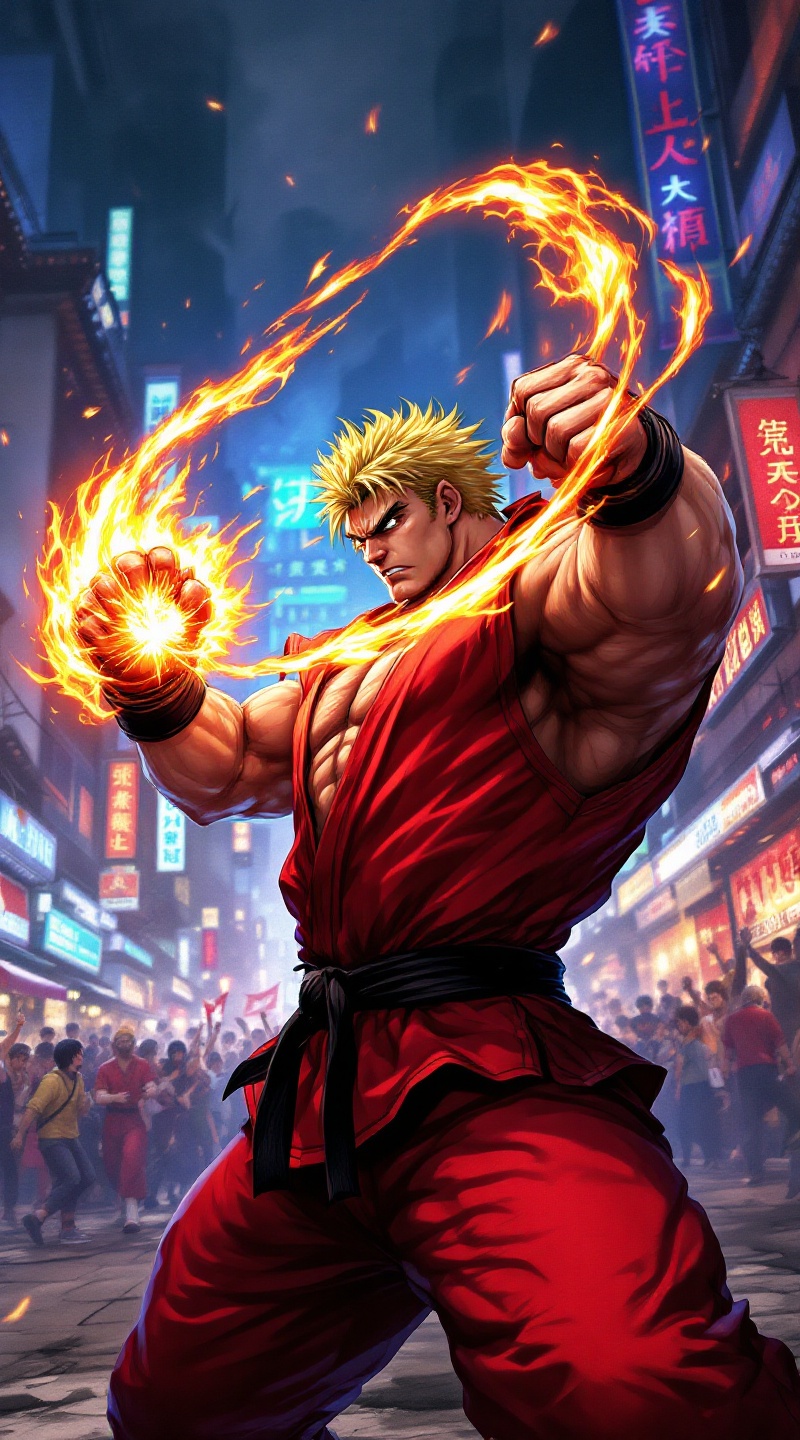
Fury in the Neon Streets - Flux.1.1 pro
พรอมต์
**Prompt:** Create a dynamic and vibrant scene inspired by the fighting game genre, specifically "Street Fighter II." Focus on Ken Masters, a muscular fighter with spiky blonde hair, wearing a red gi and black belt, showcasing his fierce determination. Capture his signature Shoryuken pose, with flames swirling around his fist, symbolizing his fiery spirit. The background should feature an iconic urban setting, like a bustling street in Japan, adorned with neon lights and traditional architecture. Include elements like a cheering crowd and banners fluttering in the wind to enhance the atmosphere. The overall mood should be intense and electrifying, reflecting the adrenaline of a high-stakes battle, with a color palette rich in reds, blues, and yellows to evoke energy and excitement.
การวิเคราะห์รายละเอียดของ Prompt ภาพ Flyne AI
วิเคราะห์ Prompt รายละเอียดที่ใช้ในการสร้างภาพด้วย Flyne AI Image Generator.
สำรวจคำแนะนำ Flux สำหรับตัวสร้างภาพ AI
วิธีสร้างภาพด้วย Flyne AI Image Generator Flux.1.1 pro
ติดตามขั้นตอนง่าย ๆ สี่ขั้นตอนเพื่อสร้างภาพที่คุณต้องการ.
ขั้นตอนที่ 1: ป้อนข้อความของคุณ (สามารถปรับแต่ง Prompt ของคุณเพื่อผลลัพธ์ที่ดียิ่งขึ้น)
ขั้นตอนที่ 2: เลือกอัตราส่วนภาพ
ขั้นตอนที่ 3: เลือกโมเดลภาพของคุณ:
ขั้นตอนที่ 4: คลิกปุ่มสร้างและรอสักครู่เพื่อรับภาพของคุณ
เครื่องมือ Flyne AI ที่เกี่ยวข้องกับ Prompt สำหรับการสร้างภาพ Flux.1.1 pro
ค้นพบเครื่องมือขั้นสูงจาก Flyne AI เพื่อเพิ่มประสิทธิภาพการทำงานสร้างสรรค์ของคุณ.