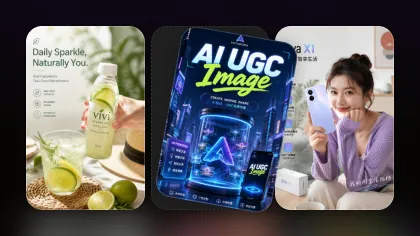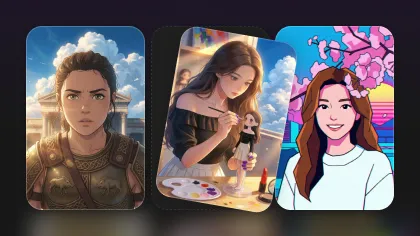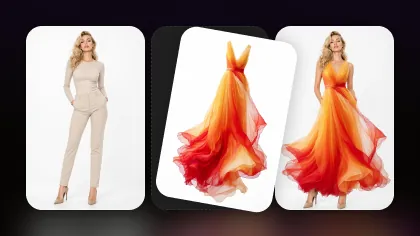
If you have ever tried to create a poster, YouTube thumbnail, ad visual, or clean infographic with AI, you already know the hardest part is often not the art style. It is the text.
Headlines can warp. Labels can turn into nonsense. Product names can mutate. A design that looks polished at first glance may fall apart the moment you zoom in and read the words.
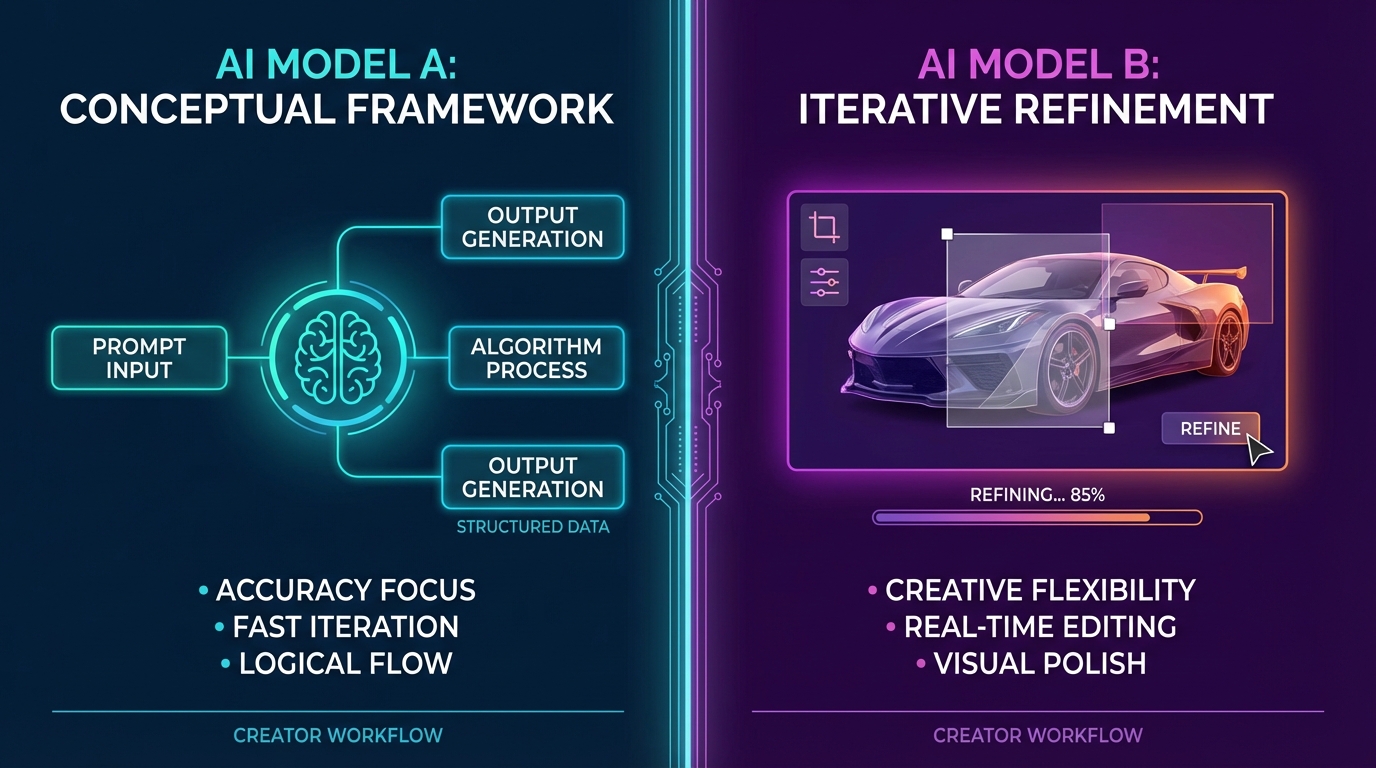
That is why the comparison between GLM-Image and Nano Banana Pro matters. Both models can create strong AI visuals, but they are useful in different ways.
GLM Image AI is a strong choice when your image depends on structured composition, text rendering, semantic accuracy, and information-heavy design. Nano Banana Pro is better when you need a fast generate-edit-refine workflow for polished creator assets, product visuals, social content, and marketing images.
This guide compares GLM-Image vs Nano Banana Pro in a practical creator-first way, then recommends a simple Flyne AI workflow for building final assets faster.
The 30-Second Verdict
Choose GLM-Image when your project is closer to designed information than pure illustration. It is especially useful for posters, slides, diagrams, educational graphics, labeled visuals, and prompt requests with several text blocks or clear layout rules.
Choose Nano Banana Pro when your project depends on fast iteration. It is ideal when you need to generate a strong draft, fix small problems, combine references, adjust composition, or create several publish-ready variations without restarting from zero.
A simple rule:
- Layout and readable text first: use GLM Image AI.
- Editing, polish, and fast creative revisions first: use Nano Banana Pro.
- General image creation and model switching: start with Flyne AI Image Generator.
What Is GLM-Image?
GLM-Image is an AI image generation model designed for high-precision visual creation and complex information expression. In practical terms, that means it is useful when a prompt contains more than just “a beautiful image.”
It is stronger when you ask for:
- Posters with titles and subtitles
- Infographics with sections and labels
- Presentation-style visuals
- Educational diagrams
- Product explanation graphics
- Multi-element compositions with clear structure
The key strength of GLM-Image is that it aims to understand the full instruction, not just the visual mood. When your prompt includes layout rules, text placement, labeled sections, and exact message hierarchy, GLM-Image is often a better first-pass model than a purely aesthetic generator.
For example, if you need a clean poster with a headline at the top, a product visual in the center, three benefit cards, and a call-to-action area at the bottom, GLM-Image is built for that kind of structured request.
What Is Nano Banana Pro?
Nano Banana Pro is a high-quality image generation and editing model designed for flexible creative production. On Flyne AI, Nano Banana Pro supports both text-based creation and image-based workflows, making it useful for creators who do not want to rely on one-shot prompting.
The main advantage is the editing loop. You can generate an image, keep the parts that work, then guide the model toward a cleaner final result.
That makes Nano Banana Pro useful for:
- Social media posts
- Product mockups
- Character concepts
- Ad creatives
- Lifestyle images
- Thumbnail drafts
- Image-guided edits
- Reference-based compositions
If GLM-Image is the model you use when the prompt feels like a layout brief, Nano Banana Pro is the model you use when the project feels like a production workflow.
GLM-Image vs Nano Banana Pro: Practical Comparison
| Comparison Point | GLM-Image | Nano Banana Pro |
|---|---|---|
| Best role | Structured visual design | Fast generation and editing |
| Strongest use case | Posters, diagrams, slides, information-rich layouts | Marketing visuals, social images, product creatives, polished variants |
| Text handling | Strong for planned text blocks and layout hierarchy | Stronger when you need to revise, simplify, or polish text through edits |
| Editing flow | Good for prompt-led structure and image refinement | Better for iterative changes and controlled revision loops |
| Reference use | Useful for structured content and scene guidance | Strong for combining references, styles, subjects, and backgrounds |
| Creator workflow | Best as a first-pass layout model | Best as a fast-to-final production model |
1. Text Rendering and Typography
Text is the core reason many creators compare GLM-Image and Nano Banana Pro.
GLM-Image is useful when the design depends on several text blocks. It is well suited for prompts that include a title, subtitle, section labels, short bullet points, and layout instructions. If you are making a poster, lesson graphic, event announcement, product feature card, or slide-style visual, GLM-Image can produce a stronger structured draft.
Nano Banana Pro also handles text-oriented visuals well, but its real advantage is revision. If the headline is almost right, the spacing needs improvement, or the design needs a cleaner crop, Nano Banana Pro is often easier to steer through targeted edits.
Use this rule:
- If you need many text blocks arranged clearly, start with GLM-Image.
- If you need a strong visual that can be polished quickly, use Nano Banana Pro.
2. Layout Control
GLM-Image has a layout-first personality. It responds well when your prompt describes the structure of the design.
For example, a GLM-Image prompt can specify:
- Top header area
- Center hero visual
- Left and right callout boxes
- Bottom CTA strip
- Clean grid alignment
- High contrast typography
- Generous margins
This makes it useful for images that need to look designed, not just generated.
Nano Banana Pro can also produce strong layouts, but it shines more when you want to adjust an existing direction. Instead of trying to get the entire composition perfect in one prompt, you can generate a strong draft and then revise the parts that are not working.
3. Editing and Local Fixes
Editing is where Nano Banana Pro becomes especially practical.
Many AI images are not bad. They are almost right. The subject looks good, the lighting works, and the composition is usable, but one detail is wrong.
Nano Banana Pro is strong for prompts like:
- “Keep the subject and background, but make the headline cleaner and easier to read.”
- “Move the product slightly left and leave more blank space on the right.”
- “Replace the background with a soft studio gradient.”
- “Make the poster less cluttered and increase contrast around the text.”
- “Keep the same product, but create a warmer lifestyle version.”
For more focused repair work, Flyne AI also provides Nano Banana Inpainting, which is useful when you want to mask and rewrite only one part of an image.
4. Combining References
Real creator tasks often involve more than one input. You may need to combine a product photo, a style reference, a background mood, and a slogan into one final image.
Nano Banana Pro is usually the stronger choice for this kind of reference-based workflow. It is useful when you want to preserve a subject while changing the environment, lighting, pose, outfit, or visual mood.
For broader image-to-image work, Image to Image AI is also useful because it gives you a direct place to upload a source image and transform it with a prompt.
GLM-Image can still be useful when the final result needs structured information. For example, you might use GLM-Image to create the clean layout of a product explainer, then use Nano Banana Pro or Image to Image AI to improve visual polish.
Real-World Scenarios: Which Model Should You Use?
Scenario 1: Poster With Readable Text
Use GLM-Image first if the poster has a title, subtitle, event details, CTA, and multiple layout sections. It is better suited to structured composition.
Then use Nano Banana Pro if you need to clean the style, adjust spacing, or create alternate versions for different platforms.
Best Flyne AI path:
- Start with GLM Image AI for the layout draft.
- Use Nano Banana Pro for refined variations.
- Use AI Image Upscaler before publishing if you need a larger output.
Scenario 2: Product Marketing Visuals
Use Nano Banana Pro first. Product marketing usually depends on iteration: one hero product, several backgrounds, multiple headlines, different aspect ratios, and fast revisions.
A practical workflow is:
- Upload a product reference.
- Generate a clean commercial image.
- Create three style variants.
- Revise the strongest one.
- Upscale the final version.
For a more specialized product workflow, you can also use AI Product Photography when your goal is e-commerce imagery rather than general creative generation.
Scenario 3: Infographics and Educational Graphics
Use GLM-Image first when the image is mostly a visual explanation. It is more suitable for structured sections, labels, and hierarchy.
Keep the prompt short and clear. Do not overload it with long paragraphs. Use exact labels, simple wording, and direct layout instructions.
If you need a polished final version, move the output into an editing workflow afterward.
Scenario 4: Social Media Thumbnails
Use Nano Banana Pro first if speed matters. Thumbnails usually need visual impact, bold composition, and fast A/B variations.
Use GLM-Image only when the thumbnail relies heavily on readable text or a designed layout.
Prompting Playbook
GLM-Image Prompt Template
Use this structure when the goal is layout and readable information:
Create a [poster / slide / infographic] about [topic].
Layout: [top header / center visual / bottom CTA / left-right sections].
Exact text: Title: “[title]”; Subtitle: “[subtitle]”; Labels: “[label 1]”, “[label 2]”, “[label 3]”.
Style: modern minimal design, clean grid, high contrast, readable typography, generous spacing.
Avoid: tiny text, distorted letters, cluttered background, random extra words.
Example:
Create a modern event poster for a winter market. Layout: large top title, central cozy market illustration, three small feature cards at the bottom. Exact text: Title: “WINTER MARKET”; Subtitle: “Dec 10–12”; Feature labels: “Food”, “Crafts”, “Music”. Style: clean grid, warm lighting, readable bold typography, high contrast, minimal background clutter.
Nano Banana Pro Prompt Template
Use this structure when the goal is fast generation and controlled revision:
Create a [visual type] for [platform or use case].
Main subject: [subject].
Style: [photorealistic / editorial / cinematic / clean product ad / illustrated].
Composition: [close-up / centered / left subject with copy space / wide banner].
Text, if needed: “[short text only]”.
Keep the design clean, high contrast, and ready for publishing.
Then refine with small edit prompts:
Keep the main subject and composition. Make the headline more readable, reduce background clutter, and increase contrast around the text.
Keep the product unchanged. Replace the background with a warm studio gradient and leave clean space on the right for ad copy.
Keep the style and lighting. Reframe as a 16:9 YouTube thumbnail with stronger subject focus and fewer background details.
Recommended Flyne AI Workflow
For most creator and marketing tasks, the best workflow is not choosing one model forever. It is choosing the right model for each stage.
Use this path:
- Structured design draft: Start with GLM Image AI when the project needs labels, sections, posters, or infographic structure.
- Creative draft and polish: Use Nano Banana Pro when you need high-quality visuals, fast revisions, and publish-ready variations.
- Fast early exploration: Use Nano Banana AI when you want more quick drafts before moving to Pro.
- Reference transformation: Use Image to Image AI when you already have a source image to transform.
- Local repair: Use Nano Banana Inpainting when only one area needs fixing.
- Final enhancement: Use AI Image Upscaler when the final image needs a sharper output.
This gives you a clean production pipeline: structure first, polish second, repair only what is broken, then upscale the asset you actually plan to publish.
FAQ
Is GLM-Image good for posters with readable text?
Yes. GLM-Image is a strong option for posters, slides, diagrams, and text-heavy visuals when you provide clear layout rules and short exact text strings.
Is Nano Banana Pro better than GLM-Image?
Not universally. Nano Banana Pro is better for fast iteration, image editing, reference-based changes, and creator workflows. GLM-Image is better when the visual depends on structured layout and text-heavy design.
Which one should I use for YouTube thumbnails?
Use Nano Banana Pro for most thumbnails because it is fast and easy to refine. Use GLM-Image if the thumbnail depends on a readable title, graphic sections, or poster-like layout.
Which one should I use for infographics?
Start with GLM-Image because infographics need structure, labels, and hierarchy. Then use a refinement tool if you need cleaner polish.
Should I use Nano Banana AI or Nano Banana Pro?
Use Nano Banana AI for quick draft exploration. Use Nano Banana Pro when the final image needs stronger detail, better control, or more polished revisions.
Final Take
GLM-Image and Nano Banana Pro are not competing for exactly the same job.
GLM-Image is the better first choice when your prompt is basically a design brief: title, sections, labels, hierarchy, and layout. Nano Banana Pro is the better daily production model when your goal is to generate, edit, revise, and ship polished creator assets quickly.
For the most practical Flyne AI workflow, use GLM-Image for structured first passes and Nano Banana Pro for refinement. That combination gives you the best of both worlds: clearer layout at the start and faster polish at the finish.
Recommended Tools
- GLM Image AI — best for posters, text-heavy visuals, structured graphics, diagrams, and information-first designs.
- Nano Banana Pro — best for high-quality image generation, editing, reference-based visuals, and fast final polish.
- Nano Banana AI — useful for quick creative drafts before moving to a more polished Pro workflow.
- Flyne AI Image Generator — a general image creation hub for testing multiple models and prompt styles.
- Image to Image AI — useful when you already have a source image and want to transform it.
- Nano Banana Inpainting — practical for fixing or replacing selected areas without rerolling the whole image.
- AI Product Photography — helpful for product mockups, e-commerce visuals, and ad-ready product images.
- AI Image Upscaler — useful for improving final image size and sharpness before publishing.
Related Articles
- Creating 4K High-Quality Images with Nano Banana Pro AI: A Practical Editor’s Guide
- What Is Nano Banana 2 and How Does It Work?
- Seedream 4.5 vs Nano Banana Pro: Which AI Visual Tool Fits Your Workflow?
- Krea AI Review: Which AI Image Model Fits Your Creative Workflow?
- Turn Nano Banana Into Your AI Font Generator: From Text to Stunning Typography
People Also Read
- Nano Banana Pro on DreamMachine AI: A Practical Way to Create Better AI Images
- Nano Banana 2 vs Nano Banana Pro: What Changed and Which One Fits Your Workflow?
- How to Use Nano Banana 2 for AI Image Generation and Editing
- Nano Banana 2 vs Qwen Image 2.0 vs Seedream 5.0: Which Model Fits Your Workflow?
- VideoWeb AI Image Generator 2026: The Fast-to-Final Model Map