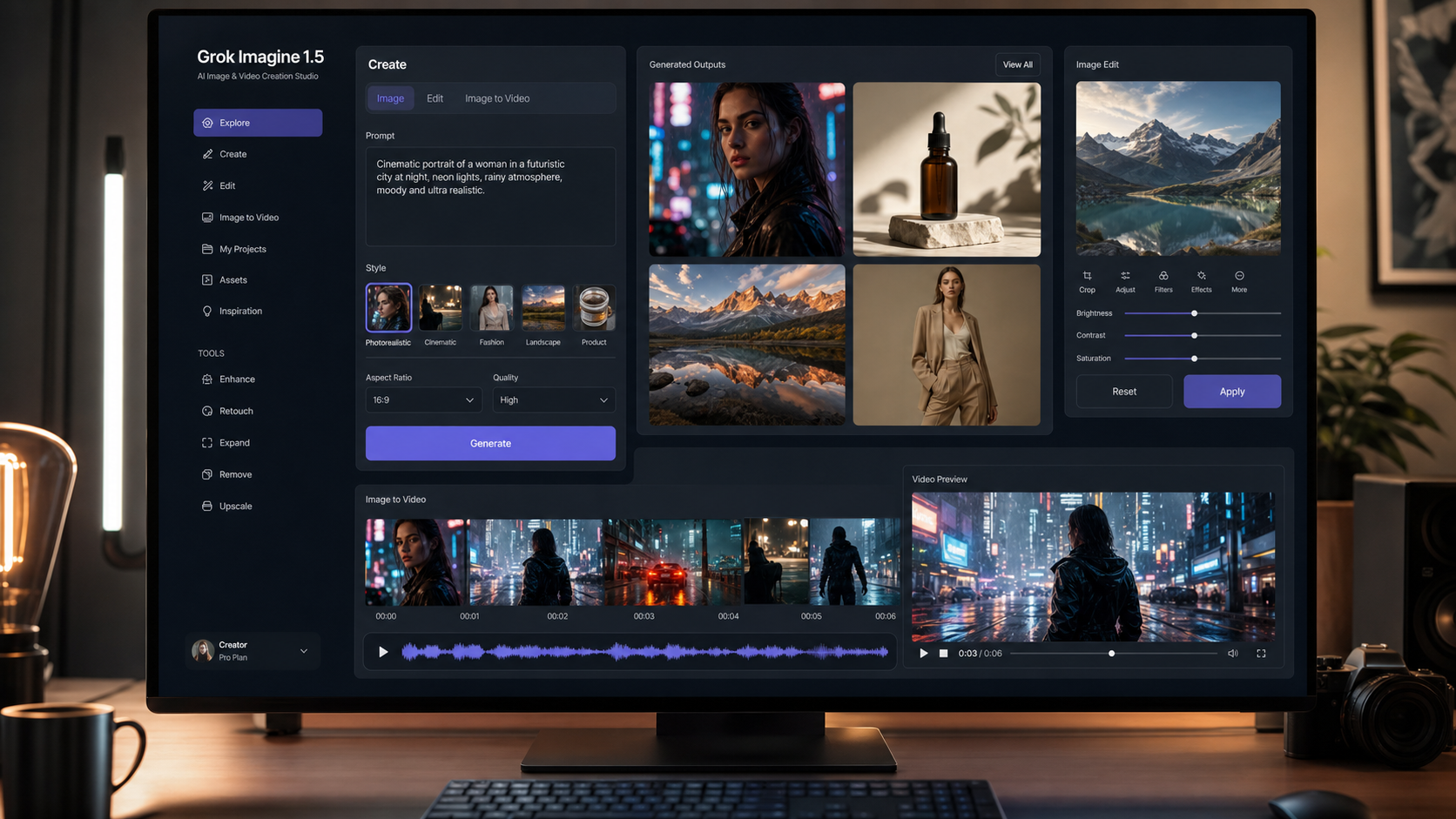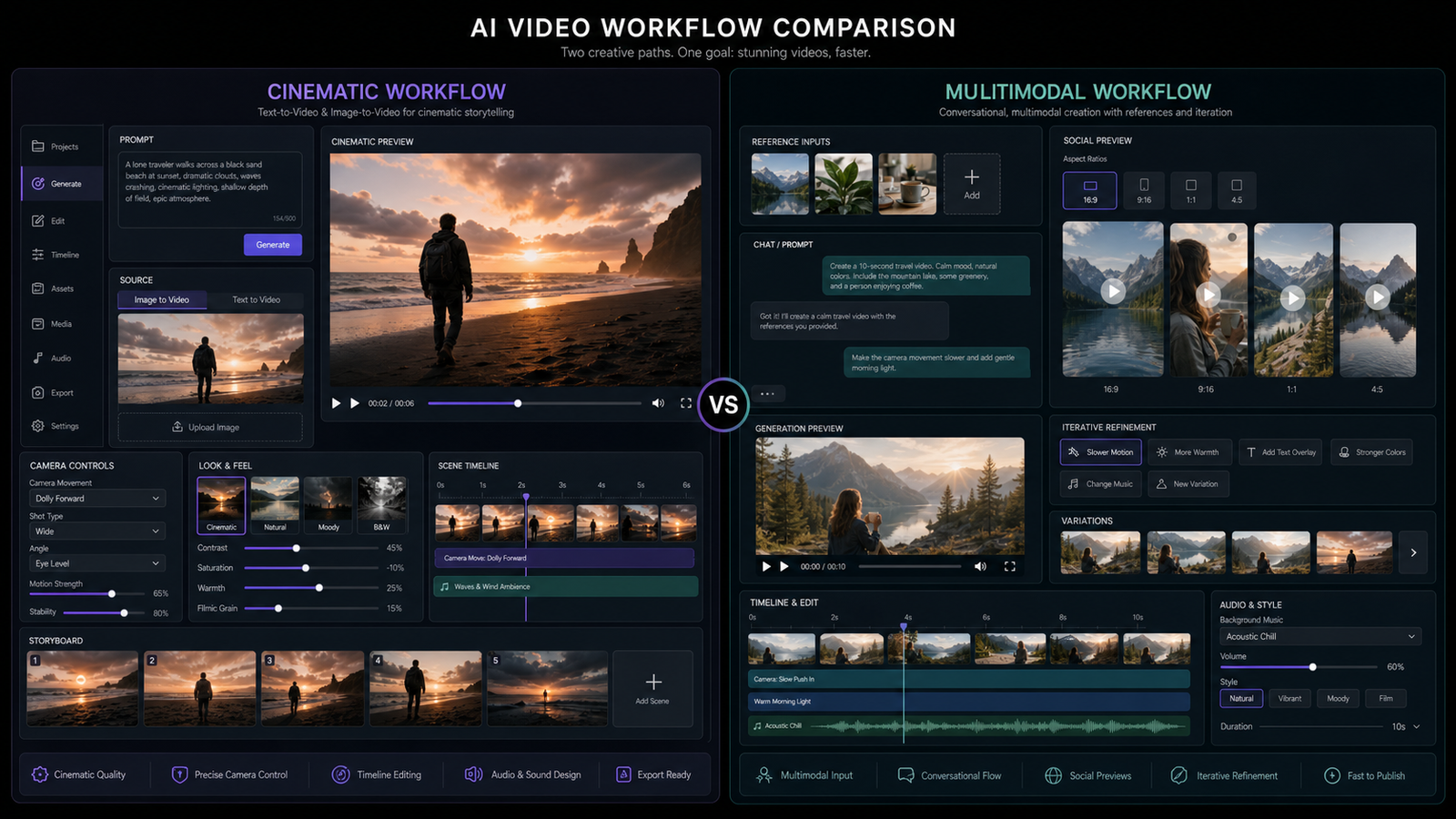
If you are comparing Veo 3 vs Gemini Omni, the simplest split is this: Veo 3 is the stronger fit when you want cinematic AI video generation, while Gemini Omni is better positioned for multimodal, conversational video workflows. Creators and marketers should not choose by model hype alone. Choose by the production job: a polished product film, a UGC ad, a guided concept session, a talking-head idea, or a social video workflow that needs repeated iteration.

This article focuses on practical workflow decisions for creators using Flyne AI. It prioritizes Flyne's Gemini Omni AI Video Generator for multimodal and conversational video workflows, Flyne's Google Veo 3 AI Video Generator for cinematic text-to-video and image-to-video workflows, and Flyne's Gemini Omni prompt guide for practical social video examples.
One caution before the comparison: AI video model names, access, pricing, and platform-supported features can change quickly. As of June 3, 2026, Google DeepMind has an official Gemini Omni model page, while Google Cloud documents Veo 3 and Veo 3 Fast model IDs for video generation. Still, you should verify availability inside your actual production tool before committing a campaign.
Quick Answer: Use Veo 3 for Cinematic Clips, Gemini Omni for Conversational Video Workflows
Use Veo 3 when your goal is a finished-looking clip with cinematic motion, visual polish, and, where supported, audio-aware generation. It is a natural fit for product films, ad concepts, cinematic B-roll, scene-based storytelling, and image-to-video tests where the output needs to feel like a video asset rather than a brainstorming session.
Use Gemini Omni when your goal is a flexible multimodal workflow. The Gemini Omni AI Video Generator on Flyne AI is positioned around turning images, prompts, conversations, and creative references into AI video ideas. That makes it useful for creators who want to explore social hooks, UGC concepts, iterative briefs, and mobile-first video structures before narrowing down the final production style.
In short, Veo 3 is usually the better first choice for cinematic generation. Gemini Omni is usually the better first choice for multimodal creative direction, conversational refinement, and social-video ideation.

What Veo 3 Does Best for AI Video Generation
Veo 3 is best suited to creators who need visually polished video from text or image prompts. Google Cloud's Veo documentation lists model IDs such as veo-3.0-generate-001 and veo-3.0-fast-generate-001, with support notes for prompt-based video generation and image-to-video preview workflows. Google also positions Veo 3 around video generation with sound, which matters for ads, cinematic clips, and social content where audio timing affects the final feel.
On Flyne AI, the Google Veo 3 AI Video Generator is the page to prioritize when you want cinematic text-to-video or Veo 3 image to video workflows. This is where a creator can think in production language: camera movement, lighting, shot scale, pacing, aspect ratio, and the desired commercial finish.
Veo 3 is especially useful for:
- Cinematic product launch videos with premium lighting and smooth camera movement.
- Product demo clips where an uploaded image needs subtle motion and a polished reveal.
- B-roll sequences for travel, fashion, tech, food, real estate, or brand storytelling.
- Short ad concepts where the visual style matters more than conversational iteration.
- AI marketing videos that need a more filmic look before editing, captions, and review.
The trade-off is control. A cinematic generator can produce impressive motion, but the creator still needs to review artifacts, text rendering, continuity, brand accuracy, and whether the output matches the intended claim. Treat Veo 3 as a production accelerant, not a substitute for creative review.
What Gemini Omni Adds for Multimodal and Conversational Video Creation
Gemini Omni is better framed as a multimodal workflow option than as a direct clone of cinematic video models. Google's official Gemini Omni page describes a natively multimodal model built for unified understanding and generation across modalities, while Flyne AI positions its Gemini Omni video generator around AI video creation with multimodal inputs and conversational creative flow.
That distinction matters. A creator may not always know the final shot at the start. They may have a product image, a script fragment, a brand mood, a voiceover idea, and a social platform goal. A Gemini Omni workflow can be useful when the creative process needs to move through conversation: "make this more UGC," "turn it into a Reels hook," "adapt this for Shorts," or "keep the product consistent while changing the scene."
Gemini Omni is especially useful for:
- UGC-style ad concepts that need problem, solution, and CTA structure.
- TikTok, Reels, and Shorts ideas that benefit from rapid prompt iteration.
- Multimodal concept development using image references, scripts, and brand context.
- Faceless explainers where the structure matters as much as the visual polish.
- Creator-style talking-head or social video ideas that need natural pacing.
Because "Gemini Omni" has been discussed in release-prediction and rumor-style content, the safest editorial approach is to separate confirmed platform pages from speculation. Use Flyne's Gemini Omni release prediction article as context for workflow thinking, not as proof that every predicted feature is available in every product.
Veo 3 vs Gemini Omni: Workflow Comparison for Creators
The practical difference between Veo 3 and Gemini Omni is workflow positioning. Veo 3 starts from "generate a polished scene." Gemini Omni starts from "develop and refine a multimodal video idea." Both can support AI video creation, but they serve different moments in the production process.
| Workflow Need | Better Starting Point | Why |
|---|---|---|
| Cinematic brand film | Veo 3 | Stronger fit for filmic shot language, motion, lighting, and polished scene generation. |
| Product demo from an image | Veo 3 | Useful when the goal is controlled image-to-video movement and a premium reveal. |
| UGC ad planning | Gemini Omni | Better fit for conversational iteration, problem-solution-CTA structure, and mobile-first ideas. |
| Social prompt exploration | Gemini Omni | Useful when testing Gemini Omni prompts for TikTok, Reels, and Shorts. |
| B-roll sequence | Veo 3 | Stronger fit for cinematic camera motion, depth, and professional visual tone. |
| Faceless explainer | Gemini Omni | Useful when structure, script, and multimodal context guide the video. |
| Final campaign review | Either, with human review | Both require checks for accuracy, artifacts, copyright, platform policy, and brand fit. |
For most creators, this is not an either-or decision. A strong workflow can begin with Gemini Omni for idea development, prompt refinement, and social structure, then move to Veo 3 for cinematic execution. By contrast, a product marketer with a clear visual brief may start directly with Veo 3 and use Gemini Omni only to rewrite prompts or create variations for different platforms.

Best Use Cases: Ads, UGC, Product Demos, Cinematic Clips, and Social Content
Choose Veo 3 or Gemini Omni based on the content format you need to repeat. A one-off cinematic teaser and a daily UGC prompt workflow have different success criteria, even if both are AI video workflows.
For ads, Veo 3 is often the stronger fit when you need a high-end product launch, cinematic B-roll, or premium campaign visual. Gemini Omni is often better when the ad needs a social script, a creator-style hook, or several conversational prompt variations before production.
For UGC, Gemini Omni has the workflow advantage. UGC ads need pacing, problem framing, believable creator tone, and a clear CTA. A Gemini Omni prompt can combine script, product image, audience, platform, and goal in one creative direction. Veo 3 can still be useful later if you want a polished supporting shot or product insert.
For product demos, Veo 3 is the safer starting point when a product image needs controlled motion, clean lighting, and a smooth reveal. Gemini Omni becomes useful when the demo needs explanation, comparison, or a narrative flow that blends script and visuals.
For cinematic clips, Veo 3 is the obvious first test. Use shot language such as tracking shot, orbit, macro close-up, slow push-in, handheld realism, or high-end commercial lighting.
For social content, Gemini Omni can help creators explore formats quickly: TikTok hooks, Reels ads, Shorts explainers, faceless educational videos, and creator-style talking-head concepts. Use Flyne's Best 10+ Gemini Omni Prompts for Social Videos as a practical prompt reference rather than starting from a blank page.
Prompt Formula and Copy-to-Use Examples
A good AI video prompt describes the content, the motion, the style, the platform, and the goal. Use this reusable formula for both models, then adjust emphasis depending on whether you are using Veo 3 or Gemini Omni:
[subject/scene] + [camera motion] + [visual style] + [tone/mood] + [format/platform] + [CTA or goal]
For Veo 3, make the camera, lighting, and visual style more specific. For Gemini Omni, include context, reference inputs, audience, and the creative intent behind the video.
Copy-to-use prompts:
- Create a cinematic product launch video for [product] with smooth camera movement, premium lighting, and high-end advertising style for [audience].
- Generate a TikTok-style UGC ad for [product], showing problem -> solution -> CTA in fast-paced mobile format.
- Turn this concept into a multimodal conversational video using [image/reference], keeping consistency across scenes.
- Create a short-form ad for [brand] optimized for Reels with energetic pacing and clean visuals.
- Produce a cinematic B-roll sequence for [scene] with depth, motion tracking, and professional film tone.
- Make a faceless explainer video for [topic] using motion graphics and structured visual storytelling.
- Generate a before/after transformation video for [service] with clear visual contrast and smooth reveal timing.
- Create a creator-style talking-head AI video about [topic] with natural pacing and mobile framing.
- Produce a 9:16 social ad for [product] optimized for attention retention and conversion CTA.
- Reimagine this script into a polished AI video using [tone/style] and [audience focus].
Prompt iteration matters more than prompt length. Change one variable at a time: camera motion, platform format, tone, CTA, or reference image. This makes it easier to learn whether the model is failing because of the concept, the visual reference, or an overloaded instruction.

How to Choose on Flyne AI
Flyne AI is useful because it gives creators a practical way to route different video jobs to different model pages. Start with Flyne's Gemini Omni page when your workflow is multimodal, conversational, social-first, or still in creative development. Start with Flyne's Veo 3 page when the brief already calls for cinematic video, text-to-video generation, image-to-video generation, or a polished product visual.
Use this decision path:
- If the brief is a polished scene, product launch, cinematic ad, or B-roll clip, test Veo 3 first.
- If the brief is a UGC script, social hook, faceless explainer, or conversation-driven concept, test Gemini Omni first.
- If you have an image reference and need motion, test Veo 3 image to video for the production version.
- If you have a script and need several social variations, test Gemini Omni prompts first.
- If the project is important, compare both workflows with the same source idea before publishing.
Also keep a review checklist. Before exporting or publishing AI social videos, check for inconsistent subjects, distorted hands or objects, unreadable text, misleading claims, copyright-sensitive imagery, privacy issues, and ad-platform compliance. Neither model removes the need for human approval.
Limits, Naming Cautions, and What Not to Overclaim
The biggest risk in a Veo 3 vs Gemini Omni comparison is overstating certainty. Veo 3 is clearly documented in Google's ecosystem, including Google Cloud model documentation. Gemini Omni now has an official Google DeepMind model page, but the way third-party tools expose "Gemini Omni video," "Google Omni video," or "Gemini AI Omni" workflows may vary by platform.
That means a careful article should avoid claims like "Gemini Omni has fully replaced every video model" or "Veo 3 is always better for ads." Instead, use conditional language: Veo 3 is better when cinematic output is the priority; Gemini Omni is better when multimodal and conversational workflow is the priority.
Pricing and access also deserve caution. Google and platform providers may change model availability, quotas, plan requirements, preview status, and output limits. Flyne AI users should check the live Gemini Omni and Veo 3 pages before production, especially for commercial campaigns, client work, or time-sensitive launches.
For release-related content, treat Flyne's Gemini Omni Release Prediction 2026 as context. It can help readers understand possible workflow implications, but predictions are not the same as confirmed product guarantees.
Related Reading for AI Video Model Comparison
These articles can help you continue the workflow research:
- Best 10+ Gemini Omni Prompts for Social Videos: Flyne AI Guide
- Gemini Omni Release Prediction 2026: What It Could Mean for AI Video Generation
- Flyne AI Video Model Comparison Guide 2026
- Veo 3 vs Sora 2 AI Video Comparison
- How to Use Google Veo 3 for Image-to-Video Workflows
People also read:
- Gemini Omni Latest Info: AI Video Generation Insights
- Gemini Omni New Model: What We Know So Far
- Gemini Omni Rumors and Creator Impact Analysis
- Gemini Omni Model Page Reference
FAQ
Is Gemini Omni an official Google model?
As of June 3, 2026, Google DeepMind has an official Gemini Omni model page. However, feature access, naming, and third-party platform implementation can still vary, so creators should verify the live workflow inside Flyne AI or their chosen tool.
Is Veo 3 better than Gemini Omni for AI video?
Veo 3 is usually better for cinematic text-to-video, image-to-video, product visuals, and polished scene generation. Gemini Omni is usually better for multimodal, conversational, and social-first video workflows. The best choice depends on the job.
Which model should I use for UGC ads?
Start with Gemini Omni if the UGC ad needs script structure, audience framing, problem-solution-CTA logic, or several social prompt variations. Use Veo 3 when you need polished product footage, cinematic inserts, or a high-end visual version of the concept.
Can Veo 3 generate video with audio?
Google documentation positions Veo 3 around video generation with sound, and Google Cloud's Veo docs include sound-generation guidance. Availability can vary by product surface and model version, so check the current Flyne AI and Google documentation before relying on it for a final campaign.
How should I compare Veo 3 and Gemini Omni fairly?
Use the same brief, source image, duration target, platform format, and review checklist. Compare motion quality, prompt adherence, multimodal flexibility, artifact rate, editing effort, and whether the output fits the intended publishing channel.
Conclusion
The practical choice in Veo 3 vs Gemini Omni is about workflow, not model fandom. Choose Veo 3 when you need cinematic video generation, polished text-to-video or image-to-video results, and film-style motion. Choose the Gemini Omni AI Video Generator when you need multimodal video planning, conversational creative refinement, and social-content iteration. For many Flyne AI users, the strongest workflow is to use Gemini Omni for concept shaping and Veo 3 for cinematic execution.