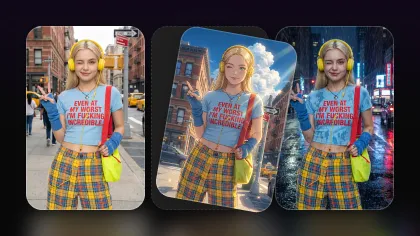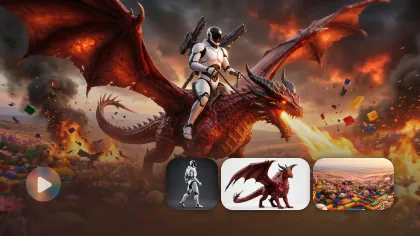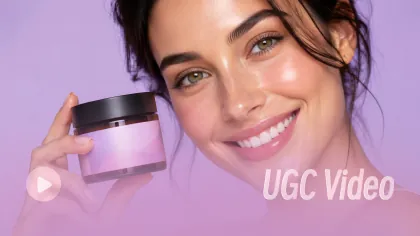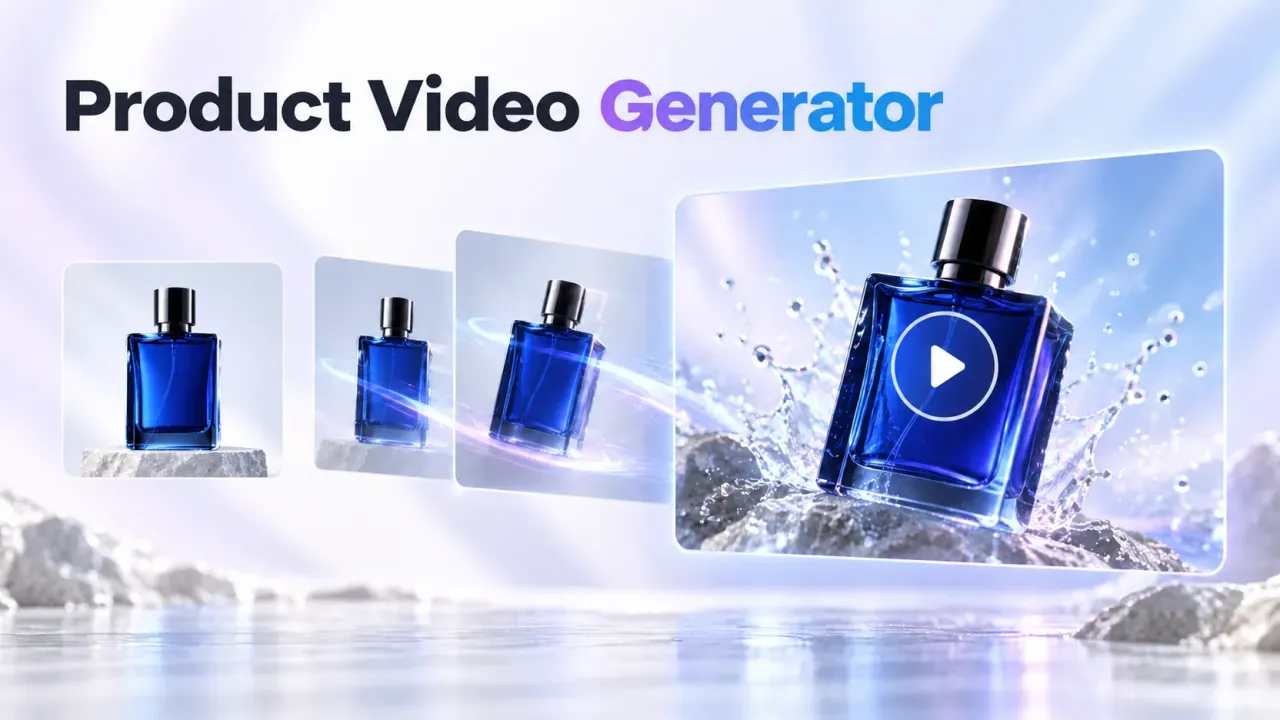
If you want better short videos from the Seedance 2.0 AI video generator, the prompt matters as much as the model choice. This guide gives creators, marketers, social video editors, product sellers, faceless-channel creators, and AI video beginners a practical way to write Seedance 2.0 prompts on Flyne AI for product clips, UGC-style videos, cinematic scenes, and social posts.

Quick Summary: Seedance 2.0 Prompts on Flyne AI
Seedance 2.0 is useful when you want short videos with clear motion, social-friendly framing, and controllable camera direction. On Flyne AI, you can test text-to-video and image-to-video ideas in a browser workflow, then refine the prompt based on motion consistency, subject stability, and platform format.
The fastest way to improve results is to avoid vague one-line prompts. Instead, describe the subject, setting, action, camera movement, lighting, mood, audio direction, ratio, and duration. A simple product clip may need only one clear motion, while a cinematic or faceless video may need stricter camera and composition notes.
Key takeaways
- Use Flyne AI when you want a simple place to test Seedance 2.0 prompts alongside other video models.
- Use 9:16 for TikTok, Reels, Shorts, and most vertical social clips.
- Upload a start frame or reference image when the product, person, background, or visual identity needs to stay consistent.
- Keep each prompt focused on one main action instead of stacking too many scene changes.
- Treat outputs as drafts until you review commercial rights, platform rules, music rights, and product claim accuracy.

How to Use Flyne AI for Seedance 2.0 Video Generation
The practical Flyne AI workflow is simple: choose the model, give it a clear visual direction, generate a short clip, then revise the prompt based on what changed. This makes Flyne useful for testing a Seedance 2.0 video examples workflow without turning every idea into a full production process.
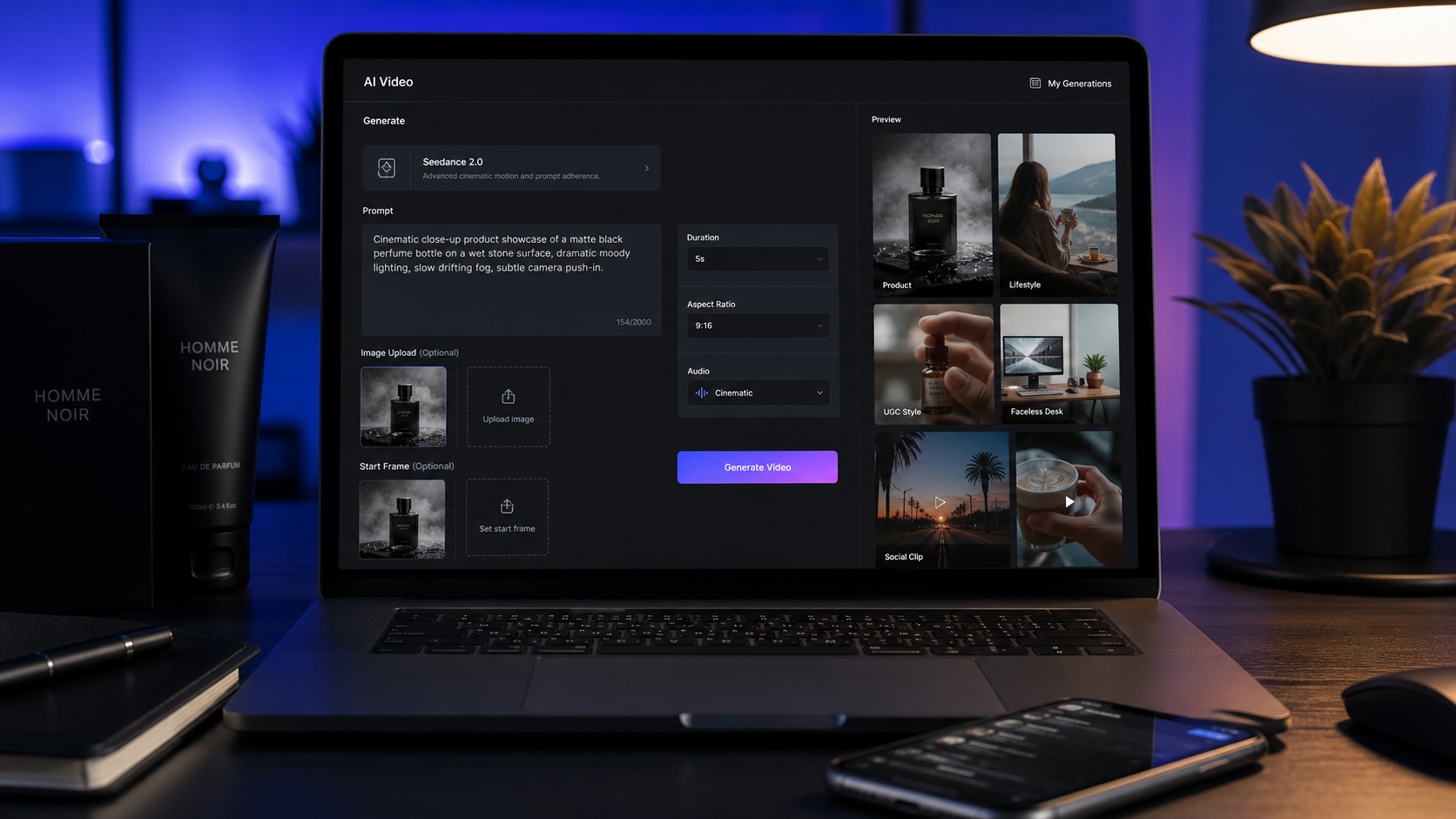
Start on the Seedance 2.0 model page and choose Seedance 2.0 as the model. If the video needs a fixed product, character, outfit, setting, or opening composition, upload a start frame or reference image. Then write a structured prompt that covers the subject, scene, action, camera, lighting, mood, audio, and format.
Use Flyne's settings to match the destination. A 9:16 ratio fits TikTok, Instagram Reels, YouTube Shorts, and most mobile ads. A 1:1 ratio can work for square social posts. A 16:9 ratio is better for YouTube, website embeds, and horizontal campaign assets. Set the duration based on the idea: short product reveals often work best with one motion, while multi-shot concepts need extra prompt discipline.
A practical workflow looks like this:
- Open the Flyne AI Seedance 2.0 model page.
- Choose Seedance 2.0 as the model.
- Upload a start frame, end frame, or reference image if the product, scene, or subject must stay fixed.
- Write a structured prompt with subject, scene, motion, camera, lighting, mood, audio, and format.
- Use prompt optimization or translation tools if you need cleaner wording.
- Set duration, resolution, ratio, and public or privacy settings.
- Generate, review motion consistency, then revise with clearer action and fewer scene changes.
This is also where Flyne's broader AI video generator workflow helps. You can use one browser workspace to test product videos, social clips, and cinematic ideas before deciding which prompt deserves more iterations.

Reusable Seedance 2.0 Prompt Formula
A strong Seedance 2.0 prompt guide starts with structure, not length. The goal is to give the model enough direction to understand the clip while avoiding overcomplicated action that can break subject consistency.
Copy this reusable formula and replace the bracketed parts:
Create a [duration] Seedance 2.0 AI video for [use case]. Scene: [subject] in [setting]. Action: [one clear motion or event]. Camera: [slow push-in / handheld / orbit / close-up / overhead / tracking shot]. Lighting: [natural / cinematic / studio / warm / neon / dramatic]. Mood: [realistic / UGC-style / luxury / emotional / playful / educational]. Audio: [ambient sound / voiceover / subtle music / product sound / no dialogue]. Format: [9:16 / 16:9 / 1:1]. Keep subject consistency, smooth motion, realistic camera behavior, and clean composition.
For social videos, add platform context directly in the prompt. For example, "9:16 YouTube Shorts-style" or "TikTok-style UGC product demo" tells the model to prioritize vertical framing, close-up readability, and feed-native pacing. For product clips, add notes such as "product visible in every key shot" or "no readable brand text" when needed.
For image-to-video, the formula should also describe what must remain unchanged. If you upload a bottle, sneaker, lamp, pet product, or app mockup as the start frame, include "preserve product shape, color, label placement, and main composition" unless the transformation is intentional.

14 Copy-to-Use Seedance 2.0 Prompts
These AI video prompt examples are written for practical short-form use. You can paste them into Flyne AI, adjust the product or setting, and generate a first draft. For best results, keep the first test close to the prompt, then revise only the parts that need improvement.
1. Skincare serum product video
Create a 9:16 Seedance 2.0 product video for a skincare serum. The bottle sits on a marble bathroom counter with soft morning light and water droplets. Camera slowly pushes in while gentle steam moves in the background. Luxury but natural mood, subtle ambient sound, clean caption space.
2. Portable blender UGC-style video
Create a UGC-style video for a portable blender. A creator adds fruit and milk, blends quickly, pours the smoothie into a glass, and smiles at the camera. Handheld phone-camera style, bright kitchen lighting, realistic motion, cheerful social ad mood.
3. Cinematic sneaker product clip
Generate a cinematic sneaker product video. A futuristic sneaker rotates on a dark studio platform, blue rim lighting, reflective floor, slow orbit camera, smooth motion, premium commercial style, no readable brand text.
4. Fashion try-on video
Create a fashion try-on video. A model stands in a minimalist studio, turns slowly toward the camera, and the outfit fabric moves naturally. Soft studio lighting, elegant editorial mood, realistic body movement, preserve clothing consistency.
5. Faceless desk transformation
Create a faceless desk transformation video. A messy workspace becomes clean and organized as notebooks, keyboard, and coffee are arranged neatly. Overhead camera, satisfying quick cuts, natural daylight, calm productivity mood, no face shown.
6. Perfume product reveal
Generate a perfume product reveal. A perfume bottle sits on a reflective surface with soft flower petals around it. Slow camera tilt, pink and gold lighting, elegant luxury mood, subtle sparkle sound, clean composition, no readable brand text.
7. Travel memory scene
Create a travel memory video. A person stands beside a mountain lake at sunset, jacket moving slightly in the wind, slow push-in camera, cinematic color grading, emotional atmosphere, soft natural ambience.
8. Pet product UGC clip
Create a pet product UGC video. A pet owner gently brushes a calm dog on the living room floor. Show the brush, loose fur, and a happy pet moment. Warm home lighting, realistic handheld camera, friendly social ad mood, avoid medical claims.
9. Coffee lifestyle video
Generate a coffee lifestyle video. A hot coffee cup sits on a wooden cafe table while steam rises and sunlight moves across the surface. Slow cinematic pan, warm lifestyle mood, soft cafe ambience, realistic steam motion.
10. Portable LED lamp tutorial
Create a product tutorial video for a portable LED lamp. A creator turns on the lamp beside a book, adjusts brightness, and moves it from desk to bedside table. Warm lighting, soft shadows, clear product action, cozy nighttime mood.
11. Cinematic story scene
Create a cinematic story scene. A young traveler opens an old map under a streetlamp at night, light rain falling, camera slowly circles, moody city background, realistic reflections, quiet ambient sound, film trailer mood.
12. Phone stand UGC video
Generate a UGC video for a phone stand. A student places the stand beside a laptop, adjusts the angle, and joins a video call. Natural study-room lighting, close-up product shots, casual creator pacing, friendly voiceover style.
13. Matcha food close-up
Create a food close-up video. Matcha pours into milk over ice, the creator stirs slowly, and condensation forms on the glass. Close-up camera, bright natural light, satisfying liquid motion, gentle kitchen sounds.
14. Faceless study video
Create a faceless study video. Hands open a notebook, write a to-do list, place a coffee beside the laptop, and turn on a desk lamp. Overhead camera, warm lighting, calm productivity mood, soft ambient music.
These prompts cover product ads, UGC clips, faceless content, cinematic scenes, food clips, and lifestyle videos. If a first result looks too busy, remove one action or reduce the number of implied shots.

Text-to-Video and Image-to-Video Workflows on Flyne AI
Use text-to-video when the idea is flexible, and use image-to-video when visual consistency matters. That distinction is the easiest way to choose between a pure AI text to video generator prompt and an image to video AI generator workflow.
Text-to-video is best for concepts where the exact product design or character identity does not need to be preserved. It works well for cinematic story scenes, generic lifestyle clips, social hooks, mood videos, and early creative testing. In this workflow, your prompt carries most of the direction, so camera, lighting, and action details are especially important.
Image-to-video is better for product sellers, e-commerce teams, faceless-channel creators, and marketers who already have a product photo, social creative, or storyboard frame. Upload the image as a start frame, then ask Seedance 2.0 to animate one clear motion: steam rising from coffee, a camera push-in on a product, a hand turning on a lamp, or a desk transforming from cluttered to organized.
For an efficient Seedance 2.0 image to video workflow, write prompts that protect the source image. Use phrases like "preserve the product shape," "keep the subject centered," "animate only the background motion," or "maintain the same outfit and lighting." This reduces unnecessary drift and makes the clip easier to revise.

How to Refine Seedance 2.0 Prompts for Better Results
Prompt refinement is usually about subtraction before addition. If a clip feels unstable, simplify the action, tighten the camera movement, and reduce the number of scene changes. Many Seedance 2.0 cinematic video prompts improve when the prompt asks for one clean motion instead of a full commercial in a few seconds.
Review each output with a short checklist:
- Did the subject remain consistent from start to finish?
- Was the camera movement realistic for the scene?
- Did the product, prop, or person stay readable in vertical format?
- Did the lighting match the mood?
- Did the clip leave enough space for captions or overlays?
- Did the result imply a claim you cannot support?
If the answer is no, revise one variable at a time. For example, change "quick cuts through a morning routine" to "one handheld close-up of the creator applying one drop of serum." Change "cinematic camera movement" to "slow push-in from waist height." Change "social ad with multiple product benefits" to "show the bottle, texture, and one natural reaction."
For social editors, the best refinement habit is to create prompt variants by hook, not by changing everything. Keep the scene and product action stable, then test different first-two-second ideas: "I wanted a faster breakfast," "This fixed my desk setup," or "Tiny desk upgrade, huge difference."

Why Flyne AI Works as a Model Testing Hub
Flyne AI is useful when you want to test Seedance 2.0 without locking your whole workflow to one prompt style. The platform also positions broader AI video generator for creators workflows around text prompts, image references, and multiple video model options, which helps users compare what fits a product ad, faceless post, or cinematic clip.
For beginners, the main benefit is fewer moving parts. You can start from one page, choose the model, write the prompt, set ratio and duration, generate, and revise. For marketers and product sellers, the benefit is faster creative exploration: one product image can become several short-form directions, such as a UGC demo, luxury product reveal, product tutorial, or faceless social clip.
For editors, Flyne can work as a prompt-testing step before final assembly. Generate short motion layers, review the strongest clips, then add captions, music, voiceover, or brand-safe claims in your usual editing workflow. This keeps the AI generation stage focused on motion and composition rather than asking the model to solve every publishing detail.

Publishing Checklist Before Commercial Use
AI video results can vary by prompt clarity, reference image quality, model version, duration, ratio, and motion complexity. Before using a Seedance 2.0 clip in ads, product pages, YouTube, TikTok, Reels, Shorts, or email campaigns, treat it as draft creative and verify the publishing details.
Check these areas before posting or running paid campaigns:
- Commercial usage rights: confirm whether your generated clip, uploaded reference assets, and final export can be used commercially.
- Platform rules: review the rules for YouTube, TikTok, Instagram, ad networks, marketplaces, or affiliate programs.
- Product claims: avoid claims that exaggerate performance, health effects, savings, or guaranteed outcomes.
- Music and audio rights: make sure sound effects, music, and voiceover material are licensed or platform-safe.
- Disclosure and watermark requirements: check whether AI disclosure, sponsorship disclosure, or watermark handling applies.
- Privacy settings: avoid uploading private customer data, confidential product files, or identifiable people without the right permissions.
- Brand safety: review faces, hands, packaging, background details, and implied endorsements before publishing.
- Export terms: confirm resolution, format, retention, and download rules for your use case.
This checklist matters because a polished-looking video is not automatically ready for commercial distribution. Use Seedance 2.0 and Flyne AI to move faster, but keep the final review human.

FAQ: Seedance 2.0 Prompt Guide on Flyne AI
What is Seedance 2.0 useful for?
Seedance 2.0 is useful for short AI video generation, including cinematic clips, product videos, UGC-style social ads, faceless videos, lifestyle shots, and image-to-video animation. It works best when the prompt gives a clear subject, action, camera, lighting, and format.
Should I use text-to-video or image-to-video?
Use text-to-video when you are exploring a flexible idea from scratch. Use image-to-video when the product, subject, first frame, or visual identity needs to stay consistent. Product sellers and faceless-channel creators often get more controlled tests from image references.
What ratio should I use for social videos?
Use 9:16 for TikTok, Instagram Reels, YouTube Shorts, and vertical ads. Use 1:1 for square social placements, and use 16:9 for YouTube, blogs, website embeds, or horizontal brand assets.
Why does my Seedance 2.0 video drift from the prompt?
Drift often happens when the prompt asks for too many actions, too many scene changes, or unclear subject details. Simplify the motion, upload a stronger reference image if needed, and specify what should remain consistent.
Can I publish Seedance 2.0 videos commercially?
Possibly, but you should verify the usage rights, export terms, platform rules, product claims, music rights, privacy requirements, and disclosure rules for your specific project. Treat generated clips as creative drafts until that review is complete.

Conclusion: Build a Repeatable Seedance 2.0 AI Video Workflow
The best Seedance 2.0 AI video generator workflow is repeatable: choose the use case, upload a reference when consistency matters, write a structured prompt, generate a short clip, review the motion, then revise with fewer scene changes and clearer camera direction. Flyne AI is a practical place to test that loop for product ads, UGC-style clips, faceless videos, cinematic scenes, and social posts.
If you want the most reliable next step, start with one of the prompts above and run two or three controlled variations. Change the hook, camera movement, or lighting, but keep the subject and action stable. That gives you a cleaner comparison than changing every prompt detail at once.
Recommended articles
- Seedance 2.0 Video Generation Guide: How to Get Controlled, Consistent Results
- How to Create Faceless Videos with Seedance 2.0
- How to Use Seedance 2.0 with Free Trials? API Access and Video Generation Guide
- Vidu Q3 vs Veo 3.1 vs Seedance 2.0: Which AI Video Model Fits Your Workflow?
- Flyne AI Video Generator Guide: Best Models Ranked 2026
- Happy Horse 1.0 vs Seedance 2.0: Which AI Video Model Is Better for Real Creative Work?
- HappyHorse Prompt Guide: How to Write Cinematic AI Video Prompts That Actually Work
People also read
- Seedance 2.0 Video Generation Guide: Tutorial + Prompts
- Seedance 2.0 Prompt Tips for More Human, Realistic AI Video
- How to Use Seedance 2.0 on SeaImagine AI to Make Better Short Videos
- Seedance 2.0 AI Video Generator: UGC Prompt Guide for SeaImagine AI
- Seedance 2.0 API Guide: How to Use Flaq AI for Faster Text-to-Video Workflows
- YouTube UGC Video Generation with Seedance 2.0