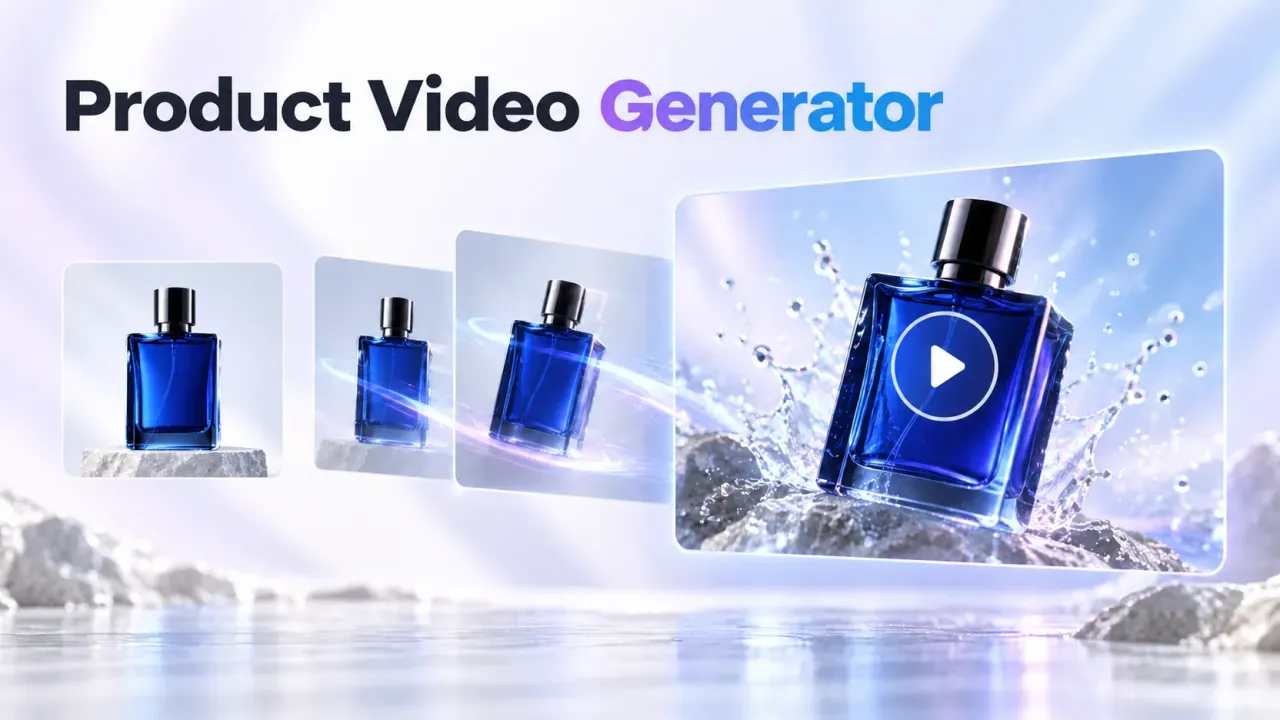
The MiniMax H3 Video Generator gives pet creators a practical way to turn one strong animal photo into several short-form concepts without filming every variation. Used as an AI Pet Video Maker, it can help TikTok creators, UGC teams, pet brands, shelters, and short-drama producers test more hooks, actions, camera moves, and story ideas within the same production budget.

The cost advantage is best understood as a workflow decision, not a permanent price promise. MiniMax H3 is the value-focused choice when its live credit cost is lower for the same duration, resolution, and input mode. Seedance 2.0 remains worth the premium when a shot depends on complex multimodal references, multi-shot structure, or advanced editing. Always compare the current settings and credits shown before you generate.
Quick Summary: Why MiniMax H3 Works for AI Pet Video Production
MiniMax H3 is an open, general-purpose multimodal video model. According to MiniMax's official video documentation, it supports text-to-video, first- and last-frame image-to-video, and reference generation using images, video, or audio. It can produce 768P or 2K clips from 4 to 15 seconds, which gives creators useful room for a TikTok hook, a product interaction, and a final reaction or loop.
For repeatable UGC production, that combination matters because one pet photo can become several creative directions:
- A dog reacts to a new toy in a creator-style product demo.
- A cat becomes the lead character in a three-beat comedy scene.
- A shelter portrait turns into a warm adoption-story opener.
- A pet-food image becomes a quick before-and-after ad concept.
- A rabbit, bird, or puppy joins a seasonal TikTok trend without a new shoot.
Start with Flyne AI's AI Pet Video Maker. Choose MiniMax H3 if it appears in the current model list. If the workspace currently shows Seedance 2.0 Fast, generate a baseline with the same image, prompt, duration, and ratio, then compare the usable result per credit rather than judging only the first frame.
MiniMax H3 vs Seedance 2.0 for AI Pet Videos: Cost, Detail, and Flexibility
The right comparison is not simply “which model looks better?” A UGC maker needs to know how many usable variations a budget can produce, how well the pet stays recognizable, and how much control is available when a concept becomes more complex.

| Decision area | MiniMax H3 Video Generator | Seedance 2.0 | Practical choice for pet UGC |
|---|---|---|---|
| Cost strategy | Best treated as the value option when the live H3 credit price is lower for a matched job | Flyne positions Seedance 2.0 as a premium multimodal workflow; the live page currently advertises 720p from $0.57 per video | Use H3 for broad hook testing; reserve Seedance for shots that need its extra control |
| Output detail | Official MiniMax docs list 768P and 2K output | Flyne lists HD generation and multi-shot workflows; exact controls vary by selected version | H3 is attractive when fine fur, eyes, fabric, and product texture need a high-detail final pass |
| Duration | Official range is 4–15 seconds in integer values | ByteDance describes 15-second multi-shot audio-video output; Flyne's current page describes 5–10-second clips | Both cover short-form use; H3's integer range is convenient for precise hook length |
| Starting material | Text, first frame, optional last frame, or mixed reference images, videos, and audio | Text, image, audio, and video references, plus extension and editing | Use H3 for focused photo animation; use Seedance when several reference assets must direct one scene |
| Creative flexibility | Open model, common aspect ratios, long prompts, and several reference modes | Strong reference-driven control, consistency, and editing | H3 can reduce workflow friction for rapid experiments; Seedance is stronger for controlled production |
| Limits and rights | Open access does not remove model-license, source-asset, platform, or regional restrictions | Provider and platform terms still apply | Neither model is a shortcut around copyright, likeness, ad, or AI-labeling rules |
The saving comes from iteration economics. Suppose a team needs six opening hooks, three camera treatments, and two endings. A lower-cost H3 run can make that exploration more affordable, while a higher-priced Seedance run can be saved for the two concepts that genuinely need richer reference control. This “draft wide, finish selectively” method is often more useful than paying for the most advanced model on every attempt.
Pricing changes, and credits are not directly comparable unless the job is matched. Before deciding, hold these variables constant: input mode, output resolution, duration, aspect ratio, audio, and number of references. Then calculate cost per usable clip, not cost per generation.
Why an AI Pet Video Maker Is Useful for TikTok UGC Creators
Pet UGC works when the animal remains recognizable and the idea is clear immediately. AI helps a creator test the concept before arranging a difficult shoot, but it does not replace good creative direction. The most useful benefit is faster variation.
Test more hooks without exhausting the pet
Animals do not perform on command, and repeated takes can create stress. Starting from a clear, rights-cleared photo lets a creator explore a dance, reaction, costume, sports moment, or product reveal without asking the animal to repeat an unnatural action. Keep the final concept humane and avoid prompts that depict distress, dangerous behavior, or misleading care advice.
Build a repeatable creator-style campaign
UGC makers can keep the same pet, product, color palette, and framing while changing only one variable per generation. Test a curiosity hook against a problem-solution hook, or compare a close-up product reveal with a wider lifestyle scene. This makes the creative review more disciplined and helps a team understand why one version communicates better.
Produce more formats from one approved concept
The same idea can support a 9:16 TikTok cut, a shorter paid-social variation, a 1:1 product-page teaser, and a 16:9 storyboard preview. Generate for the target ratio when possible instead of cropping important ears, paws, packaging, or captions after the fact.
More output does not guarantee more views. A MiniMax H3 workflow can improve the chance of finding a stronger creative by making structured testing cheaper, but watch time still depends on the hook, pacing, authenticity, caption clarity, audience fit, and offer.
How to Create a MiniMax H3 AI Pet Video on Flyne AI

1. Choose a clean pet photo with room for movement
Use a sharp image with visible eyes, ears, paws, and body outline. Avoid heavy motion blur, cropped limbs, cluttered backgrounds, and tiny product labels. If the pet will interact with a toy, bowl, leash, or package, make the object large enough to remain readable across frames.
Use only photos you own or are licensed to animate. For a client campaign, confirm permission for the pet, setting, product packaging, logos, and any people visible in the source image.
2. Write a hook-first prompt like a compact shot brief
A strong prompt gives each detail a job:
pet identity + action + product or story beat + camera + lighting + pacing + sound + aspect ratio + constraints
Example for a TikTok pet-product UGC ad:
A cheerful golden retriever sits beside an unbranded puzzle feeder, notices it in the first second, taps it once with a paw, then looks toward the camera with an excited head tilt. Natural living-room daylight, realistic fur movement, handheld smartphone feel, quick creator-style pacing, gentle room ambience, vertical 9:16 composition, keep the dog's markings and feeder shape consistent, no extra limbs, no text.
Example for a short-drama scene:
The same black cat waits outside a miniature detective office at night, hears a faint bell, slowly turns toward the doorway, then steps into warm light as the camera pushes forward. Detailed fur, expressive eyes, cinematic rain reflections, quiet suspenseful ambience, one continuous 10-second shot, preserve the cat's face and collar.
3. Match settings before comparing models
In the AI Pet Video Maker, use the same pet image, prompt, aspect ratio, resolution, duration, and audio choice for H3 and Seedance 2.0. If H3 is not displayed in the current picker, use the available model for the baseline and re-run the saved test when H3 becomes available in your workspace.
Do not compare a short 768P H3 draft with a longer, higher-resolution Seedance output and call the difference a model result. Matched inputs make the price and quality comparison meaningful.
4. Review anatomy, identity, product fidelity, and timing
Watch the result once at normal speed, then inspect the difficult moments frame by frame. Check:
- Eyes, ears, muzzle, paws, tail, and fur pattern remain coherent.
- Collars, tags, packaging, bowls, and toys keep a stable shape.
- Contact between paw, mouth, and product looks physically plausible.
- The main action begins early enough for a TikTok hook.
- Camera movement supports the action instead of hiding defects.
- Generated sound matches the scene and does not imply a false testimonial.
- The final frame supports a clean loop, cut, caption, or CTA.
5. Refine one variable at a time
If the face drifts, improve the source image or simplify the action. If the product changes shape, reduce complex contact and use a clearer reference. If the clip feels slow, move the key action into the first sentence and shorten the setup. One-variable testing turns a generator into a repeatable production workflow.
High-Value AI Pet Video Scenarios for Social, Ads, and Short Drama
TikTok organic series
Create a recurring pet character with a stable look and a simple weekly format: office cat, sports-commentator dog, miniature chef, detective rabbit, or “pet reacts to trends.” Keep each episode focused on one visual joke and one recognizable action. A series gives viewers a reason to recognize the character, while H3's short duration supports compact story beats.
Pet product advertising
Use AI video for concept testing, storyboards, packshot transitions, toy reactions, grooming routines, and lifestyle scenes. Do not fabricate a veterinary claim, performance result, or real customer endorsement. For commercial UGC, clearly separate imaginative storytelling from factual product evidence.
Adoption and shelter storytelling
Animate a shelter portrait into a gentle introduction, name reveal, or “day in the life” opener. Keep the story truthful, preserve the animal's appearance, and use real adoption details in captions added during editing. The AI scene should attract attention without misrepresenting health, behavior, or availability.
Short drama and branded entertainment
MiniMax H3 can turn pet characters into compact narrative beats for previsualization: an entrance, discovery, chase setup, reaction, or magical transformation. Use several short clips as a storyboard rather than expecting one generation to produce an entire finished episode. This gives editors more control over continuity, dialogue, music, and pacing.
Multilingual and localized UGC
Keep the same approved visual while changing the caption, voiceover, CTA, and cultural context for different markets. Review each localized version with a native speaker, and do not assume a visual joke or animal-care message translates safely across regions.
When Seedance 2.0 Is Worth the Extra Cost
Choose Seedance 2.0 on Flyne AI when the scene needs several coordinated references, multi-shot storytelling, guided audio, video extension, or localized editing. ByteDance's official Seedance 2.0 launch describes support for text, image, audio, and video inputs, including up to nine images, three video clips, and three audio clips. That depth can justify a higher generation cost when the shot would otherwise require many failed iterations or a manual rebuild.
For a simple “pet looks at product, taps it, then reacts” clip, MiniMax H3 may provide the better cost-to-result balance. For a multi-shot campaign with reference camera movement, an audio cue, a preserved product hero angle, and a controlled ending, Seedance 2.0 may be the more efficient production choice even if each run costs more.
The goal is not to crown one permanent winner. Use H3 to explore affordably, then move only the demanding shots to Seedance.
More Flyne AI Models and Flaq AI APIs for UGC Video Production
No single model fits every pet, product, or story. Keep these alternatives in the production toolkit:
- Happy Horse 1.1 Video Generator for cinematic prompt-led video concepts, social campaigns, ads, and short-drama previews.
- Seedance 2.0 Video API for developers building automated prompt-to-video workflows, campaign tools, or batch creative systems.
- Happy Horse 1.1 API for scalable text-to-video generation across social, advertising, and narrative use cases.
- Wan 2.7 API for image-to-video workflows that animate approved pet photos, product visuals, and storyboard frames.
For API production, add job tracking, retries, moderation, asset-rights checks, cost limits, result review, and human approval before publishing. A technically successful generation is not automatically a usable or compliant ad.
TikTok Publishing Checklist for AI Pet UGC
Before publishing, complete a final platform and brand review:
- Put the strongest action or surprise in the opening one to two seconds.
- Keep captions away from UI-covered areas and make the message readable without sound.
- Label realistic AI-generated or significantly AI-edited content when TikTok requires it. TikTok's AI-generated content guidance explains the available disclosure tools and prohibited likeness uses.
- Disclose commercial relationships and follow current branded-content and ad rules.
- Use licensed music, product assets, voices, likenesses, and source photos.
- Compare variants by hold rate, watch time, completion, shares, comments, click-through rate, and conversion quality—not views alone.
- Stop or revise any creative that misrepresents animal welfare, product performance, or a real event.
Recommended Reading
- Seedance 2.5 Release: What's New and How It Compares with Seedance 2.0 on Flyne AI
- Kling 3.0 Turbo Guide: Fast AI Video Creation on Flyne AI
FAQ
Is MiniMax H3 cheaper than Seedance 2.0 for AI pet videos?
It can be the lower-cost option when the platform charges fewer credits for a matched H3 job. Verify the live price using the same duration, resolution, input mode, aspect ratio, and audio settings. The useful metric is cost per usable clip, not the cheapest single generation.
Can MiniMax H3 keep my pet recognizable?
MiniMax H3 supports image and reference-led generation, which can help preserve a pet's identity. Results still depend on source-image quality, motion complexity, framing, and review. Check the face, markings, paws, collar, and any product in every output.
What makes MiniMax H3 less restrictive for creative testing?
Its official workflow supports text, first and last frames, reference images, videos, and audio, with common aspect ratios, 4–15-second duration, and up to 2K output. “Less restrictive” refers to input and workflow flexibility; model licenses, regional access, safety rules, copyright, and platform policies still apply.
Is MiniMax H3 or Seedance 2.0 better for TikTok UGC?
Use MiniMax H3 for cost-aware hook testing, focused pet-photo animation, and high-detail short clips. Use Seedance 2.0 when several references, multi-shot structure, extension, editing, or advanced audio-video control are essential.
Can an AI Pet Video Maker guarantee more TikTok views?
No. It can help you test more concepts and find stronger hooks, but views depend on creative quality, relevance, timing, audience fit, platform distribution, and the honesty of the offer.
Conclusion
The MiniMax H3 Video Generator is a strong value-oriented engine for an AI Pet Video Maker workflow because it combines high-detail output, flexible short-form duration, multimodal references, and affordable iteration when the live price is below a matched Seedance 2.0 job. Use it to explore TikTok hooks, pet-product ads, social series, adoption stories, and short-drama concepts, then spend premium-model credits only where extra control creates visible value.
Start with the Flyne AI Pet Video Maker, save a matched H3 and Seedance test, and measure cost per usable creative. Better inputs, honest claims, structured iteration, and careful publishing review—not model hype alone—are what turn AI video into a productive UGC workflow.
Sources and Verification Notes
- MiniMax official video-generation documentation for H3 input modes, reference limits, resolution, and duration.
- ByteDance Seedance 2.0 official launch for multimodal inputs, reference counts, 15-second output, and audio-video capabilities.
- Flyne AI Pet Video Maker and Seedance 2.0 model page for current workflow and displayed product positioning.
- TikTok AI-generated content guidance for disclosure and synthetic-media review.
- Prices, credits, model availability, commercial terms, and platform policies can change. Confirm them in the live interface before production or publication.