Stage Star
Photo to Rap Video Generator: Put Your Character on the Mic
Create with the Photo to Rap Video Generator on Flyne using your own image, lyrics and scene description. Preview a template, adapt its words and setting, then generate a rap performance.
Choose a Performance Idea for the Photo to Rap Video Generator
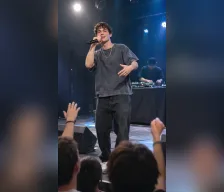
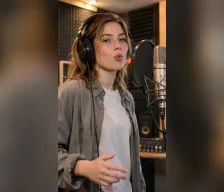
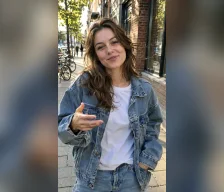
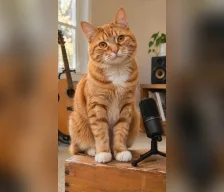
Preview the rap templates to find a character and scene direction. Apply a template’s lyrics and settings, then upload your own image and edit the text before generating.
Direct the Character, Lyrics and Scene in the Photo to Rap Video Generator
Use a reference image for the performer, lyrics for the verse and a separate description for the visual scene.
Turn a character image into a performer
Upload a portrait, pet photo or illustrated character as the visual reference for the generated rap clip.
Write or adapt the rap lyrics
Add your own lines or edit the lyrics from a template to give the performance a specific message.
Describe the stage and visual action
Use the Description field for the setting, lighting, gestures and camera direction while keeping the verse in Lyrics.
Apply a template’s text and settings
Choose a template to populate a starting scene, lyrics and video parameters, then review them before generating with your own image.
Build a Performance Brief with the Photo to Rap Video Generator
Bring the reference image, verse and visual direction together in one form, with templates that provide an editable starting point.
See the concept before applying it
Watch a template preview to understand its performance direction before adding the corresponding text and settings to the form.
Keep the verse separate from scene notes
The Lyrics and Description fields let you revise what is rapped independently from the setting and camera direction.
Start with portrait-oriented video settings
The page begins with Wan 3.0, a 9:16 aspect ratio and a 10-second duration. Review the available settings and adjust them for your clip.
Explore another scene with the same image
Reuse your character reference while changing the verse or setting to develop a different performance idea.
Create Portrait, Pet and Character Performances with the Photo to Rap Video Generator
Give your rap clip a clear creative purpose by pairing an image with a short verse and a matching visual scene.
A portrait introduction with a verse
Upload a portrait and write a brief introduction, then describe a stage or studio setting for the character’s rap performance.
A pet with a playful rap persona
Use a clear pet image and write a lighthearted verse, pairing it with a fictional performance scene.
An illustrated character in a music scene
Upload your character artwork and describe a setting that suits its visual style to explore a short animated rap concept.
A personalized celebration clip
Write a short congratulatory verse and describe a festive scene, using an image you have permission to animate.
How to Use the Photo to Rap Video Generator on Flyne AI
Start from a template or your own performance idea, upload a character image and review the lyrics, scene and video settings before generating.
Preview a rap template and apply it, or start with your own character photo.
Upload your image, edit the lyrics and describe the scene and camera.
Review the video settings and credits, generate and open the result in Create.
Prepare Images, Verses and Scenes for the Photo to Rap Video Generator
Understand the template workflow, editable inputs and account requirements before creating a rap performance from an image.
Tool
Explore More AI Video Tools for Video Creation
Find more ways to turn your ideas and images into videos.
Image AI
AI Image GeneratorImage to Image AIUGC Image GeneratorAI Anime GeneratorAI Virtual Try On4K Image GeneratorPinterest Pin GeneratorAI Avatar GeneratorPhoto to CartoonAI Product PhotographyOld Photo RestorerAI Headshot GeneratorAI HairCut Style GeneratorAI Image UpscalerGhibli Art StudioAI Background ChangerAI Image ColorizerImage Object RemoverAI Action Figure GeneratorBarbie Doll Box GeneratorAI Plush Toy GeneratorAI Simpsons Style GeneratorStudio Ghibli AINano Banana InpaintingAI Poster GeneratorAI Realism GeneratorNano Banana 2.1Qwen Image EditFlux Krea AIGemini Flash Image EditorRecraft AI Image GeneratorAI Medal GeneratorKrea AINew Year Calendar AIAI Halloween Generator
Video AI
AI Video GeneratorReference to VideoTikTok Video GeneratorUGC Video GeneratorProduct Video GeneratorProduct Avatar GeneratorVideo to VideoAI Video UpscalerPet Video MakerPhoto to videoText to Video GeneratorAI Baby Dance Video GeneratorMusic Video GeneratorPet Dance Video GeneratorPhoto to Rap Video GeneratorProduct to VideoBirthday Video GeneratorKorean Baseball GeneratorChristmas Video GeneratorAI Talking AvatarConsistent Character VideoGhibli Art Video GeneratorEarth Zoom Out AIAI KungfuAction Figure Video GeneratorMinecraft Video GeneratorTim Burton TransformationPumpkin Head TransformationDance with Ghost Generator
Video AI
Kling 4.0Wan 3.0FLUX 3 Video GeneratorMinimax H3Seedance 2.0 MiniHappy Horse 1.1Kling 3.0 TurboGrok Imagine 1.5Sora 2 AIGoogle VEO 3 AIGoogle VEO 3.1 AIHailuo 02 AIHailuo 2.3 AISeedance 1.0 AISeedance 2.5Seedance 2.0 AIHappy Horse 1.0MidJourney Video 1.0Kling 2.1 StandardKling 2.1 MasterKling 2.5 Turbo ProKling 2.6Kling 3.0Kling Motion ControlKling O1Vidu Q1Vidu Q3Vidu 2.0Luma Modify VideoGemini OmniGemini Omni 1.1 Flash
Free Tools
Free Image to Prompt AI GeneratorFree Background RemoverFree Image DescriberFree Beauty TestFree Image UpscalerFree Action Figure PromptsFree Image ConverterFree Prompt GeneratorFree Music CheckerFree Nano BananaFree GPT Image 2Free MiniMax H3Free AI Video GeneratorFree Image to VideoFree Text to VideoFree GPT Image 2.5Free Qwen Image 3.0Free Image to Image AI
Explore Lyrics and Scene Planning for the Photo to Rap Video Generator
Read related video guides to prepare character references, write concise performance directions and develop another rap-video idea.