What’s New on Flyne AI?
The latest Flyne AI website updates make the platform feel more direct, practical, and creator-friendly. Instead of asking users to search around for the right creative tool first, the refreshed homepage now places image and video creation closer to the front of the experience. That matters because most visitors do not arrive with a perfect workflow in mind. They usually arrive with a simple goal: make an image, turn a photo into a video, test a new model, or create a social-ready visual without opening multiple tools.
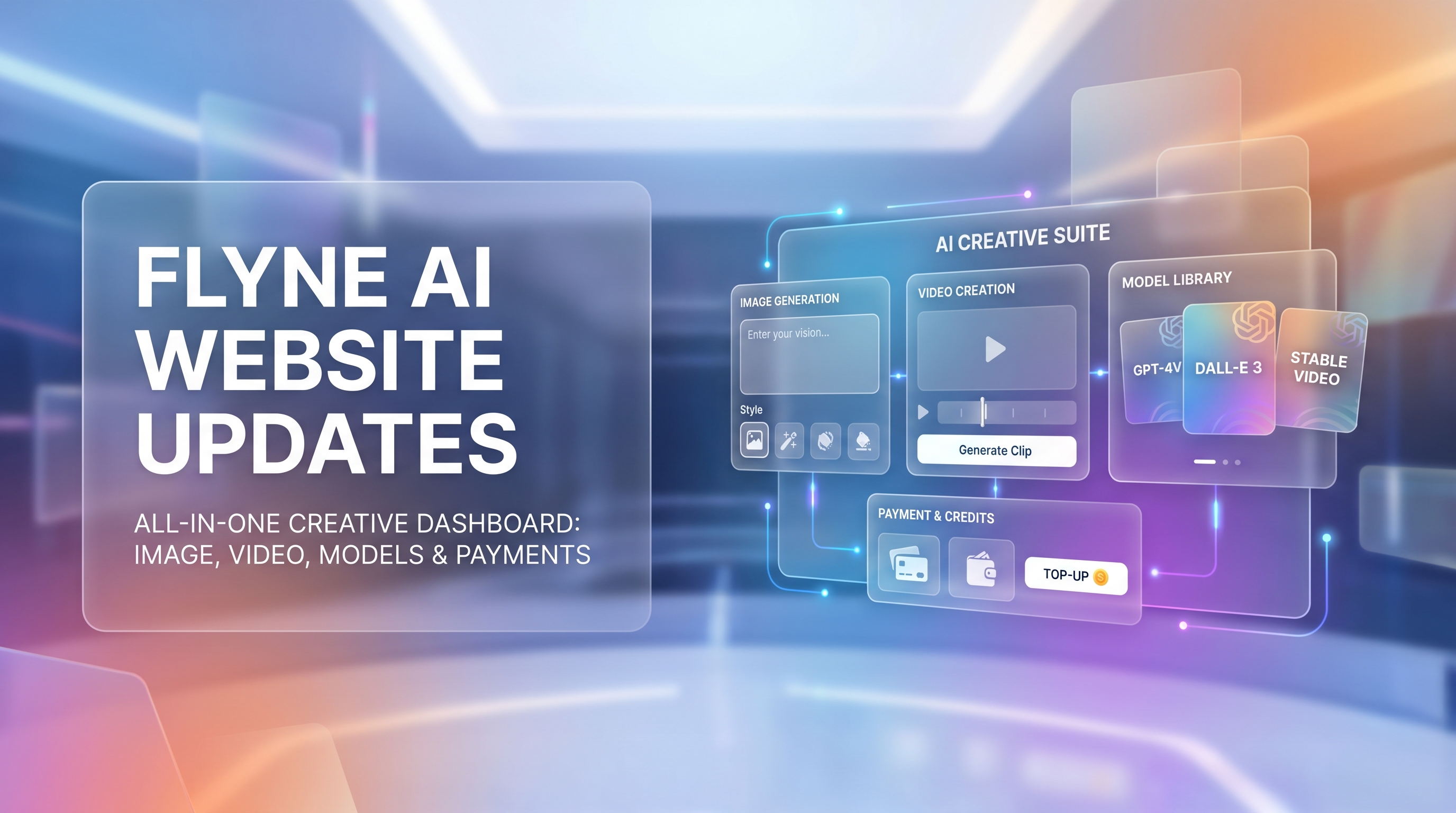
The biggest change is the new homepage-header generation interface. It gives users a clearer starting point for creating images or videos, supported by prompt optimization, model selection, and visible creative options. For people comparing Flyne AI vs other AI video generators or Flyne AI vs standalone AI image generators, the update makes the platform’s direction easier to understand: Flyne AI is positioning itself as an AI image and video generator where creators can explore multiple formats and models in one place.
The update also highlights Flyne AI latest models across image and video creation. Image creators can find newer model options for prompt-based visuals, product concepts, posters, and design assets. Video creators can explore cinematic generation, short-form clips, image-to-video workflows, and video modification. Flyne AI now also highlights broader payment convenience, including PayPal support, which is useful for users who prefer more flexible payment options when buying credits or subscribing.
A More Direct Image and Video Generation Interface
The most reader-relevant part of the Flyne AI new homepage is not just visual polish. It is the way the homepage now works more like a creative launchpad. Users can begin with a prompt, choose a mode or model, optimize the prompt, and move toward generation without first studying a long tool directory.
For creators, this lowers the friction between idea and output. A marketer can draft an ad concept, a designer can test a visual direction, and a short-video creator can move from a raw scene idea to a generation-ready prompt more quickly. The homepage header update is especially helpful for beginners because it makes the first action obvious: describe what you want, choose the right generation direction, and start testing.
That also supports Flyne AI’s broader all-in-one AI creative platform angle. A user might begin with the AI Image Generator to create a campaign hero image, then move into the Photo to Video AI workflow to animate that image, or use the AI Text to Video Generator when the idea begins as a scene description. Users who already have footage can explore Video to Video AI for transformation or stylized editing.
This is why the Flyne AI homepage update matters beyond design. It reflects how modern AI creation actually works. People rarely create in one straight line. They test a visual, revise the prompt, compare models, generate a video variation, and then adapt the result for ads, thumbnails, product pages, or social media.
Latest AI Image Models Featured on Flyne AI
The image side of the Flyne AI latest website update is useful for users who want better visual variety without jumping between separate AI image platforms. Instead of treating “image generation” as one generic feature, Flyne AI makes it easier to discover model-based options for different visual needs.
For campaign visuals, posters, concept art, and polished creative assets, GPT Image 2 AI is a strong starting point to explore. It fits users who want prompt-driven image creation with an emphasis on controlled visual direction, layout planning, and commercial-style creative drafts.
For creators comparing GPT Image 2 vs Nano Banana Pro on Flyne AI, the difference is best approached by use case rather than hype. Nano Banana AI can be useful for fast visual experiments and playful creative exploration, while the Nano Banana Pro Image Generator is a better fit when users want a more refined image workflow for polished assets, character ideas, branded visuals, or sharper creative tests.
Seedream 5.0 AI is another model worth trying for image creators who care about fresh style exploration, prompt interpretation, and visual diversity. In a Seedream 5.0 vs Nano Banana Pro comparison, the smarter approach is to test both with the same prompt: one version for clean branded imagery, another for more expressive or stylized concepts. Designers, thumbnail creators, and marketers can then choose based on the output that best matches the campaign.
The practical benefit is simple: Flyne AI AI image models are easier to discover inside one creative environment. That is valuable for AI product photography, AI avatar generator ideas, AI headshot generator experiments, AI background changer tasks, and AI prompt generator workflows where speed and iteration matter.
Latest AI Video Models Featured on Flyne AI
The video side of the update may be even more important for users who follow AI video model progress. Flyne AI now makes it easier to find different AI video models for cinematic shots, social clips, image animation, music videos, and prompt-based scenes.
For cinematic generation, Google VEO 3.1 AI is one of the most important model pages to explore. Users comparing VEO 3.1 vs Seedance 2.0 should think in terms of scene ambition, camera movement, realism, and consistency. VEO-style workflows are often attractive when the user wants a higher-end cinematic feel, while Seedance 2.0 AI is worth testing for dynamic short videos, stylized motion, and flexible social content creation.
For creators interested in newer or more experimental video styles, Happy Horse 1.0 can be tested for prompt-driven video scenes and expressive motion. In a Happy Horse 1.0 vs Kling 3.0 comparison, the best choice depends on the scene. Kling 3.0 is worth trying when users want strong motion control, cinematic composition, or polished short-form video output.
Flyne AI also features several other video model options. Sora 2 AI is relevant for users tracking advanced text-to-video generation, while Hailuo 2.3 AI and Vidu 2.0 give creators more room to compare motion, style, and prompt response. For editing existing clips or adapting video material, Luma Modify Video fits the growing demand for AI-assisted video modification rather than only generation from scratch.
The most practical takeaway is that Flyne AI vs AI video platforms is no longer only about one tool. It is about whether a platform helps users move between models, formats, and creative goals without rebuilding the workflow every time.
PayPal Support and Easier Payment Convenience
Payment convenience may sound less exciting than a new model, but it matters for real users. Many creators do not just test one generation and leave. They buy credits, return for campaign work, experiment with multiple models, and use AI tools across several projects. When payment options feel easier, the creative workflow feels less interrupted.
Flyne AI now highlights broader payment convenience, including PayPal support. For users who already prefer PayPal for online services, this can make subscriptions or credit purchases feel more familiar. It may also help teams and freelancers separate creative tool spending from personal card use, depending on how they normally manage payments.
The important point is not to overstate the detail. This update should be understood as a convenience improvement, not a promise about specific checkout steps, regional availability, refunds, or processing rules. Users should always check the live payment page for the exact options available to them at the moment of purchase.
Best Flyne AI Workflows to Try After the Update
The best way to understand what’s new on Flyne AI is to test a complete creative workflow, not just one model page.
1. Text prompt to image
Start with a product, character, poster, or campaign idea. Use the AI Image Generator, then compare GPT Image 2 AI, Nano Banana Pro, and Seedream 5.0 AI with the same prompt. This helps you see which model best matches your desired visual tone.
2. Image-to-image editing
Create or upload a base image, then revise the style, background, lighting, or design direction. This is useful for designers who need variations without restarting from zero.
3. Image to video
Generate a still campaign visual first, then animate it with Photo to Video AI. This workflow is helpful for social ads, product teasers, YouTube Shorts, TikTok clips, and quick brand motion tests.
4. Text to video
Use the AI Text to Video Generator when you already know the scene but do not have a starting image. Write the subject, environment, camera movement, lighting, and emotional mood clearly before generating.
5. Product visual to ad video
Create a clean product image, then turn it into a short promotional clip. This works well for AI ad creative generator tasks, AI product photography, landing page visuals, and social media content.
6. Music video or social content creation
For creators working with songs, edits, or short visual loops, the Music Video Generator can help turn a mood, beat, or concept into a more shareable visual direction. This is especially useful for musicians, editors, and AI social media content generator workflows.
Final Recommendation: Who Should Try Flyne AI Now?
Flyne AI is worth trying if you want one platform for image generation, video generation, model testing, and practical creative workflows. The new homepage interface makes it easier to start quickly, while the latest featured models give creators more room to compare image and video results without treating every project as a separate tool hunt.
It is especially useful for creators, marketers, designers, AI video users, and small teams that need fast visual drafts. If you want a text to video AI workflow, a photo to video AI workflow, or an AI short video maker for campaign testing, Flyne AI gives you several starting points. If you care more about images, it also provides a practical environment for AI image generator for designers, AI product photography, avatars, headshots, and visual editing.
The best approach is simple: start with one real project, test two or three models, and judge the results by your actual goal. That is where Flyne AI’s updated experience becomes most useful—not as a generic model directory, but as a flexible AI image and video generation platform for real creative work.
Creative Workflow Prompts to Try on Flyne AI
1. Homepage header image generation prompt
Create a futuristic homepage hero image for an all-in-one AI creative platform. Subject: a creator working with floating image and video panels. Visual style: clean tech editorial, modern SaaS design, subtle gradients. Camera/motion: wide-angle hero composition with layered depth. Lighting: soft neon rim light and bright studio glow. Mood: productive, creative, premium. Output goal: website header image for an AI image and video generator.
2. Product ad visual prompt
Create a premium product advertising image for a wireless headphone brand. Subject: matte black headphones floating above a reflective surface with subtle soundwave graphics. Visual style: luxury tech product photography. Camera/motion: close-up three-quarter angle, shallow depth of field. Lighting: dramatic studio lighting with soft highlights. Mood: sleek, modern, high-conversion. Output goal: product hero image for a social ad campaign.
3. Image-to-video social clip prompt
Animate this product image into a 6-second vertical social media ad. Subject: the product rotates slowly while light streaks reveal key details. Visual style: polished commercial motion design. Camera/motion: slow push-in, smooth orbit, subtle parallax background. Lighting: glossy studio reflections. Mood: energetic but premium. Output goal: short video for TikTok, Reels, and paid social ads.
4. Cinematic AI video prompt
Generate a cinematic 8-second video of a lone explorer entering a glowing glass city after rain. Visual style: realistic sci-fi film still, atmospheric architecture, reflective streets. Camera/motion: slow dolly forward from behind the character, slight handheld realism. Lighting: blue-hour city glow, wet reflections, soft fog. Mood: mysterious, hopeful, epic. Output goal: cinematic AI video concept shot.
5. Music video concept prompt
Create a surreal music video scene for an electronic pop track. Subject: a singer silhouette standing in a desert of mirrored panels while light pulses to the beat. Visual style: dreamlike, glossy, high-fashion music video. Camera/motion: rhythmic zooms, slow orbit, reflective transitions. Lighting: sunset gold mixed with neon magenta and cyan. Mood: emotional, stylish, hypnotic. Output goal: looping music video visual for a chorus section.
Recommended Flyne AI Tools and Models
- Try the AI Image Generator for posters, product visuals, thumbnails, character ideas, and design drafts.
- Use the AI Video Generator when you want to explore prompt-based video generation and model comparisons.
- Test GPT Image 2 AI for polished image concepts, campaign visuals, and structured creative assets.
- Explore the Nano Banana Pro Image Generator for refined image generation and model comparison workflows.
- Use Seedream 5.0 AI for fresh visual styles, creative images, and prompt-driven image experiments.
- Try Google VEO 3.1 AI for cinematic video generation and ambitious text-to-video scenes.
- Compare Seedance 2.0 AI for dynamic short-form video creation and flexible AI video workflows.
- Use Happy Horse 1.0 for expressive AI video prompting and creative scene experiments.
- Test Kling 3.0 for cinematic motion, polished shots, and AI short video projects.
- Explore the Music Video Generator for song-based visuals, artist promos, and social-ready music clips.
Related Articles
- Flyne AI Image and Video Generation Guide
- GPT Image 2 Prompt Playbook for Posters, Anime Assets, and Campaign Visuals
- Nano Banana Pro Guide: How to Create Better AI Images
- Seedream 5.0 Image Creation Guide for Designers and Marketers
- Happy Horse 1.0 Prompt Guide for Cinematic AI Video
- VEO 3.1 Video Creation Guide for AI Filmmakers
- Seedance 2.0 Workflow Guide for Short-Form Video Creators
- Kling 3.0 Comparison Guide for AI Video Generation
People Also Read
- How to Choose the Right AI Image Model for Creative Work
- A Practical Guide to AI Video Generation for Campaigns
- Image-to-Video Workflows for Social Ads and Creator Content
- AI Image Generation Ideas for Product Visuals and Brand Design
- How AI Music Tools Help Creators Build Better Visual Stories
- Access AI Model APIs for Image and Video Generation Workflows