In today’s fast-moving digital world, video has become the primary way products are showcased online. Whether you’re scrolling TikTok, browsing an e-commerce marketplace, or reading through a product landing page, video is the medium that grabs attention first. Static product photos still matter, but they no longer carry the same persuasive power. Consumers expect motion, storytelling, and context—and AI is stepping up to make that possible without costly production.
Two standout tools are Higgsfield AI and Veo3. Both can turn a single product photo into a compelling video, but they approach the task differently. In this article, we’ll explore how product-to-video works with Higgsfield AI, compare it with product to video by Veo3, and then look at how Flux AI’s workflow—using Gemini Flash Edit, Flux AI’s own video generator, or Veo3—gives creators the best of both worlds.
Why Product-to-Video Matters in 2025
Consumers crave motion. Studies consistently show that videos boost click-through rates, lower return rates, and improve trust in products. Video content:
- Builds trust faster – People can see products in action, which helps reduce doubts.
- Improves conversions – Short videos embedded on product detail pages (PDPs) increase add-to-cart rates.
- Fits social algorithms – TikTok, Instagram Reels, and YouTube Shorts prioritize video over static images.
- Encourages retention – A 6–10 second product clip keeps viewers engaged longer than a still photo ever could.
The problem? Traditional video production takes time, money, and resources. Hiring teams, renting studios, and reshooting for every product variation is impossible for most sellers. That’s why AI tools like Higgsfield AI and Veo3 are rewriting the rulebook.
Product to Video by Higgsfield AI
Higgsfield AI is designed with realism and consistency in mind. The engine specializes in turning static product photos into dynamic, natural-looking clips.
Strengths of Higgsfield AI
- Stable geometry: Keeps products from warping or “melting” during motion.
- Cinematic moves: Smooth dolly-ins, parallax effects, and arcs that mimic real cameras.
- Frame-to-frame reliability: Products stay sharp and believable.
- Speed: Short turnaround time for generating quick variants.
Use Cases
- E-commerce catalogs: Transforming every product photo into a looping 5–7 second clip.
- Social media ads: Quick variants for A/B testing.
- Amazon or Shopify stores: Adding short product videos to PDPs.
- Small businesses: Affordable promotional content without a studio budget.
With Higgsfield, you can go from upload to download in minutes. It’s a practical, straightforward way to create video content when you want your product to remain the star.
Product to Video by Veo3
On the other hand, product to video by Veo3 takes things up a notch in terms of fidelity and cinematic expression. Built by Google, Veo3 is widely recognized for its ability to generate videos that don’t just look like ads—they look like mini commercials.
Strengths of Veo3
- High fidelity: Produces smooth, polished output closer to traditional filmed ads.
- Cinematic storytelling: Handles multi-shot sequences and transitions with ease.
- Rich textures and lighting: Excellent for branded campaigns that need premium visual quality.
- Narrative potential: Goes beyond simple loops to create narrative-driven clips.
Use Cases
- Brand campaigns: Polished video assets for major launches.
- Narrative storytelling: Multi-scene product stories with lifestyle context.
- Advertising agencies: Campaign-ready quality for television and digital ads.
- Premium products: Luxury goods, cosmetics, or tech launches that need cinematic flair.
Veo3 is more resource-intensive and requires slightly more prompt engineering than Higgsfield, but it delivers stunning results when production value matters most.
Higgsfield vs. Veo3: The Key Differences
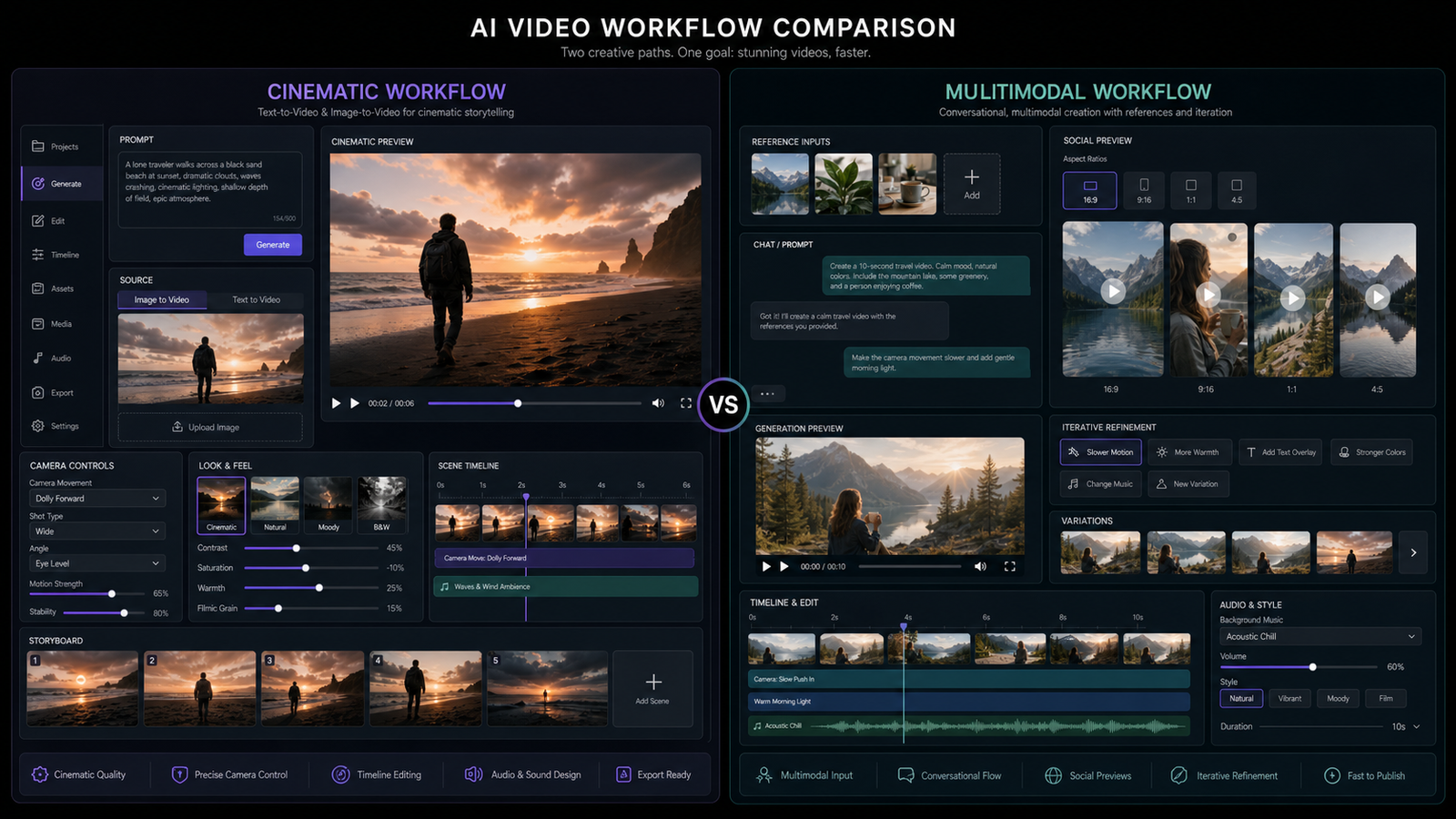
When deciding between Higgsfield and Veo3, it helps to think in terms of speed vs. depth and realism vs. cinematic flair.
| Feature | Higgsfield AI | Veo3 AI |
|---|---|---|
| Output Style | Realistic product visuals | Cinematic, narrative-driven advertising |
| Speed | Fast iterations and quick exports | Slower, more resource-intensive, but highly polished |
| Best For | E-commerce sellers, small businesses | Brands, agencies, luxury campaigns |
| Strength | Stability, consistency, practicality | Fidelity, storytelling, cinematic transitions |
| Limitations | Less artistic flexibility | Requires more setup, less suited for rapid-fire A/B testing |
In short: Higgsfield is your reliable workhorse for day-to-day video content, while Veo3 is your go-to tool when you need videos that feel like high-budget commercials.
The Smarter Alternative Workflow with Flux AI
When you’re weighing Higgsfield AI against Veo3, it’s tempting to think you have to pick just one. But the truth is, the strongest creators and marketers often use a hybrid workflow that taps into both speed and cinematic quality. That’s where Flux AI comes in.
Flux AI has built a modular ecosystem where you don’t have to lock yourself into a single model. Instead, you can stack tools in a workflow that matches the needs of your campaign. Imagine having a Swiss Army knife for creative production—one blade for quick catalog videos, another for cinematic commercials, and yet another for polishing raw inputs. That’s essentially what you get here.
Step 1: Refine with Gemini Flash Edit
Every great video starts with a clean base image. The Google Gemini Flash Edit tool inside Flux AI is like having a professional retoucher on standby. You can strip away messy backgrounds, fix lighting issues, and enhance textures before your product even hits the video generator.
Why is this important? Because AI models are only as strong as the inputs they receive. Feed them a cluttered image with poor lighting, and the output will reflect that. But start with a pristine, well-lit shot, and you’ll get videos that look like they were staged and shot in a controlled studio environment.
Step 2: Generate Everyday Clips with Flux AI Video Generator
Once your images are polished, you can move into the Flux AI Video Generator. This tool is designed for speed—think of it as your daily driver. Need a quick 6-second clip of your new water bottle spinning elegantly on a white pedestal? Or a series of 1:1 loops for your online store? This is where you’ll get them.
It’s the perfect tool for:
- Launching multiple SKUs at once.
- Running low-budget social ads that still need motion.
- Filling PDPs with product videos to increase buyer confidence.
And because it’s built into the same ecosystem, you can carry over the refinements you made with Gemini Flash Edit seamlessly.
Step 3: Upgrade to Veo3 for Cinematic Campaigns
When it’s time for your product to step into the spotlight—think holiday campaigns, luxury product launches, or brand-defining ads—you can jump into Veo3 on Flux AI.
This is where your storytelling comes alive. Veo3 lets you design sequences that feel like real commercials: a sweeping pan across a watch face catching the light, a lifestyle cut where the product appears in use, or a multi-scene narrative that builds anticipation before the logo reveal.
By combining these steps, you don’t have to choose between “quick” and “cinematic.” You get both, in the same workflow.
Best Practices for Using AI Product-to-Video Tools
AI tools make the process easier, but there are still a few creative habits that will help you get the most out of them:
- Feed the model the good stuff. Start with high-resolution, well-framed product shots. If your raw photo is blurry, the AI won’t fix it—it’ll just emphasize the flaws.
- Write prompts like a cinematographer. Instead of vague requests like “make it look cool,” be specific: “soft window light, slow dolly-in, product centered on pedestal.” Clear direction = cleaner output.
- Think platform-first. Each platform has its quirks. TikTok loves vertical, energetic motion. Instagram prefers square or vertical. YouTube and websites are better with widescreen cinematic clips. Format with the end viewer in mind.
- Test multiple variants. One of AI’s biggest strengths is speed. Don’t just create one video—create three or four, change up the background, tweak the motion, and see which performs best.
- Layer in branding. Add your logo, CTA, or product tagline in post. The AI handles the motion and visuals; you control the message.
Real-World Applications
Let’s make this more tangible by looking at how different users might take advantage of these tools.
Example 1: The Shopify Seller
Emma runs a Shopify store selling eco-friendly candles. She has dozens of SKUs with only static product photos. Using Gemini Flash Edit, she cleans up each photo, then runs them through Flux AI Video Generator to create looping 1:1 clips. Within a day, every PDP on her site has a short video demo, and her conversion rates jump noticeably. For Black Friday, she switches to Veo3 to create a cinematic lifestyle ad featuring her candles glowing in cozy holiday settings.
Example 2: The Marketing Agency
A boutique ad agency is working with a fitness equipment brand. For day-to-day social ads, they lean on Higgsfield AI for fast iterations—showing products like resistance bands and yoga mats in short looping videos. But when the client launches a flagship treadmill, they pull out Veo3 on Flux AI to produce a slick, cinematic ad that feels like it belongs on TV.
Example 3: The Small Business Owner
James runs a local coffee roastery. He doesn’t have a video budget, but he wants his beans to stand out online. He uploads photos of his coffee bags, uses Flux AI Video Generator to make quick, 10-second rotating clips, and pairs them with catchy music. Later, when he expands into national distribution, he hires Veo3 to make a full brand video, showcasing the lifestyle of drinking his coffee.
These are the kinds of real-world scenarios where blending Higgsfield, Veo3, and Flux AI’s ecosystem really shines.
The Future of Product-to-Video AI
Looking forward, product-to-video AI isn’t just about spinning products on pedestals. Here’s what’s coming:
- Interactive video experiences. Imagine a viewer being able to tap on different product features in an AI-generated video, and the clip adjusting in real time.
- Multi-modal generation. Soon, you’ll upload a product photo and a tagline, and the AI will create both the video and a perfectly synced voiceover.
- Marketplace integration. Instead of exporting and re-uploading, you’ll be able to push generated videos directly into your Shopify store, Amazon PDP, or TikTok Ads Manager.
- Real-time rendering. Product-to-video generation will become fast enough to adjust campaigns on the fly—imagine updating your sale price in a video ad within minutes.
Flux AI’s approach—letting users refine images, generate quick clips, and upgrade to cinematic campaigns—already hints at this direction. It’s flexible and modular, which means it can evolve as the technology does.
Conclusion: The Smarter Way to Approach Product-to-Video
If you only need quick clips for your product catalog, Higgsfield AI is an excellent choice. If you need cinematic polish for a brand-defining ad, product to video by Veo3 is unbeatable.
But in reality, most businesses need both. That’s why Flux AI’s workflow is the smartest option. It gives you:
- Gemini Flash Edit to polish and prep images.
- Flux AI Video Generator for fast, everyday clips.
- Veo3 for high-budget, cinematic campaigns.
You don’t have to choose between “fast and practical” or “polished and cinematic.” With Flux AI, you can do both—on your terms, and on your timeline.
The takeaway: Treat Higgsfield and Veo3 not as competitors, but as complementary tools in your creative toolbox. Use each where it shines, and you’ll produce better, more versatile video content that keeps up with the demands of today’s digital landscape.