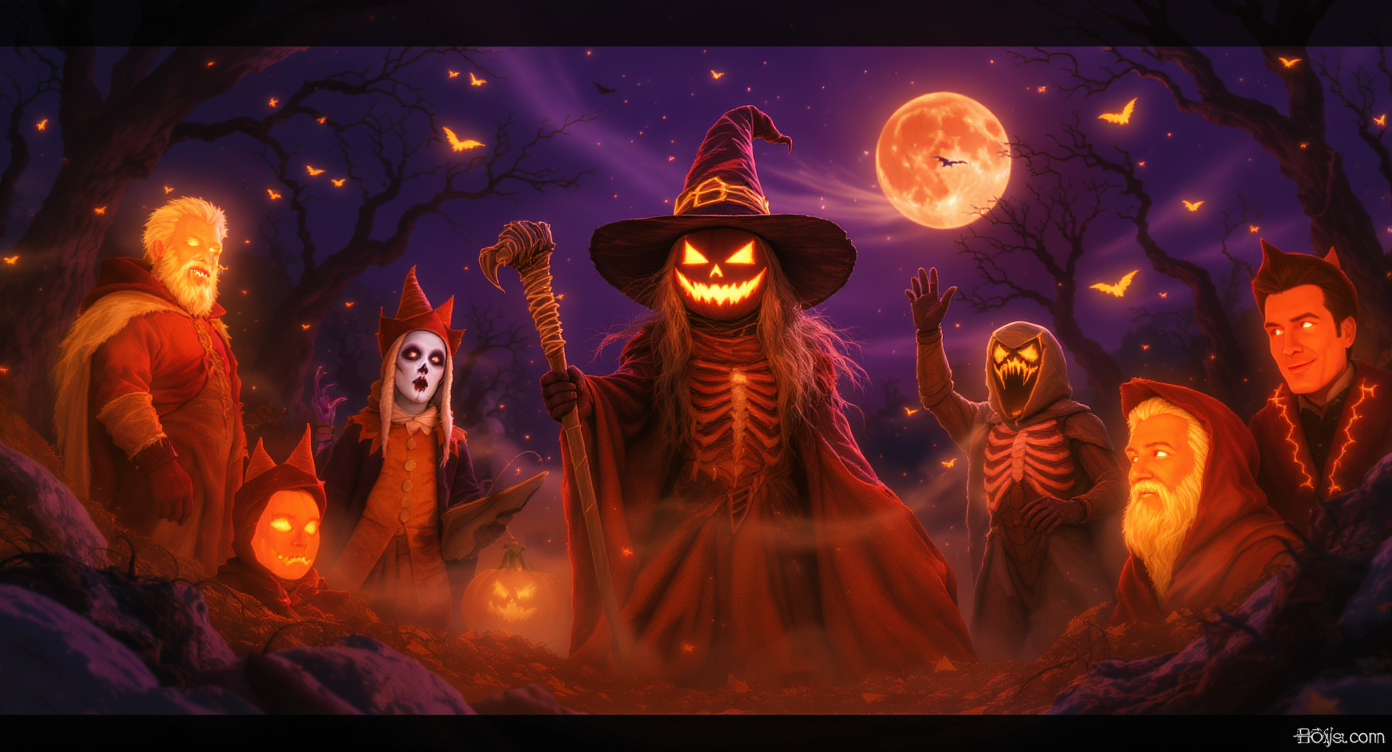
Tired of the same witch, mummy, vampire, or pirate costume ideas every Halloween? Still trying to find a look that feels original, cinematic, funny, or genuinely creepy? Halloween is not only about candy and costumes. It is also one of the best seasons for visual creativity.
With Flyne AI Image Generator, you can turn spooky ideas into posters, portraits, costume concepts, party banners, social media graphics, and cinematic Halloween scenes in minutes. You do not need Photoshop, a design degree, or a full production team. You need a clear idea, a useful prompt, and the right AI image workflow.
For detailed costume art, character portraits, and image edits, Nano Banana AI is a strong creative option because it can help generate or refine expressive visuals from text and image prompts. If you want more advanced image detail and semantic control, Nano Banana Pro is also worth testing for polished final assets.
This guide shows how to use Flyne AI to design a complete Halloween visual set: party posters, costume concepts, monster portraits, haunted backgrounds, and short video-ready images.
Why Use AI for Halloween Visual Creation?
Halloween is built around transformation. For one night, people become monsters, heroes, ghosts, witches, vampires, demons, angels, dolls, skeletons, or strange hybrids of everything at once. AI image generation fits that spirit perfectly because it lets you visualize ideas before you make, buy, print, post, or animate them.
Flyne AI is useful for Halloween creation because it supports a practical browser-based workflow:
- Generate images from text prompts.
- Upload reference photos for image-guided results.
- Create costume concepts before shopping or crafting.
- Design posters and banners for events.
- Edit image regions with inpainting tools.
- Remove or replace backgrounds.
- Upscale final artwork for cleaner publishing.
- Turn still images into short clips when needed.
Instead of treating Halloween visuals as one-off images, you can build a small creative system: poster, portrait, costume concept, background, avatar, and video keyframe.
What Can You Create With Flyne AI for Halloween?
Flyne AI can support several types of Halloween content:
| Creative Goal | Best Starting Tool | What to Create |
|---|---|---|
| Party posters and event banners | Flyne AI Image Generator | Haunted mansion posters, club flyers, invitation graphics |
| Costume concepts | Nano Banana AI | Witch outfits, vampire fashion, ghost hoodies, cyberpunk skeletons |
| Monster portraits | Nano Banana Pro | Vampire profile pictures, zombie portraits, gothic avatars |
| Background swaps | AI Background Changer | Haunted forests, gothic castles, foggy graveyards |
| Cleanup and fixes | AI Image Object Remover | Remove unwanted objects, clutter, photobombers, or distracting props |
| Final polish | AI Image Upscaler | Sharper posters, thumbnails, and social images |
| Motion content | Photo to Video AI Generator | Animated portraits, spooky reels, short Halloween clips |
The best workflow depends on the final use. A party poster needs layout space. A profile portrait needs face clarity. A costume concept needs fabric and silhouette detail. A short video keyframe needs clean lighting and stable composition.
Design Halloween Posters and Event Banners
Posters are one of the easiest Halloween projects to make with AI. They set the tone for parties, events, promotions, YouTube thumbnails, TikTok covers, or seasonal campaigns.
A good Halloween poster prompt should include:
- Event mood: creepy, cute, gothic, retro, cinematic, funny, luxurious.
- Main subject: haunted mansion, pumpkin spirit, vampire host, ghost bride, cursed carnival.
- Lighting: moonlight, neon orange, candle glow, purple fog, backlit shadows.
- Composition: poster layout, centered subject, empty space for text, wide banner, vertical flyer.
- Avoid instructions: no readable text, no distorted faces, no cluttered background.
Halloween Poster Prompt Examples
Halloween party poster concept, haunted mansion on a hill, glowing pumpkins in the foreground, purple fog, moonlit sky, cinematic horror lighting, vertical poster composition, empty space at the top for event title, dramatic contrast, no readable text.
Retro horror movie poster featuring a ghost bride in a ruined ballroom, full moon through broken windows, vintage grain, gothic color palette, elegant spooky atmosphere, centered composition, empty space for typography, no random letters.
Modern Halloween club flyer background, neon orange and black palette, glowing jack-o’-lanterns, smoke, laser lights, cinematic nightlife energy, clean central subject, room for text overlay, high contrast, no readable text.
Design Tips for Better Posters
Use “empty space for text” if you plan to add event details later in Canva, Photoshop, or another design tool. This is usually better than asking the image model to generate all final text inside the image.
Use vertical format for printed posters and mobile stories. Use square format for Instagram posts. Use wide 16:9 composition for YouTube banners, blog headers, and video thumbnails.
For final publishing, use AI Image Upscaler after choosing the strongest image. Upscaling weak drafts wastes time, so polish only the best version.
AI Costume Design: From Witch to Cyberpunk Ghost
Costume design is where Halloween AI images become especially fun. You can use Flyne AI to test outfit ideas before buying clothing, building cosplay pieces, or planning a themed photoshoot.
Start with a character concept, then add style details. The model needs more than “witch costume” or “vampire outfit.” Give it material, silhouette, mood, and lighting.
Costume Prompt Formula
Create a [Halloween character type] costume concept. Outfit: [materials, colors, details]. Style: [gothic, cinematic, cute, cyberpunk, vintage, fantasy]. Pose: [standing portrait, full body, fashion editorial]. Lighting: [moonlight, neon, candlelight, studio]. Background: [simple / haunted / urban / fantasy]. No readable text.
Costume Prompt Examples
Elegant moonlit witch costume concept, black velvet dress with silver embroidery, flowing sleeves, crescent moon accessories, gothic fantasy fashion, full-body portrait, soft fog, cinematic blue lighting, highly detailed fabric texture.
Cyberpunk vampire armor, black leather coat, glowing red circuitry, metallic collar, misty neon alley background, dramatic portrait lighting, stylish futuristic horror fashion, realistic texture, high-detail concept art.
Cute pumpkin ghost hoodie, oversized orange hoodie with glowing jack-o’-lantern face, soft white ghost scarf, 3D anime illustration style, playful Halloween mood, pastel background, clean character design.
Use Nano Banana AI for fast costume exploration and image editing. Use Nano Banana Pro when you want the final concept to look more polished, detailed, and campaign-ready.
Turn Yourself Into a Halloween Monster Portrait
Halloween portraits are perfect for profile pictures, invitations, social posts, YouTube thumbnails, and avatar projects. The easiest workflow is to start with a clear selfie or portrait, then use prompt-based transformation.
For best results, use a photo with:
- Clear face visibility
- Good lighting
- Simple background
- No heavy filters
- One person in the frame
- A neutral or expressive pose that matches the character idea
If the background is distracting, use AI Background Remover or AI Background Changer before building the final Halloween version.
Monster Portrait Prompt Examples
Transform this portrait into a gothic vampire noble, pale skin, silver eyes, elegant black coat, cinematic backlight, dark castle background, realistic face structure, dramatic shadows, high-detail Halloween portrait.
Turn this portrait into a haunted porcelain doll, cracked ceramic texture, glassy eyes, vintage lace outfit, candlelit room, eerie but beautiful atmosphere, cinematic close-up, preserve facial identity.
Create a cute cartoon ghost version of this portrait, soft pastel Halloween palette, rounded friendly shape, glowing eyes, simple background, playful social avatar style.
When transforming a portrait, avoid changing too many things at once. For example, do not ask for vampire, zombie, skeleton, robot, and angel in one prompt. Choose one strong concept, generate variations, then refine the best result.
Create Cinematic Halloween Scenes
Halloween scenes are useful for short films, storyboards, blog covers, campaign visuals, YouTube thumbnails, and background art. These images work best when you think like a director.
Instead of writing “scary forest,” describe the camera, light, subject, and mood.
Cinematic Scene Prompt Examples
Haunted forest under a blood moon, fog drifting through ancient tombstones, twisted black trees, distant lantern light, cinematic wide shot, eerie atmosphere, high contrast, dark fantasy realism.
Victorian ghost ballroom, shattered chandeliers, translucent spirits dancing, dusty moonlight through tall windows, elegant decay, cinematic composition, gothic romance horror style.
Abandoned carnival at midnight, flickering lights, phantom carousel horses, wet pavement reflections, purple fog, low-angle cinematic shot, surreal horror atmosphere.
Witch tower on a cliff, glowing runes, storm clouds, ravens circling, moonlit mist, fantasy horror key art, dramatic vertical composition.
These images can also become keyframes for video. If you want to animate a still Halloween image, use Photo to Video AI Generator after you have a strong, clean image.
Use Image-to-Prompt to Improve Your Halloween Prompts
If you already have a reference image you like, Image to Prompt AI can help turn that image into a detailed prompt. This is useful when you want to recreate a similar mood, lighting setup, color palette, or composition without copying the image directly.
A good workflow is:
- Upload a reference image to Image to Prompt AI.
- Copy the generated description.
- Rewrite it with your own Halloween concept.
- Generate new images with Flyne AI Image Generator.
- Edit or upscale the best result.
For example, if you like the lighting of a gothic movie still, you can extract the visual language, then apply it to your own witch portrait, pumpkin mascot, vampire poster, or haunted ballroom scene.
Pro Tips for Better Halloween AI Images
1. Use Mood Words With Visual Meaning
Words like “ominous,” “whimsical,” “mystical,” “haunted,” “playful,” and “elegant” help shape the image, but they work best when paired with concrete visuals.
Better than “spooky”:
foggy graveyard, moonlit backlight, twisted tree silhouettes, candle glow, gothic blue-orange color palette
2. Add Camera Language
Use phrases like:
- close-up portrait
- full-body costume concept
- low-angle poster shot
- wide cinematic frame
- centered product-style composition
- editorial fashion portrait
This helps the model understand framing.
3. Keep Text Out of the Image When Possible
AI-generated text can still be unreliable depending on the model and prompt. For posters, generate the image with empty space, then add final text in a design tool.
Use prompt phrases like:
empty space for title, no readable text, no random letters
4. Layer the Workflow
For a full Halloween visual set, generate pieces separately:
- Background scene
- Costume concept
- Character portrait
- Poster composition
- Final edits
- Upscaled version
- Optional video animation
This gives you more control than trying to generate everything in one image.
5. Fix Only the Broken Parts
If an image is 90% good, do not reroll everything. Use Nano Banana Inpainting or AI Image Object Remover to repair the specific area that needs attention.
Build a Complete Halloween Visual Set
Instead of creating one random image, think in terms of a small Halloween campaign or personal theme.
Here is a complete Flyne AI workflow:
Step 1: Create the Poster
Use Flyne AI Image Generator to create a vertical Halloween poster background with room for text.
Prompt idea:
Halloween party poster background, gothic mansion, glowing pumpkins, orange-purple fog, cinematic lighting, vertical composition, empty space for title, no readable text.
Step 2: Design the Costume
Use Nano Banana AI to generate costume concepts.
Prompt idea:
Full-body vampire masquerade costume, black velvet cape, silver mask, crimson lining, gothic ballroom lighting, elegant horror fashion, high-detail fabric texture.
Step 3: Transform the Portrait
Upload a clear portrait and create a Halloween avatar.
Prompt idea:
Transform this portrait into a cinematic vampire host, preserve facial identity, elegant gothic outfit, pale moonlight, smoky background, dramatic but stylish expression.
Step 4: Clean the Background
Use AI Background Remover or AI Background Changer to prepare a cleaner composition.
Step 5: Upscale the Final Art
Use AI Image Upscaler for the final poster, profile image, or campaign visual.
Step 6: Animate the Best Still Image
Use Photo to Video AI Generator to turn your portrait, poster, or haunted scene into a short moving clip for TikTok, Reels, Shorts, or event promotion.
Final Takeaway
Halloween has always been about transformation. Flyne AI brings that transformation into digital creation.
You can design a costume before you build it, generate a gothic portrait before your party, create a cinematic poster before your event, and turn a still image into a spooky social clip. The best results come from a clear workflow: generate the idea, refine the best version, fix only what is broken, upscale the final image, and animate it only when the still image is already strong.
For most Halloween image projects, start with Flyne AI Image Generator. Use Nano Banana AI or Nano Banana Pro for more detailed costume and portrait work. Then use background, object removal, upscaling, and photo-to-video tools when the project needs polish.
This Halloween, do not just dress up. Design the whole visual world around your idea.
Recommended Tools
- Flyne AI Image Generator — best starting point for Halloween posters, portraits, costume concepts, and cinematic scenes.
- Nano Banana AI — useful for fast costume ideas, portrait transformations, and practical image edits.
- Nano Banana Pro — best for polished character portraits, high-detail costume concepts, and final campaign visuals.
- Image to Prompt AI — useful when you want to turn a reference image into a reusable Halloween prompt.
- Nano Banana Inpainting — practical for fixing selected areas without regenerating the whole image.
- AI Background Remover — useful for preparing clean portraits, avatars, and party graphics.
- AI Background Changer — helpful for placing costumes or portraits into haunted scenes.
- AI Image Object Remover — useful for removing clutter, photobombers, or unwanted props.
- AI Image Upscaler — best for sharpening final posters, thumbnails, and profile images.
- Photo to Video AI Generator — useful for turning Halloween still images into short social clips.
Related Articles
- What Is Nano Banana 2 and How Does It Work?
- Creating 4K High-Quality Images with Nano Banana Pro AI: A Practical Editor’s Guide
- How to Create AI Figures with Your Photo Using Gemini 2.5 Flash AI Nano Banana
- Turn Nano Banana Into Your AI Font Generator: From Text to Stunning Typography
- AI Image-to-Video Generator Guide: Best Models and Workflows for 2026
- Flyne AI Image Generator Guide 2026: Best Models Compared and How to Use
People Also Read
- Lights, Camera… SCREAM! Veo 3.1 Halloween Prompt Spellbook
- Create Your Own Halloween Horror Video with Sora 2 & Veo 3.1 AI
- From Still Shot to Thrill Shot: Unleashing AI Animate Photo Magic with Image-to-Video AI
- VideoWeb AI Image Generator 2026: The Creator Switchboard for Fast-to-Final Images
- How to Use Sea Imagine AI’s Image Generator: A Beginner-Friendly Tutorial